Tabs has built a name for itself as an AI-driven revenue automation platform, pulling contract terms into billing, collections, and revenue recognition workflows for B2B finance teams. It's a solid product, and for finance teams that just need to automate what happens after a deal closes, it does that job well.
When the majority of finance leaders use more than 10 different systems just to get a unified view of their financials, something's not right.
That's pushed a lot of finance and RevOps teams to look at the broader field of options, some of which start earlier in the revenue cycle (at the quote) and some of which go deeper on a single piece (like usage metering or open source flexibility).
This guide breaks down six Tabs alternatives, including Alguna, Sequence, Chargebee, Maxio, Lago, and Zuora, so you can see how they stack up on pricing models, integrations, revenue recognition, and cost.
What is revenue automation software?
It's also called quote-to-cash or billing automation software, and the term covers a range of scope. Some platforms, like Tabs, pick up once a contract is signed and focus on billing, collections, and revenue recognition in compliance with standards like ASC 606 and IFRS 15.
Others, like Alguna and Sequence, start earlier, at the price quote itself, unifying CPQ (configure, price, quote) with billing so that what sales quotes is automatically what finance bills.
That distinction matters more than it sounds. A platform that starts at the contract still depends on whatever system generated that contract being accurate, which is exactly where mismatches between sales and finance tend to creep in.
How the top Tabs alternatives compare
| Platform | Best for | Strengths | Limitations | Pricing |
|---|---|---|---|---|
| Alguna | B2B SaaS and AI companies that want CPQ, billing, and revenue recognition in one system | Unified quote-to-revenue engine, native Salesforce and HubSpot integrations, supports any pricing model | Newer to the market, so its integration library is still growing compared to legacy vendors | Starts at $699/month |
| Sequence | B2B SaaS finance teams managing custom deal terms and hybrid pricing | Combines CPQ, metering, and revenue recognition; strong ERP integrations; fast implementation | No published pricing, so cost isn't clear until you talk to sales | Custom, quote-based |
| Chargebee | Subscription businesses that want to start free and scale | Free up to $250k in lifetime billing; 35+ payment gateway integrations; self-service customer portal | Overage fees and add-on pricing make costs harder to predict as you scale | Free up to $250k billed; Performance plan around $7,188/year; custom enterprise tier |
| Maxio | Mid-market and growth-stage SaaS with complex billing and rev rec needs | Granular ASC 606/IFRS 15 revenue recognition; investor-grade SaaS metrics reporting | Limited entitlements management; some rev rec workflows are narrower than pure-play tools | Build plan from $599/month (up to $100k billing volume); custom Scale plan |
| Lago | Engineering-led teams that want to self-host or fully control billing infrastructure | Open source and self-hostable; built for high-volume usage metering; no licence fees on the self-hosted tier | Self-hosting requires ongoing engineering resources; managed cloud tiers are quote-only | Free, self-hosted (open source); Business and Enterprise cloud tiers are custom-quoted |
| Zuora | Large enterprises with complex, high-volume subscription operations | Mature platform with broad pricing model support and strong compliance credentials | Consultative sales cycles of 6 to 12 months; implementation typically needs a systems integrator | Custom enterprise pricing, base tiers generally in the $100-$500/month range plus implementation |
6 Tabs alternatives at a glance
Here's a closer look at each platform: what it's built for, where it's strongest, and where it falls short.
1. Alguna
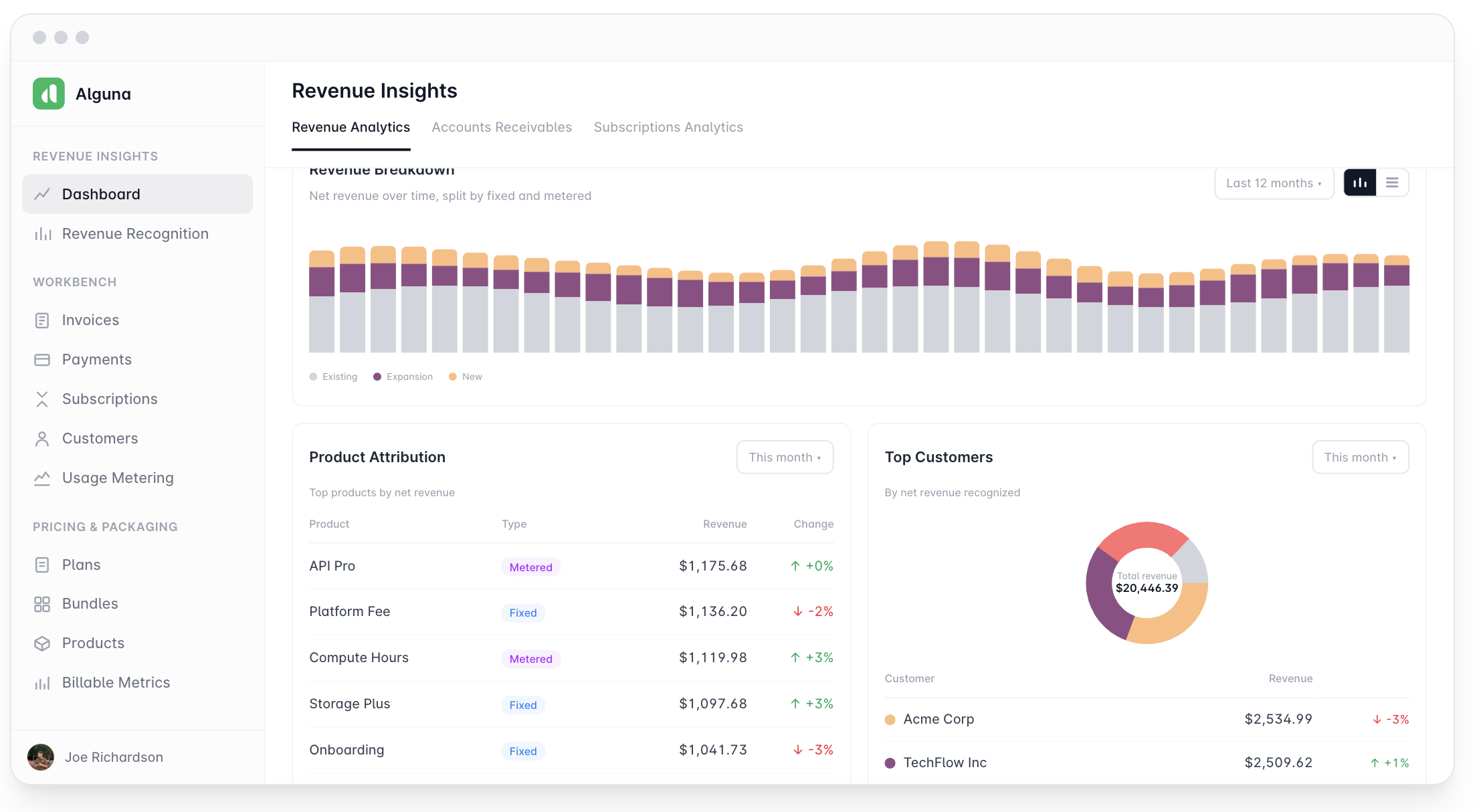
Alguna is an AI-native revenue automation platform built for B2B SaaS, AI, and fintech companies that want to unify pricing, quoting, and billing instead of duct-taping separate tools together. Rather than picking up where a signed contract leaves off, Alguna starts at the quote, so pricing, CPQ, billing, invoicing, payments, usage metering, and collections all live in one system and stay in sync by design.
That structure matters most for companies with pricing that doesn't fit neatly into a single model. Alguna's native pricing engine supports flat, tiered, usage-based, prepaid-with-overage, and multi-attribute pricing out of the box, which makes it a strong fit for companies still figuring out or actively iterating on their pricing model.
Key features
- A native pricing engine that handles flat, tiered, usage-based, prepaid-with-overages, and multi-attribute pricing without custom engineering work, so revenue and product teams can launch new pricing models without a quarter-long implementation project.
- No-code CPQ that lets sales reps configure and quote complex, negotiated deals while staying inside approved pricing guardrails, cutting down on the back-and-forth between sales and finance.
- Contracts AI that extract contract data with AI and so your reps can skip hours of manual work. Then, turn static PDFs into live subscriptions in seconds.
- A pricing simulator that lets revenue and finance teams model different pricing structures and see the projected impact on revenue before rolling a change out to customers.
- Usage metering via API or CSV upload, making sure that billing never misses a beat.
- AI collections that automate dunning and payment recovery workflows and flag at-risk accounts before they go delinquent.
- Native integrations with Salesforce and HubSpot that keep CRM data, quotes, and billing records aligned automatically.
- SOC 2 and GDPR compliance, giving security and legal teams the assurances they typically require before approving a new billing system.
Pros
- One system covers CPQ, billing, invoicing, payments, and revenue recognition, cutting down on the reconciliation work that comes with stitching together point solutions.
- Native pricing engine supports complex and hybrid pricing models without custom development.
- Direct Salesforce and HubSpot integrations reduce the manual handoff between sales and finance.
Cons
- As a newer entrant, its ecosystem of pre-built integrations and partner network is still smaller than long-established billing vendors.
- Companies with very simple, single-price-point billing may not need the full breadth of the platform.
Best for
- B2B SaaS and AI companies with complex or evolving pricing models.
- Revenue and finance teams that want CPQ and billing in a single system rather than two.
- Companies selling into Salesforce or HubSpot-based sales motions.
Pricing: Plans start at $699/month for the base package, which includes full CPQ and billing functionality. Book a demo for pricing tailored to your pricing model and deal volume.
2. Sequence
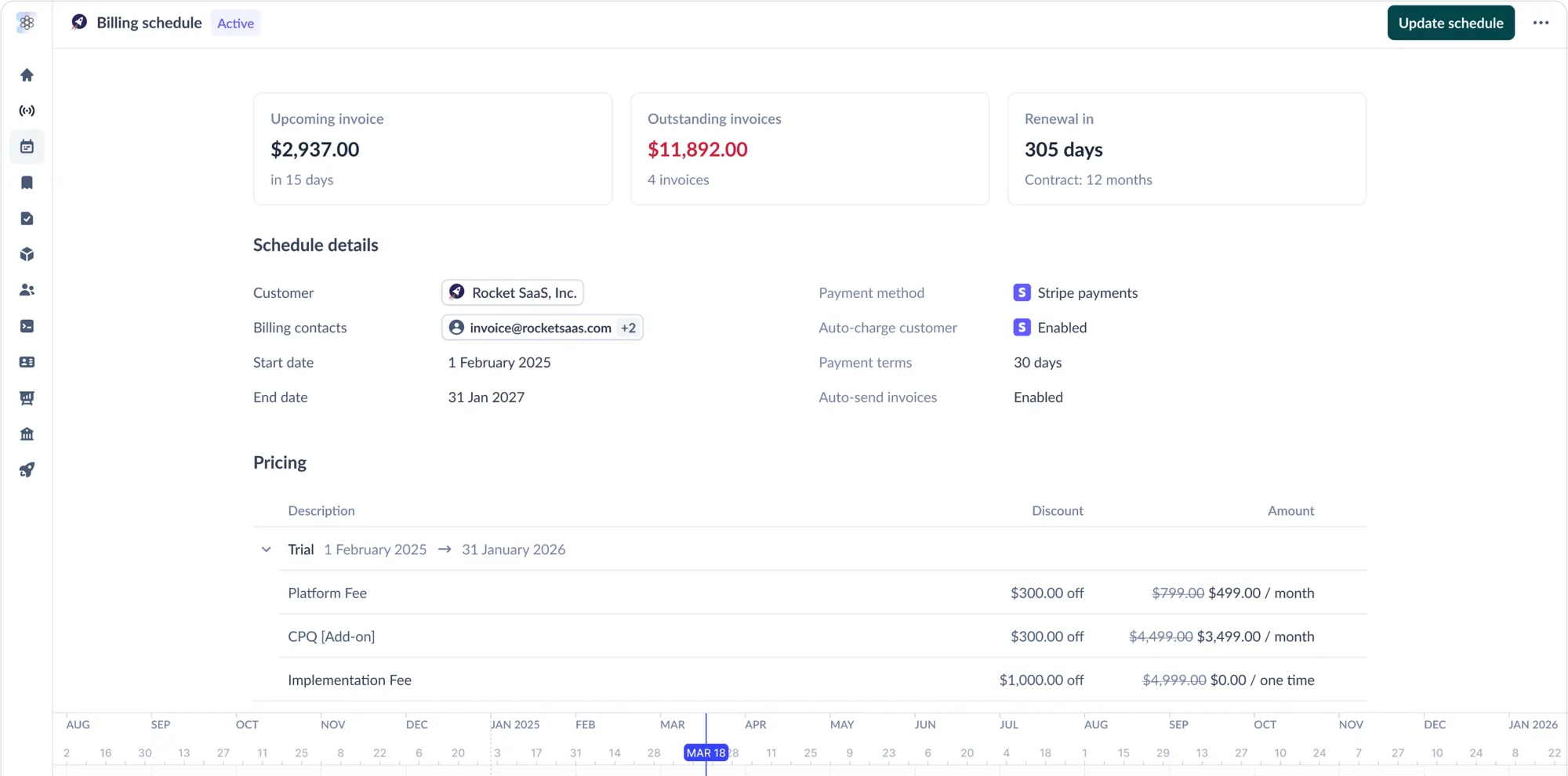
Sequence is an all-in-one CPQ, billing, metering, and revenue recognition platform for B2B SaaS finance teams, which puts it in similar territory to Alguna: it also starts at the quote rather than picking up after a contract is signed.
It's built specifically for companies with hybrid pricing and custom deal terms, handling everything from usage-based pricing and proration to multi-year contracts.
If you're comparing Sequence against other platforms in this category, we've also put together a dedicated breakdown of Sequence billing alternatives.
Key features
- CPQ plus billing in one workflow, so custom-quoted deals convert directly into automated invoices without a separate handoff step.
- Usage metering that rates consumption against negotiated rates and commitments, built to handle hybrid and consumption-based pricing.
- Revenue recognition that turns billed usage directly into recognized revenue without needing a separate rev rec tool.
- Built-in integrations to CRMs, ERPs, and data warehouses for faster implementation against an existing stack.
Pros
- Strong ERP integration score on G2, with reviewers noting it simplifies financial management.
- Flexible enough to handle custom contract terms and multiple pricing models at once.
- Fast implementation and responsive customer support, according to user reviews.
Cons
- Pricing isn't published, so you'll need to go through a sales conversation to understand total cost.
- Some reviewers note occasional bugs and unclear communication around vouchers and pricing changes.
Best for
- B2B finance teams automating quote-to-cash and revenue operations together.
- Companies with hybrid pricing and heavily negotiated, custom deal terms.
Pricing: Not publicly listed; Sequence uses custom pricing.
3. Chargebee
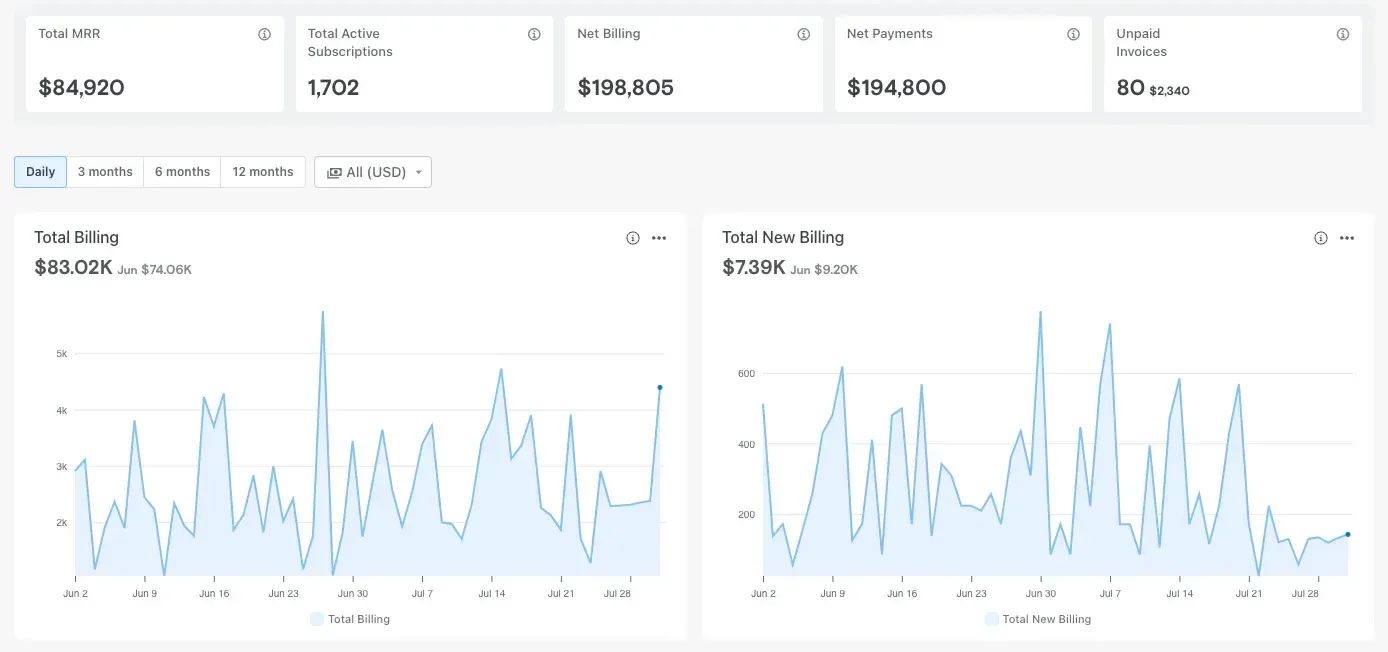
Chargebee is one of the more established names in subscription management, built to automate recurring invoicing, subscription lifecycle events like upgrades and cancellations, and trial workflows.
It integrates with more than 35 payment gateways, including Stripe, PayPal, and Amazon Pay, which makes it a familiar choice for companies already running on a standard subscription model rather than heavily negotiated enterprise contracts.
Its free-to-start pricing has made it a popular first billing platform for startups, though that same pricing structure introduces some unpredictability as a company scales past the free tier.
Key features
- Automated recurring billing that handles subscription lifecycle events, including upgrades, downgrades, cancellations, proration, and discounts.
- A self-service customer portal where customers can manage billing details, change plans, or cancel without contacting support.
- Revenue recognition (RevRec) that automates GAAP-compliant revenue recognition alongside billing.
- Support for 35+ global payment gateways, giving companies flexibility in how they collect payment internationally.
Pros
- Free tier for companies under $250,000 in lifetime billing lets startups grow before paying anything.
- Broad subscription tooling, including support for usage-based and hybrid pricing models.
- High overall user satisfaction on G2, with particular praise for payment gateway integrations.
Cons
- Overage fees on the Performance plan compound quickly once billing exceeds $100k a month.
- Revenue recognition, retention tools, and enterprise-grade support require separate sales conversations and add cost on top of the base plan.
- Onboarding can take two to four weeks for many teams, reflecting a UI that has grown organically over a decade.
Best for
- Early-stage subscription businesses that want to start on a free plan.
- Companies running standard subscription billing rather than heavily custom enterprise contracts.
Pricing: Free up to $250,000 in lifetime billing (⚠️ then a 0.75% overage fee applies); Performance plan runs about $7,188/year with a 0.75% overage fee past $100k/month; Enterprise pricing is custom.
4. Maxio
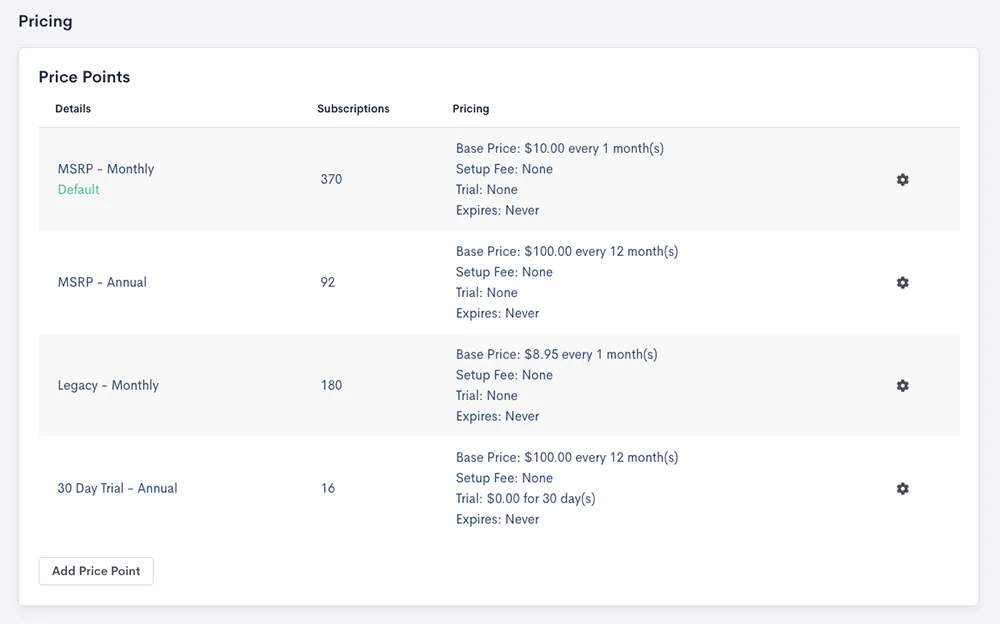
Maxio (formerly SaaSOptics and Chargify) is billing and financial operations software built for finance leaders at B2B SaaS and AI companies who need to automate subscription management, revenue recognition, and investor-grade reporting. It leans heavily into the finance and reporting side of the equation, with dashboards built around metrics like MRR, ARR, churn, and LTV.
Its revenue recognition automation is built to comply with ASC 606 and IFRS 15, which makes it a common choice for companies preparing for audits, fundraising, or more rigorous financial reporting standards.
Key features
- Flexible billing automation covering usage-based, hybrid, tiered, and seat-based pricing models.
- Automated revenue recognition that complies with ASC 606 and IFRS 15 accounting standards.
- Investor-grade SaaS metrics and reporting dashboards that track MRR, ARR, churn, and LTV.
- Dunning management that automates failed-payment recovery through reminder emails and retries.
Pros
- Intuitive interface with a relatively straightforward onboarding process for teams already familiar with SaaS finance tooling.
- Meaningfully reduces time spent on reporting and invoicing.
- Integrates with common CRM and accounting software for a more connected workflow.
Cons
- Revenue recognition capabilities are limited to basic AR, revenue, unbilled revenue, and deferred revenue tracking, leaving gaps for more complex scenarios.
- No built-in entitlements management, which pushes product teams toward manual workarounds for credit allocation and usage tracking.
- The broader feature set has a learning curve for teams new to the platform.
Best for
- Mid-market and growth-stage SaaS companies with complex subscription models.
- Finance teams that prioritize investor-grade reporting and ASC 606/IFRS 15 compliance.
Pricing: Build plan starts at $599/month for up to $100,000 in monthly billing volume; the Scale plan is custom-priced for higher-volume companies, with add-ons like advanced analytics costing extra.
5. Lago
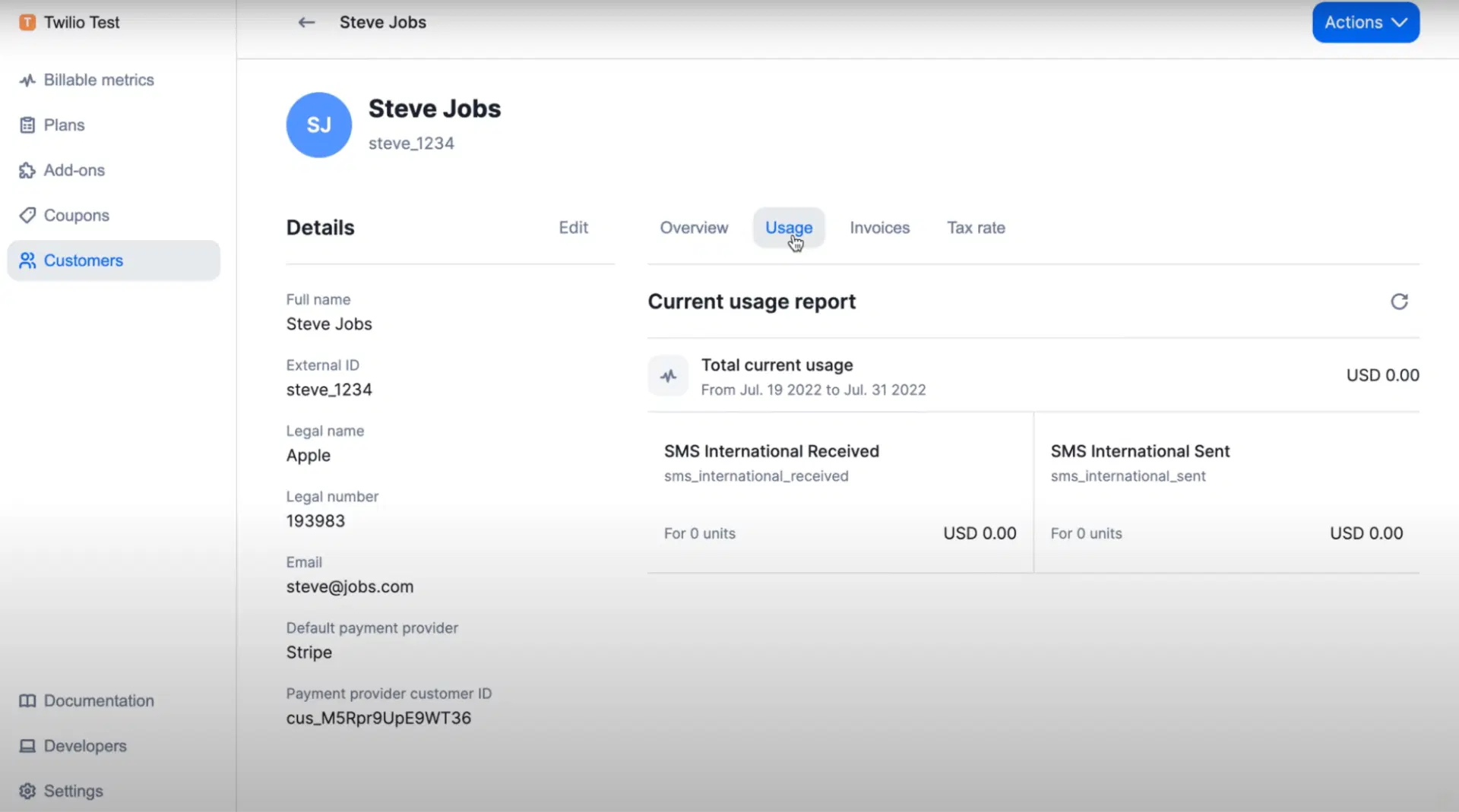
Lago takes a different approach from the rest of this list: it's an open source billing and metering platform, giving engineering and finance teams the option to self-host their entire billing stack rather than depend on a vendor's cloud. It's built specifically for usage-based, subscription, and hybrid pricing models, and can ingest up to 15,000 billing events per second, which suits companies billing on metrics like API calls, tokens, or GPU usage.
Because the core product is open source under an AGPLv3 license, it's most appealing to engineering-led teams that want full control over their billing infrastructure or need to keep billing logic in-house for compliance or architectural reasons.
Key features
- Real-time event metering that ingests high-volume usage data, built for billing on metrics like tokens, API calls, seats, or credits.
- Automated invoicing and subscription management that supports usage-based, flat, hybrid, and prepaid-credit pricing models.
- Feature entitlements tied directly to billing plans, along with cash collection workflows.
- White-label, embeddable billing components for platforms and marketplaces that need to bill their own customers.
Pros
- Free, self-hosted option with the full codebase available on GitHub and no licence fees or usage limits.
- Purpose-built for high-throughput usage metering, which suits AI and infrastructure companies with heavy consumption-based billing.
- Managed cloud tier is SOC 2 Type II certified for teams that don't want to self-host.
Cons
- Self-hosting requires ongoing engineering time to deploy, maintain, and scale.
- Business and Enterprise cloud tier pricing isn't public, so budgeting requires a sales conversation.
Best for
- Engineering-led teams that want to self-host their billing infrastructure.
- AI and infrastructure companies billing on high-volume usage metrics.
Pricing: Free and open source for self-hosted deployments; Business and Enterprise managed cloud tiers are custom-quoted.
6. Zuora
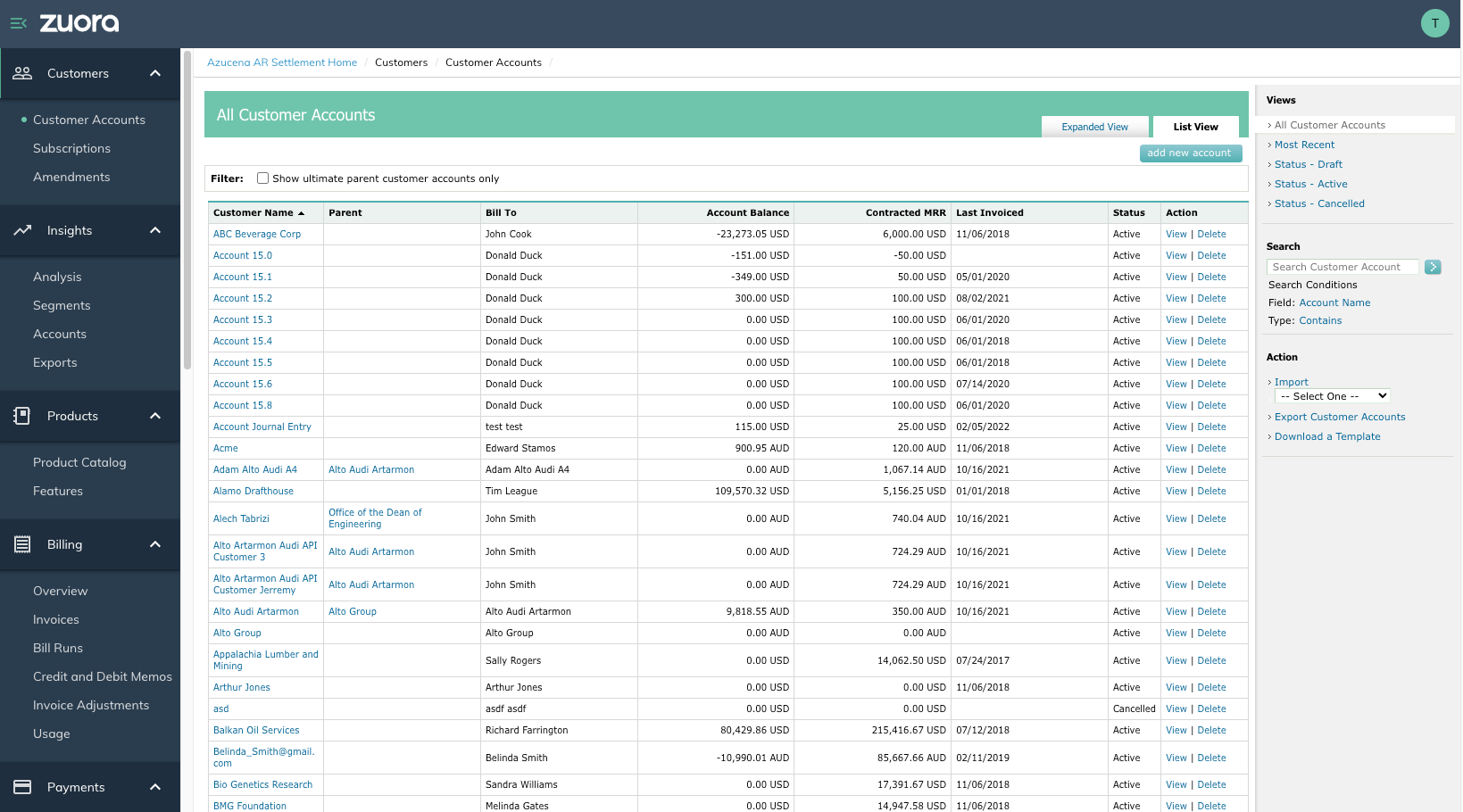
Zuora is one of the longest-standing players in subscription billing, built for companies with complex, high-volume recurring revenue operations. It supports usage-based, tiered, and one-time pricing models, and automates invoicing, payment collection, and revenue recognition in compliance with ASC 606 and IFRS 15.
Its maturity is both a strength and a tradeoff. Zuora tends to show up in evaluations for large enterprises that need broad pricing flexibility and strong compliance credentials, but that same complexity means implementation is rarely a plug-and-play process.
Key features
- Support for multiple pricing models, including usage-based, tiered, and one-time charges, aimed at serving different customer segments from a single platform.
- Automated invoicing, payment collection, and revenue recognition that reduce manual workload across the billing cycle.
- Revenue recognition automation built for ASC 606 and IFRS 15 compliance.
- Security and compliance standards, including PCI DSS, for handling sensitive customer payment data.
Pros
- Broad pricing model support suited to complex, high-volume enterprise billing operations.
- Automation across the subscription lifecycle helps maintain billing accuracy at scale.
- A "good" user satisfaction rating of 78% on G2, based on more than 660 reviews across recognized review sites.
Cons
- Sales cycles are consultative and typically take 6 to 12 months to close.
- Implementation is complex and generally requires a specialized systems integrator to deploy successfully.
- Some users report server outages and limitations around payment plans, billing frequencies, and accounting integrations.
Best for
- Large enterprises with complex, high-volume subscription operations.
- Companies that need broad pricing flexibility and have the resources for a longer implementation.
Pricing: Custom enterprise pricing; base tiers generally start in the $100-$500/month range, with full cost depending on features and implementation scope.
How to evaluate a Tabs alternative
Every platform on this list handles billing and revenue recognition, but they differ in where they start (quote vs. contract), how they price complex deals, and how much engineering or finance overhead they require to run.
A few criteria worth weighing before you commit:
- Where the workflow starts. Platforms like Alguna and Sequence begin at the quote, keeping sales and finance in sync from the first negotiated deal. Others, like Tabs, Maxio, and Zuora, pick up once a contract is signed, which can leave a gap between what sales promises and what finance bills.
- Pricing model flexibility. If your pricing includes usage-based, tiered, or multi-attribute components, confirm the platform supports it natively rather than through workarounds or custom development.
- Revenue recognition depth. ASC 606 and IFRS 15 compliance is table stakes, but the depth varies. Some platforms handle basic AR and deferred revenue; others handle more complex, multi-element arrangements.
- Integration footprint. Look at how well the platform connects to your CRM, ERP, and data warehouse. A billing platform that requires manual data exports defeats much of the purpose of automating it.
- Implementation time and resourcing. Enterprise platforms like Zuora often need a systems integrator and a 6-12 month runway. Self-hosted options like Lago need ongoing engineering support. Weigh that against your team's actual bandwidth.
- Pricing transparency. Several platforms on this list, including Sequence and Lago's cloud tiers, don't publish pricing. That's not disqualifying, but it does mean budgeting takes an extra step.
For a more detailed framework, our guide on evaluating a CPQ solution walks through 13 criteria worth applying to the CPQ side of this decision specifically.
Frequently asked questions
What's the difference between Tabs and a CPQ platform?
Tabs focuses on what happens after a contract is signed: billing, invoicing, collections, and revenue recognition. A CPQ (configure, price, quote) platform handles the earlier step of pricing and quoting a deal. Some Tabs alternatives, like Alguna and Sequence, combine both into a single system.
Is Lago actually free?
The self-hosted, open source version of Lago is free with no licence fees or usage limits, though you'll need engineering resources to deploy and maintain it. The managed cloud version (Business and Enterprise tiers) is paid and quote-based.
Which Tabs alternative is best for enterprise companies?
Zuora is the most enterprise-oriented option on this list, with broad pricing flexibility and strong compliance credentials, though it comes with longer sales and implementation cycles. Maxio and Alguna are also used by larger mid-market and enterprise teams that want more flexibility on implementation timelines.
Do I need separate CPQ and billing tools?
Not necessarily. Running separate tools for quoting and billing is exactly the kind of fragmentation that leads to reconciliation errors and mismatches between what's quoted and what's billed. Platforms that unify both, like Alguna and Sequence, are built to close that gap.
How long does it typically take to implement a revenue automation platform?
It varies significantly by platform. Lighter-weight or no-code platforms can be implemented in weeks, while enterprise platforms like Zuora often take 6 to 12 months and require a dedicated systems integrator.
The right platform closes the gap between sales and finance
Every platform on this list will get your invoices out the door. The real question is how much manual work happens between a signed deal and a clean set of books, and how much reconciliation your team is doing to get there.
If you're evaluating Tabs alternatives because you want billing and revenue recognition to actually reflect what sales negotiated, without a separate CPQ tool bolted on the side, that's the exact problem Alguna is built to solve. Book a demo with Alguna to see how a unified pricing, quoting, and billing platform could work for your team.