This guide compares seven AI revenue automation platforms that bring AI into the revenue process, from quoting and contract ingestion through billing, collections, and revenue recognition.
We cover Alguna, Tabs, Sequence, Zenskar, Chargebee, Maxio, and Zuora, and we researched each platform so you can compare them on the same criteria: what they do well, where they fall short, and what they cost.
What is an AI revenue automation platform?
Instead of a revenue operations or finance team manually re-entering contract terms into a billing tool and then again into a spreadsheet for reporting, an AI-powered revenue management automation and insights platform connects those steps so the same data flows through the entire process.
Most platforms in this category fall into one of three groups:
- Full quote-to-cash platforms that unify configure-price-quote (CPQ), billing, usage metering, and revenue recognition in one system.
- Contract-to-cash platforms that sit downstream of your CRM and CPQ, using AI to read signed contracts and turn them into billing schedules and revenue recognition entries.
- Legacy billing suites that have layered AI and usage-based capabilities onto an existing subscription billing product over time.
Which category fits you depends on how complex your pricing is today, how much of the revenue motion you want in one system, and whether you are trying to solve a quoting problem, a billing problem, or both.
AI revenue automation platforms: Comparison overview
| Platform | Best for | Strengths | Limitations | Pricing |
|---|---|---|---|---|
| Alguna | AI and SaaS companies that want quoting, billing, usage metering, and revenue recognition in one no-code platform | Unified quote-to-cash workflow, flat and predictable pricing, fast implementation | Newer entrant than legacy enterprise players | Free tier, flat plans from $699 per month, custom enterprise pricing |
| Tabs | Finance teams automating contract-to-cash and collections downstream of a CRM | AI contract ingestion with commercial context, strong accounts receivable automation | Sits downstream of CPQ rather than covering the full quote-to-cash motion | Flat-rate plans starting at $1,500 per month |
| Sequence | B2B SaaS teams with bespoke contracts that want CPQ, billing, and revenue recognition together | No-code CPQ editor, AI agents for accounts receivable, shared source of truth for quotes and billing | Users report a learning curve and a more cluttered interface at scale | Custom, quote-based |
| Zenskar | Companies with highly custom usage-based or hybrid pricing that need deep configurability | Handles almost any pricing structure, high-throughput usage metering, responsive support | Users report a steep learning curve during setup | Custom, quote-based |
| Chargebee | Subscription-first SaaS companies that want a mature, modular billing ecosystem | Broad payment gateway support, free entry tier, seven purpose-built modules | Revenue-based overage fees and separately priced modules can raise total cost quickly | Free up to $250,000 cumulative billing, $599 per month Performance plan, custom Enterprise |
| Maxio | B2B SaaS finance teams that want billing, revenue recognition, and SaaS metrics bundled together | Strong revenue recognition and reporting heritage, flat entry-level pricing | Users describe the billing API and reporting navigation as difficult to learn | Grow plan at $599 per month up to $100,000 in billings, custom Scale plan above that |
| Zuora | Large enterprises with complex, multi-entity, multi-product subscription models | Handles the most complex billing scenarios at scale, deep ERP integrations | Implementation often takes 6 to 18 months with $10,000 to $50,000 or more in setup costs | Fully custom, quote-based |
The 7 best AI revenue automation platforms
1. Alguna
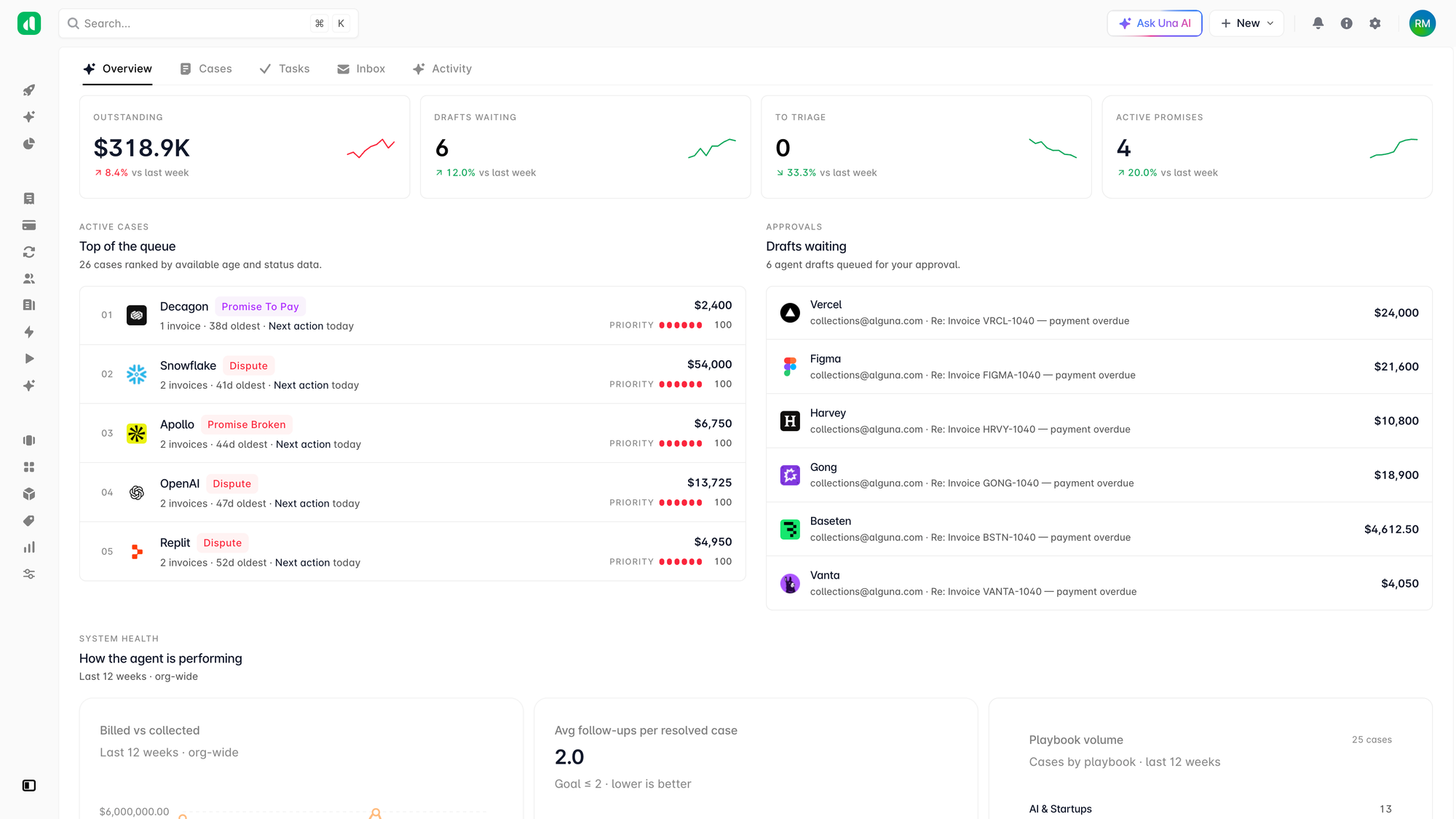
Alguna is an AI-powered revenue automation platform built for SaaS, AI, and fintech companies that need to price, quote, bill, and recognize revenue without stitching together separate tools.
Rather than treating billing as a downstream afterthought, Alguna unifies CPQ, real-time usage metering, invoicing, and revenue recognition in a single no-code system, so what sales quotes is exactly what finance bills.
Customers use Alguna to run subscription, usage-based, tiered, and hybrid pricing models side by side in one contract, and to update pricing without engineering work.
"Alguna enables complex usage-based billing for us in a way that other products can't," says Shane Curran, CEO at Evervault.
Key features:
- No-code configure price quote software: Sales reps can combine per-seat, tiered, outcome-based, and usage-based pricing in a single quote, with e-signature built in, so complex deals do not require a manual handoff to finance before they can close.
- Contracts AI: Drag and drop any signed contract in PDF or DOCX format and Alguna automatically extracts contract data, identifies the customer account, and suggests a match or lets you create a new one. Adjust anything you need before approval.
- Accounts receivables AI agent: Collect faster and reduce DSO with the help of an autonomous collections agent that drafts and sends follow-ups, and escalates to a human when needed.
- Real-time usage metering: Alguna meters any custom metric, from API calls to tokens to feature usage, and applies pricing logic as events happen, rather than reconciling usage after the billing period closes.
- Automated revenue recognition: Variable consideration, usage-based components, and multi-year ramp structures flow into ASC 606 and IFRS 15 compliant schedules automatically.
- Flexible billing operations: Teams can set monthly, quarterly, or annual billing schedules, preview invoices, embed their own branding, and localize invoice terms and language by region.
- No-code integrations: Alguna connects to existing CRM, ERP, and finance tools such as Salesforce, NetSuite, Stripe, and QuickBooks, so it complements a tech stack instead of replacing it.
Pros:
- Quotes, usage, and invoices stay in sync because they run on one data model instead of three disconnected tools.
- Flat, predictable monthly pricing means costs do not increase simply because revenue grows, unlike platforms that charge a percentage of billings.
- Most teams go live in weeks rather than months, according to customers
Cons:
- As a newer platform (founded, 2023, Y Combinator backed), Alguna has a shorter enterprise track record than 20-year-old incumbents like Zuora.
- The platform is purpose-built for modern hybrid pricing models and usage-heavy pricing, so companies with only simple, static subscriptions may not need its full depth.
Best for:
- SaaS, AI, and fintech companies running usage-based, outcome-based, hybrid, or custom enterprise pricing.
- Revenue and finance teams that want to launch new pricing models without waiting on engineering.
- Companies that want one system of record from quote to recognized revenue.
Pricing: Alguna offers a free tier for smaller teams and flat, predictable monthly pricing starting at $699 for scaling companies, with custom plans for enterprises. Pricing scales with the feature set you need rather than as a percentage of revenue, so costs stay predictable as billing volume grows.
Book a demo and we'll walk through how your quotes, billing, and revenue recognition would actually run in Alguna.
2. Tabs
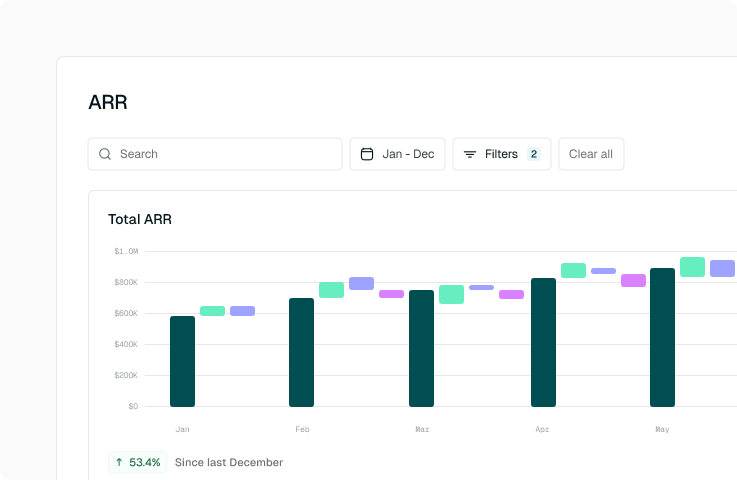
Tabs is an AI-powered revenue automation platform built for B2B finance teams. Rather than handling the sale itself, Tabs focuses on what happens after a contract is signed: it uses AI to extract billing terms from signed agreements, including PDFs, Word documents, and emails, then converts those terms into invoices, collections workflows, and revenue recognition entries.
Key features:
- AI contract ingestion: Tabs parses signed contracts and amendments and converts commercial terms into billing schedules without manual re-keying.
- Automated invoicing: Invoices generate directly from contract terms and real-time usage data, with validation and exception handling for non-standard cases.
- Collections and cash application: Automated dunning sequences and embedded payment links aim to reduce days sales outstanding, with AI-assisted reconciliation of payments to invoices.
- Revenue recognition: ASC 606-compliant journal entries generate from contract and billing data, and the platform recalculates recognition schedules automatically when it detects an amendment.
Pros:
- Users highlight the contract ingestion tool as a genuine time-saver for teams handling contracts with varied structures, according to reviews on G2.
- Collections and reconciliation are described as strong differentiators relative to general-purpose billing tools.
- Reported implementations can go live in under 30 days.
Cons:
- Because Tabs operationalizes signed contracts rather than generating quotes, companies still need a separate CPQ tool for the sales-facing side of the process.
- Newer platform, so doesn't have a clear track record with enterprise yet
- Some reviewers note that tax integration could be improved.
Best for:
- Finance teams with an existing CRM and CPQ that want to automate what happens after a contract is signed.
- Companies with non-standard contract structures across many customers.
- Teams prioritizing accounts receivable and collections automation.
Pricing: Tabs' published plans start with a $1,500 per month flat-rate Launch tier that includes billing and collections, CRM integrations, contract ingestion, and revenue recognition and reporting.
3. Sequence
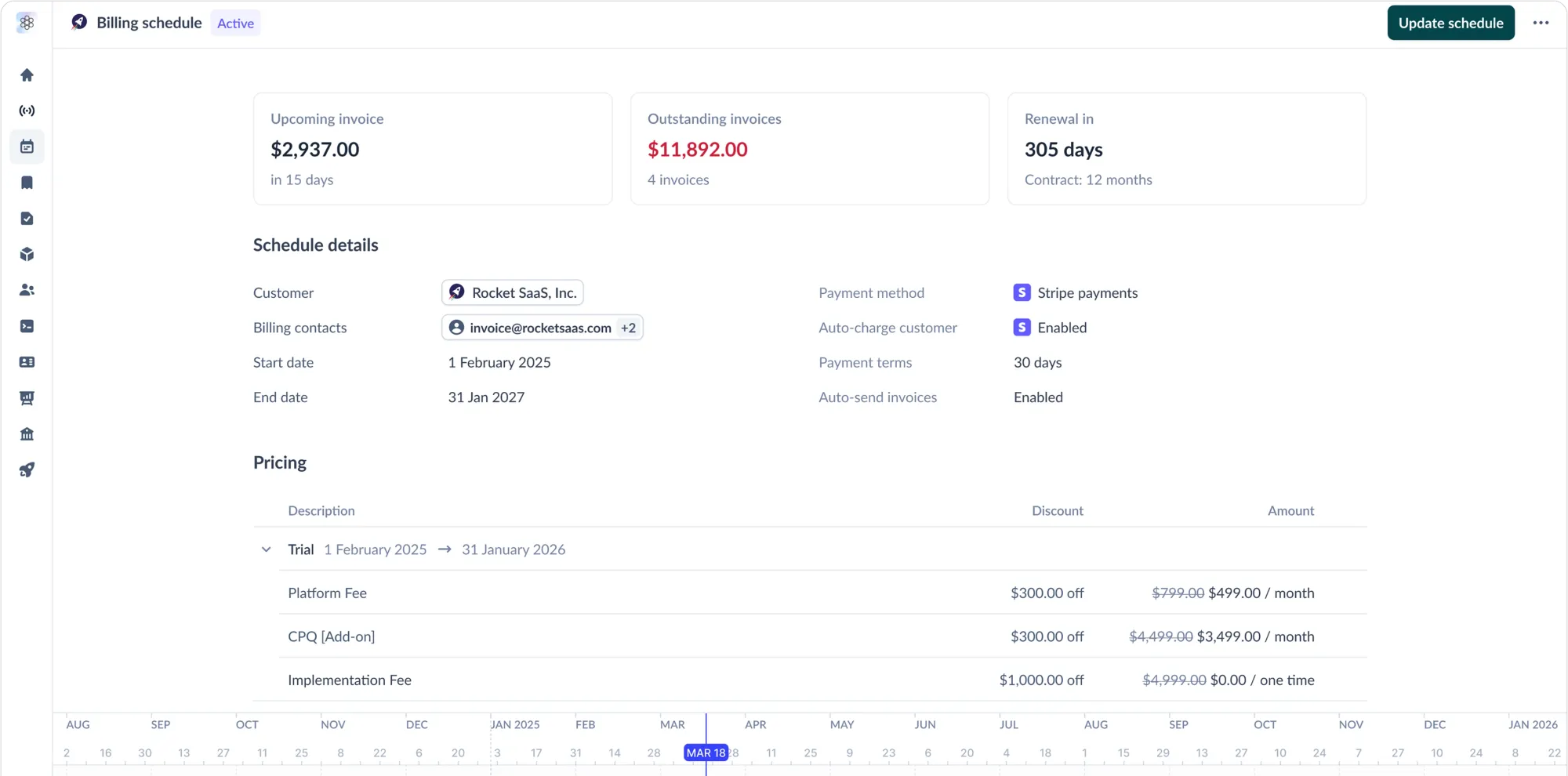
Sequence is a billing, metering, and revenue recognition platform for B2B SaaS companies. It aims to help finance teams turn signed contracts into billing schedules in a few clicks, and it has recently added AI agents intended to handle receivables tasks like updating billing details from customer queries or setting up billing from a newly signed deal.
⚠️ Customers report that Sequence is not investing resources into its CPQ module, but is instead focused on billing.
Key features:
- No-code CPQ: An editor for configuring usage tiers, phased pricing, and custom terms, designed to handle a range of deal structures.
- Billing automation: Turns signed contracts and usage data into automated invoices, and handles proration and minimum commitments.
- AI agents for accounts receivable: Agents handle repetitive tasks such as updating billing records or setting up new accounts, with a review layer for human approval.
- Revenue recognition: Tracks revenue journals in a dedicated sub-ledger with AI assistance for month-end close.
Pros:
- Users on G2 praise the intuitive interface and responsive support for simplifying complex billing processes.
- The shared product catalog and quote templates help align sales, finance, and operations around one set of numbers.
- Teams report a relatively short implementation period compared to legacy platforms.
Cons:
- A Research.com review flags a steep learning curve, a cluttered interface at scale, and performance issues with large or complex datasets.
- Some reviewers want deeper customization options than the platform currently offers.
Best for:
- B2B SaaS finance teams with bespoke, sales-led contracts that want CPQ, billing, and revenue recognition in one system.
- Teams planning to introduce usage-based billing in the future who want a foundation in place now.
- Companies that value a Notion-like, no-code contract and pricing editor.
Pricing: Sequence does not publish list pricing for its B2B billing product. Plans are quote-based and tailored to deal complexity and volume.
4. Zenskar
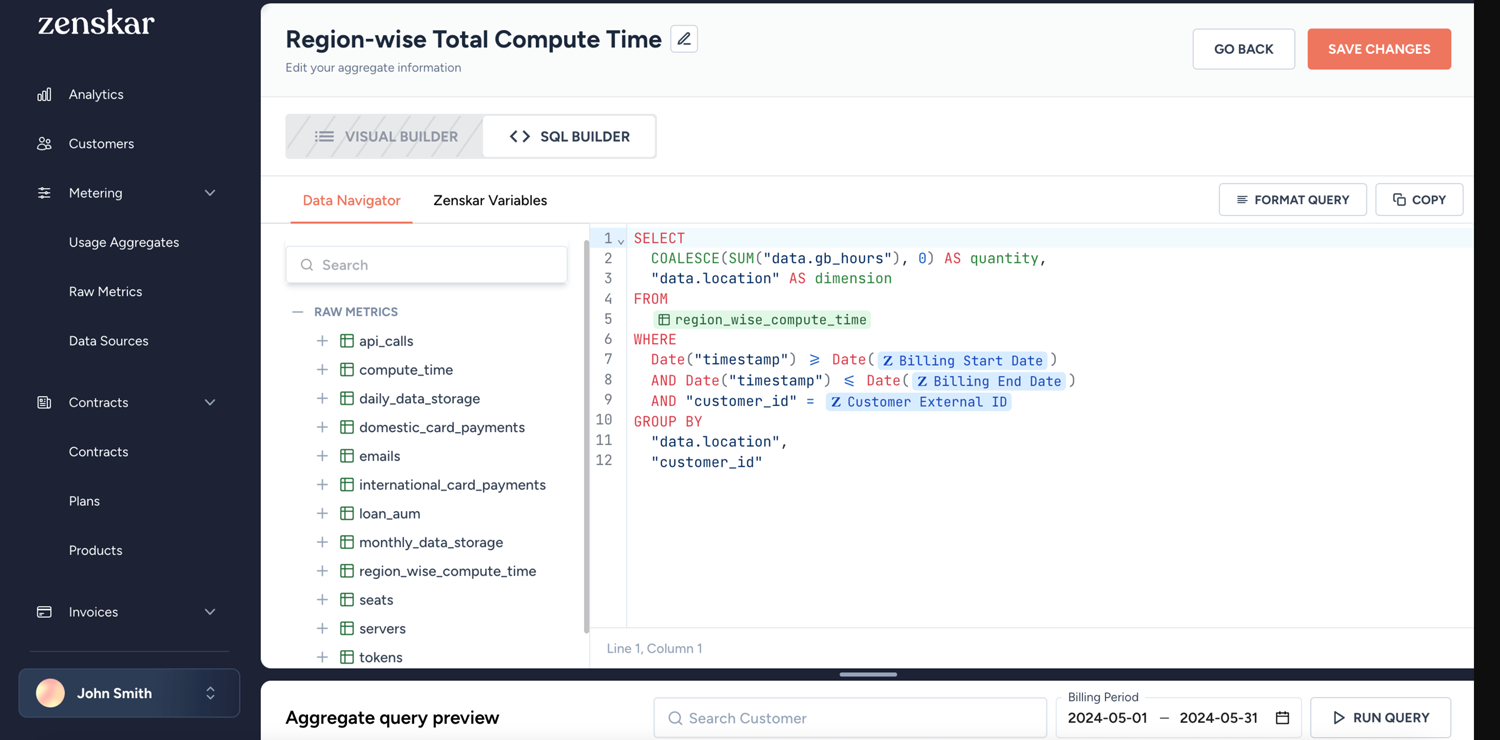
Zenskar is an AI-native order-to-cash platform designed for finance teams managing complex subscription and usage-based billing. Its core selling point is flexibility: the platform supports prepaid and postpaid subscriptions, tiered and volume-based charges, minimum commitments, and custom currencies, all configurable without engineering involvement through a no-code contract builder.
Zenskar also emphasizes usage metering at scale, ingesting data from databases, data lakes, APIs, or CSV uploads to measure and bill against nearly any usage metric.
Key features:
- No-code contract builder: Configure custom pricing structures, including flat fees, tiered usage, volume-based charges, minimum commitments, proration, and taxes, without developer involvement.
- High-throughput usage metering: The platform advertises a rate limit of up to 50,000 events per second for usage event ingestion.
- AI-based contract ingestion: Automates the extraction of billing terms from contracts to reduce manual setup.
- Revenue recognition and reporting: A flexible accounting rule engine supports ASC 606 and IFRS 15 compliance, with real-time dashboards for MRR, ARR, and other SaaS metrics.
Pros:
- Reviewers on Capterra describe Zenskar as highly configurable and not restricted to a single pricing model.
- Support is frequently praised as fast and responsive, available via Slack, email, and video calls.
- Handles complex hybrid contracts, such as prepaid subscriptions combined with postpaid overages, that some other tools cannot automate.
Cons:
- Multiple reviewers on GetApp mention a learning curve when first configuring the platform.
- The breadth of features can feel overwhelming during initial setup, according to user feedback.
Best for:
- Companies with unusually complex or custom pricing that off-the-shelf billing tools cannot represent.
- Finance teams that need to combine subscription and usage-based billing in the same contract.
- Businesses billing across multiple currencies and jurisdictions.
Pricing: Zenskar prices custom plans by quote, with published third-party sources citing a starting price around $20,000, according to SoftwareSuggest. Confirm current tiers directly with the vendor, since Zenskar's own pricing page also lists small-team, small and medium business, and enterprise tiers without public dollar figures.
5. Chargebee
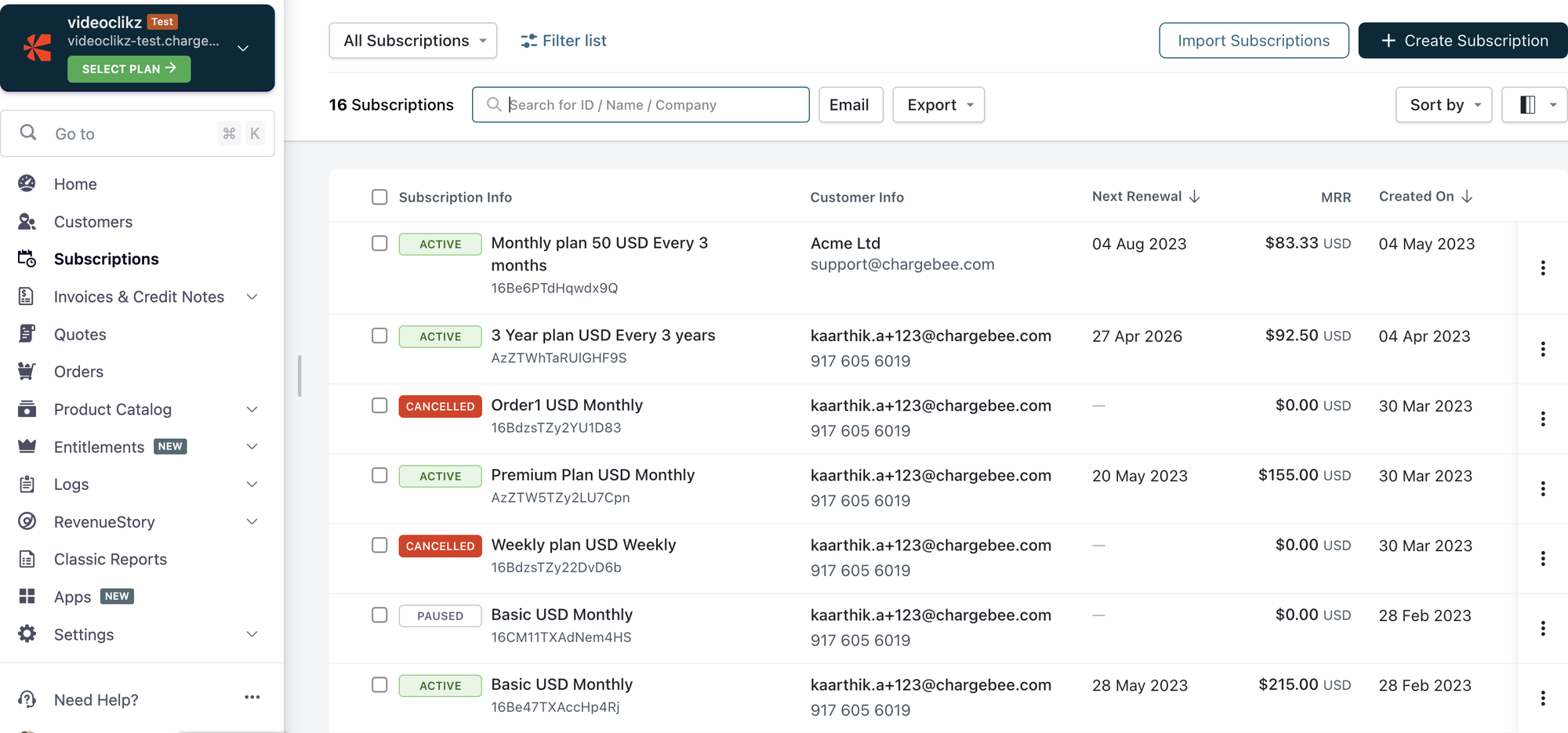
Chargebee is a subscription billing and revenue management platform serving SaaS and B2C companies. It automates the recurring-revenue loop from signup through invoicing, dunning, and revenue recognition, and it ships as a set of separate modules: Billing, CPQ, Receivables, Retention, Revenue Recognition, Payments, and Growth.
As a longer-established platform, Chargebee has broad payment gateway coverage and a mature integration ecosystem, though its modular structure means most of the advanced capabilities are priced and sold separately from the core billing product.
Key features:
- Recurring billing: Generates invoices on a monthly, annual, usage-based, hybrid, or one-off schedule, and handles proration for mid-cycle plan changes.
- Retention and dunning: Failed payments trigger smart retries and in-app retention offers before a customer churns.
- Chargebee CPQ: A separately priced quoting product, with a limited free tier for the first 50 quotes each month.
- Revenue recognition: Billed revenue can flow into ASC 606 and IFRS 15 compliant reports and sync to common accounting systems.
Pros:
- A free Starter plan covers a company's first $250,000 in cumulative billing, which lowers the barrier for early-stage companies.
- Broad support for payment gateways and accounting integrations reduces custom integration work for many teams.
- The platform's subscription lifecycle tools, including upgrades, downgrades, and cancellations, are mature and well documented.
Cons:
- A 0.75 percent overage fee applies once a company crosses its plan's billing threshold, and that fee does not improve at higher tiers.
- CPQ, revenue recognition, and retention are sold as separate modules, so a mid-market company needing all of them can face estimated monthly costs well above the advertised starting price, per Swell's cost breakdown.
Best for:
- Subscription-first SaaS companies that want a mature, broadly integrated billing platform.
- Teams that expect to stay within predictable billing volume and want to avoid building in-house billing infrastructure.
- Companies that need broad global payment gateway coverage.
Pricing: Chargebee's Billing product offers a free Starter plan up to $250,000 in cumulative billing (then a 0.75 percent overage fee), a Performance plan at $599 per month for up to $100,000 in monthly billing, and custom Enterprise pricing. CPQ, Revenue Recognition, and Retention are priced and purchased separately, according to Capterra.
6. Maxio
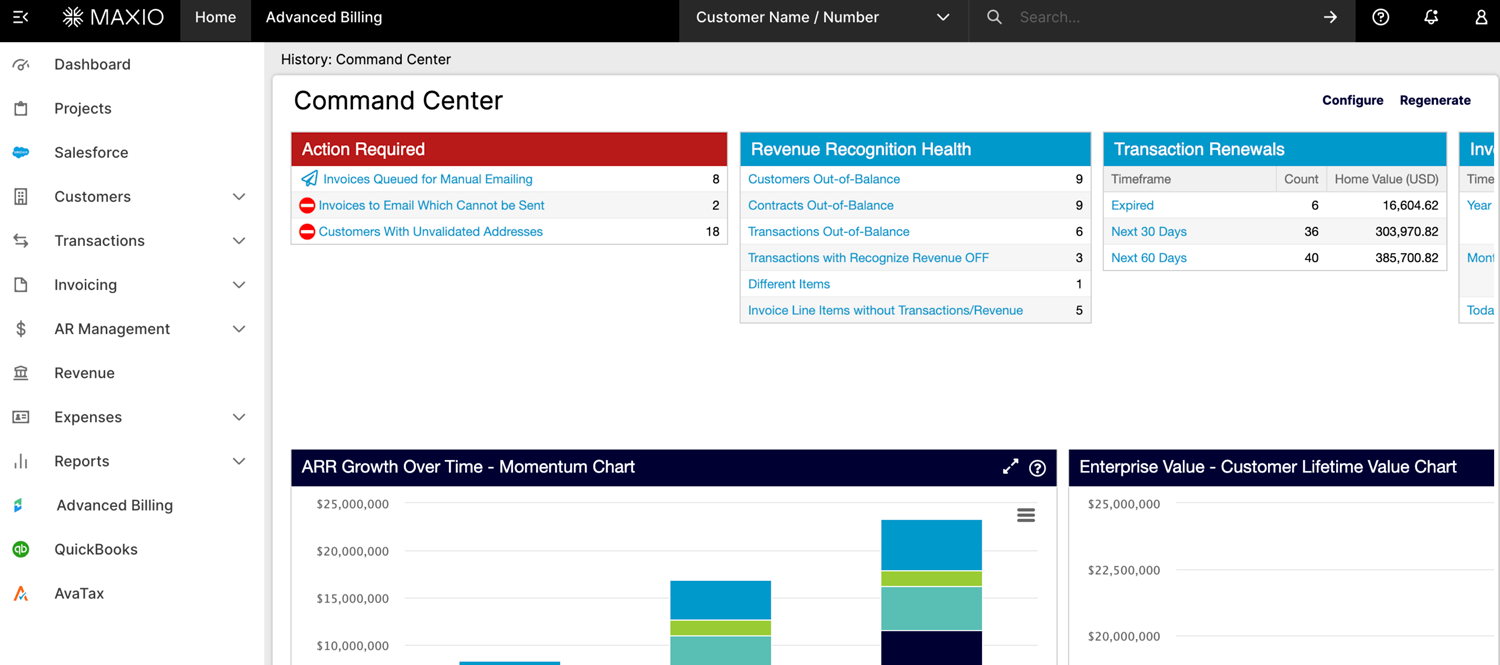
Maxio is a billing and financial operations platform for B2B SaaS companies, formed from the 2022 merger of Chargify (subscription billing) and SaaSOptics (revenue recognition and SaaS metrics). It combines usage-based billing, subscription management, revenue recognition, and SaaS metrics reporting into a single system aimed at growth-stage companies that have outgrown spreadsheets.
Maxio's dual heritage shows up in its feature set: it is often described as particularly strong on revenue recognition and financial reporting, with billing capabilities layered on top.
Key features:
- Flexible product catalog: Configure pricing, fees, coupons, and upsells, and spin up new plans or custom contracts in minutes.
- Usage-based billing: Syncs product usage data directly to invoicing, charging by license, overage, or metered consumption.
- Revenue recognition: Automates GAAP and IFRS-compliant revenue and expense recognition for SaaS subscription models.
- SaaS metrics reporting: Provides more than 30 one-click reports, including ARR summaries and days sales outstanding, alongside customizable dashboards.
Pros:
- Reviewers frequently cite strong revenue recognition, deferred revenue tracking, and reporting dashboards as differentiators, according to Capterra.
- The Grow plan offers simple, flat pricing rather than a percentage-of-revenue fee.
- Multi-entity support lets companies manage separate product catalogs, currencies, and tax settings per subsidiary.
Cons:
- Implementation is long and hard, often spanning 6-12 months depending on your use cases.
- Developers describe Maxio's billing API as complex to work with, according to user reviews compiled by SelectHub.
- Some users report that reporting and search functions could be more intuitive to navigate.
Best for:
- B2B SaaS finance teams that prioritize revenue recognition and SaaS metrics alongside billing.
- Companies managing multiple entities, currencies, or tax jurisdictions.
- Growth-stage companies moving off spreadsheets and basic payment processors.
Pricing: Maxio's Grow plan is $599 per month flat for up to $100,000 in billings, with a custom, quote-only Scale plan for higher billing volumes and advanced needs.
7. Zuora
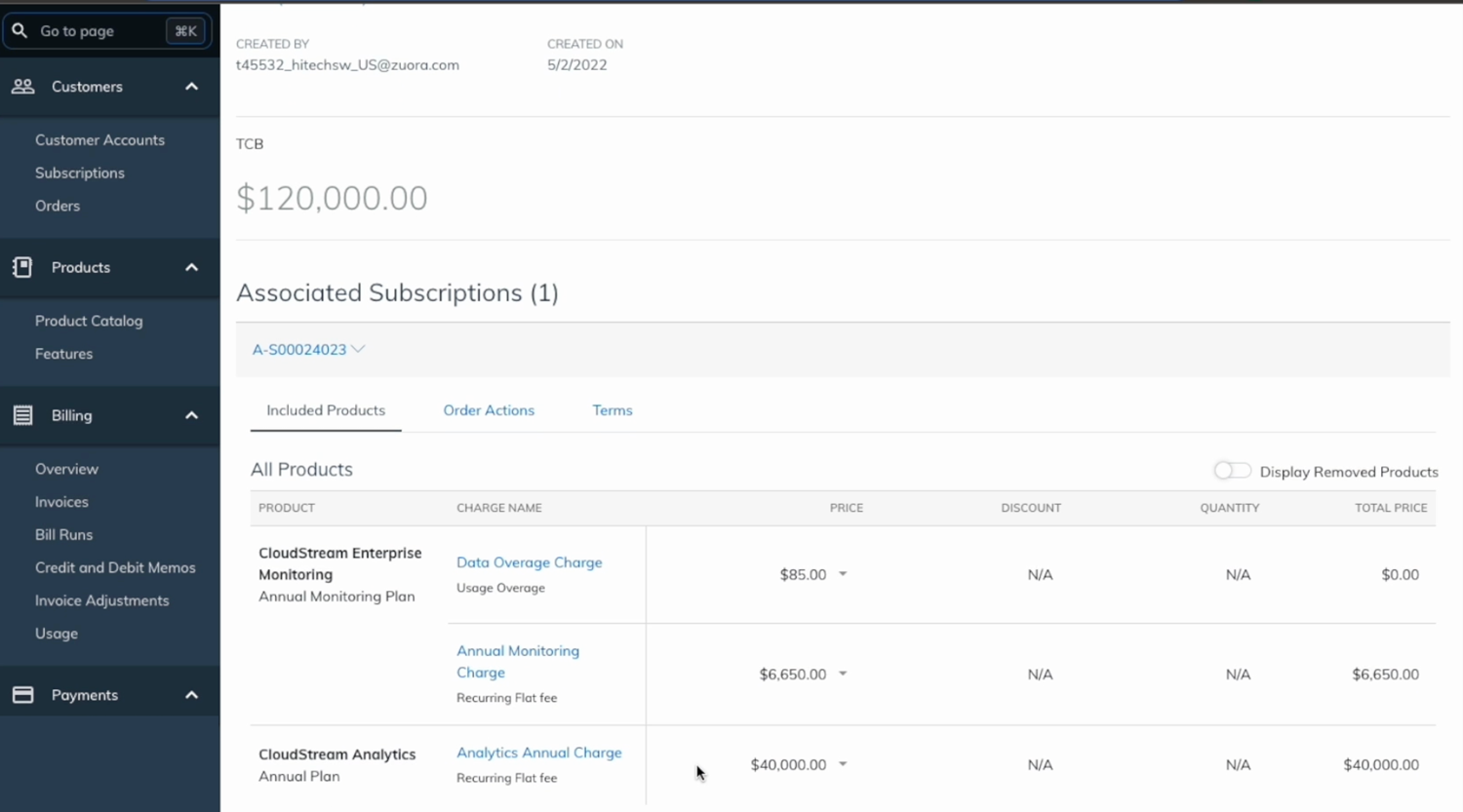
Zuora is one of the longest-established platforms in this category, built for enterprises with complex, multi-product subscription models and global operations. It covers subscription lifecycle management, usage-based billing, revenue recognition, and CPQ, sold across several modules: Zuora Billing, Zuora Revenue, Zuora Collect, and Zuora CPQ.
Zuora has recently expanded into AI monetization tooling, including an AI-ready monetization catalog meant to keep pricing rules consistent across CPQ, checkout, self-service, and partner portals, plus an AI pricing simulator for testing new AI product pricing before launch.
Key features:
- Subscription lifecycle management: Handles sign-ups, renewals, upgrades, downgrades, and co-terming for complex subscription products.
- Zuora CPQ: A Salesforce-native quoting tool built specifically for subscription businesses, covering co-terming, proration, and multi-year ramp deals.
- Zuora Revenue: Automates ASC 606 and IFRS 15 compliant revenue recognition and financial close.
- AI-ready monetization catalog: A unified metadata layer intended to keep pricing, entitlements, and usage rules consistent across every customer-facing and internal system.
Pros:
- Zuora is built to handle the most complex enterprise billing scenarios, including multi-product, multi-currency, and hybrid pricing at scale.
- Deep, pre-built connectors to ERPs such as SAP, Oracle, and NetSuite support end-to-end quote-to-revenue workflows.
- Users on G2 credit the platform with strong flexibility and scalability as a business grows.
Cons:
- Implementation typically takes a minimum of one year, with setup costs ranging from $10,000 to $50,000, according to PricingNow's cost analysis.
- Several G2 reviewers describe the platform as complex to configure, with a learning curve for advanced pricing rules and revenue recognition settings.
Best for:
- Large enterprises with multi-product, multi-entity, or global subscription operations.
- Organizations where billing is primarily treated as a compliance and finance function.
- Companies that already run Salesforce CPQ and want native integration with subscription billing.
Pricing: Zuora uses fully custom, quote-based pricing across its Billing, Revenue, Collect, and CPQ modules, with costs driven by transaction volume, module selection, and deployment type, according to Vendr's pricing data.
How to evaluate an AI revenue automation platform
Feature lists look similar across most of these platforms. What actually differentiates them shows up once you get specific about your own pricing and contracts.
Work through these questions before you commit:
- Does it match how you actually price? If you run usage-based, hybrid, or outcome-based pricing, confirm the platform handles CPQ for usage-based pricing natively and meters usage in real time, rather than reconciling it after the billing period closes. Understanding the broader benefits of usage-based billing systems can also help you decide how much of this capability you actually need today.
- Does it cover the full motion, or just one step? A tool that automates billing but leaves quoting in PDFs, or that generates quotes but leaves revenue recognition in spreadsheets, just moves the bottleneck somewhere else.
- How predictable is the pricing? Percentage-of-revenue and revenue-based overage fees feel small early on and grow into a real cost as billing volume increases. A flat pricing model, like Alguna's, keeps your vendor cost separate from your growth.
- How long does implementation take? Timelines here range from a few weeks to more than a year. Match the platform to how quickly you need to be live, not just to its feature depth.
- Does it integrate with your existing stack? Confirm native connections to your CRM, ERP, and payment processors so data does not need manual reconciliation between systems.
The right AI revenue automation platform removes bottlenecks
Every platform in this guide can automate some part of the revenue process. The real differences show up in how much of the quote-to-cash motion runs in one system, how predictable the pricing stays as you scale, and how much engineering time you need to spend maintaining it.
If your pricing includes any mix of subscriptions, usage, and custom enterprise terms, and you want quoting, billing, usage metering, and revenue recognition to run on one source of truth with flat, predictable pricing, Alguna is built specifically for that. Book a personalized demo to see how Alguna would handle your pricing model.
Frequently asked questions about AI revenue automation platforms
What is an ai powered revenue cycle automation platform?
It is software that uses AI to automate the steps between a signed deal and recognized revenue, including contract data extraction, invoicing, usage-based billing, collections, and revenue recognition, so a finance or revenue operations team does not have to manage each step manually across separate tools.
What ai platforms revenue operations sales marketing automation tools should I consider?
If you are looking across the wider revenue operations, sales, and marketing automation stack, a quote-to-cash platform like Alguna typically sits at the center, connecting CPQ and billing to the CRM your sales team already uses and the finance systems your accounting team relies on for reporting.
How much ai platforms estimated revenue recovered from automated follow-up can vary by business?
The amount of revenue recovered through automated follow-up, such as usage-based overage capture or automated dunning and payment reminders, depends heavily on your billing volume, how often invoices previously went out late or incomplete, and how aggressively your collections workflows are configured. Platforms with real-time usage metering tend to catch unbilled usage that manual processes miss, while strong dunning automation reduces revenue lost to failed payments.
Can I automate demand-to-revenue tracking with ai-based b2b platforms?
Yes. Most of the platforms in this guide connect CRM demand and pipeline data to billing and revenue recognition, so a deal's full lifecycle, from opportunity to signed contract to recognized revenue, can be tracked in one system rather than reconciled manually across a CRM, a billing tool, and a spreadsheet.
Is Alguna a good fit for a company that already uses Salesforce and NetSuite?
Yes. Alguna is built to complement an existing sales, finance, and engineering stack through no-code integrations, rather than requiring a company to replace its CRM or ERP.