The main reason for overdue invoices probably doesn't come as a surprise to finance teams: inefficiencies in the payment process.
That means the single biggest lever for improving accounts receivable is also fully within your control.
Whether you're dealing with slow collections, a rising DSO, or a team that spends too much time chasing payments and not enough time on strategic work, this guide walks you through exactly how to improve accounts receivable.
From the fundamentals to the tools and workflows that make a measurable difference, we cover it all.
What does "improving accounts receivable" actually mean?
Before getting into tactics, it helps to be clear about what improvement looks like.
Accounts receivable performance is typically measured across a handful of key metrics:
- Days Sales Outstanding (DSO): The average number of days it takes to collect payment after an invoice is issued. Lower is better.
- Accounts receivable turnover ratio: How many times per period your AR balance is collected in full. Higher is better.
- Aging report distribution: The share of outstanding invoices in each aging bucket (current, 1-30 days overdue, 31-60, 61-90, 90+). A healthy AR portfolio skews heavily toward current.
- Bad debt rate: The percentage of invoices that are written off as uncollectable.
- Collection effectiveness index (CEI): A measure of how much of the collectible AR you actually collected in a given period.
To improve accounts receivable collections, you need to move all of these metrics in the right direction. That's something that requires a systematic approach, not a series of one-off, reactive fixes.
5 common reasons why accounts receivable management breaks down
Most AR problems aren't caused by customers who refuse to pay. They're caused by process gaps that make it easy for payments to slip through the cracks.
The most common culprits:
- Invoicing errors and delays. Invoices sent late, sent to the wrong contact, or containing errors are the fastest way to trigger a payment dispute — and disputes are expensive. Deloitte recommends implementing standardized AR processes specifically to reduce write-offs caused by inaccurate invoicing.
- Inconsistent follow-up. Without a structured dunning process, collections rely on individual team members remembering to chase. That's not a system — it's a lottery.
- Limited payment options. Customers who can't pay the way they prefer will delay payment. The friction is often invisible until you remove it.
- Manual reconciliation. Matching payments to invoices by hand creates errors, slows month-end close, and gives your team an incomplete picture of what's actually outstanding.
- No real-time visibility. If you can't see your AR aging live, you're always working from data that's already out of date.
8 best practices for improving accounts receivable
1. Standardize your invoicing process
Every invoice should go out on time, to the right contact, with accurate amounts, clear payment terms, and a direct way to pay.
We know that sounds obvious, but in reality, it's where most AR breakdowns begin.
Standardize your invoice template, automate the send based on your billing schedule, and make sure invoices are delivered to the person who actually approves payments, not a generic inbox.
2. Set clear payment terms upfront
Payment terms should be agreed on before you start work, not added as fine print on the first invoice. Net 30 is a common default, but that doesn't mean it's right for your business or your customer base.
Some companies are moving toward shorter terms, like Net 15 or even due on receipt, particularly for recurring billing. Others offer early payment discounts to encourage faster collection.
Whatever terms you set, make sure they're documented in your contracts and reflected consistently in your invoices.
3. Segment your customer base
Not all customers should be treated the same way in collections. A large enterprise customer who's 45 days late probably shouldn't receive the same automated escalation sequence as a mid-market customer who's 10 days overdue on a small invoice.
Segment your AR by customer tier, invoice value, payment history, and strategic relationship. Then configure your collections workflow accordingly. This is one of the core principles behind intelligent collections, using data to make collections smarter, not just louder.
4. Automate your dunning sequences
A structured dunning sequence, a series of automated reminders triggered by invoice status, is one of the highest-leverage changes you can make to how you improve accounts receivable collections.
The key is consistency. Automated sequences ensure every account gets the right communication at the right time, without relying on someone to manually track and send each one.
5. Offer multiple payment methods
Customers who prefer ACH but can only pay by check will delay payment. Customers who want to pay by card but face high surcharges will push back on invoices. Reducing friction in the payment experience is a direct lever on DSO.
Supporting ACH, SEPA, wire transfers, card payments, and offline payment options, with smart routing based on customer location and invoice size — removes the friction that causes unnecessary delays.
6. Reconcile automatically
Manual cash application is slow, error-prone, and gives you a lagging view of your AR position. Automating the matching of payments to invoices means your AR dashboard reflects reality in real time, your month-end close is faster, and your team spends less time on data entry.
Centralized AR processes with automation reduce DSO, improve dispute resolution, and cut aged debt.
7. Build real-time visibility into your AR
If your team can't answer "what's overdue right now, by customer, by aging bucket, by sales rep" in under 30 seconds, you're managing AR reactively.
A live AR dashboard, filtered by aging status, customer segment, and contract value, lets you prioritize outreach before accounts escalate, identify patterns in late payment behavior, and make faster decisions about credit terms and escalation.
8. Monitor your accounts receivable turnover ratio
Improving your accounts receivable turnover ratio is one of the clearest signals that your AR process is working.
The formula is straightforward:
A higher ratio means you're collecting receivables more efficiently. Track this monthly alongside DSO to get a full picture of how your AR performance is trending.
If turnover is falling while sales are growing, that's a warning sign that collections isn't keeping pace.
How to improve your accounts receivable process: A step-by-step approach
Getting from where you are today to a high-performing AR operation doesn't require a full system overhaul. You can make meaningful progress by working through these steps systematically.
Step 1: Audit your current AR process
Before you change anything, map what you're working with. Document every step from invoice generation to cash application. Where are invoices getting stuck? How long does each stage take? Where does manual work create the most errors or delays? How many systems are you working across? (And which ones can you get rid of.)
This baseline gives you a clear picture of where to focus first.
Step 2: Fix your invoicing accuracy
Invoicing errors are the fastest way to create disputes that delay payment. Audit a sample of your recent invoices for accuracy: correct amounts, correct contacts, correct payment terms, correct payment instructions.
Oftentimes, the issues start when what was sold, isn't what's getting billed, and booked.
Step 3: Implement or refine your dunning sequences
If you don't have a structured dunning process, build one. Start with a simple sequence: reminder before the due date, follow-up on the due date, escalation at 7 days, formal notice at 30 days.
Once it's running, refine it based on what's actually working. Look at response rates, payment conversion by reminder type, and which customer segments respond best to which channels.
For a deeper look at B2B collections best practices, including dunning email frameworks and escalation strategies, that's a good place to dig in.
Step 4: Expand payment options
If you're not already supporting multiple payment methods, identify which payment methods your customers actually prefer and remove the barriers to using them.
ACH is the default for most US B2B transactions, but cards, SEPA, and wire are all common depending on customer geography and invoice size.
Step 5: Automate reconciliation
If your team is manually matching payments to invoices, this is likely your biggest time sink. Automating cash application, and syncing results directly to your accounting platform, frees up significant time and gives your AR dashboard accuracy in real time.
Step 6: Review credit policies
If certain customers are consistently late, it may be time to revisit their credit terms. Shorter payment windows, upfront deposits, or prepayment requirements for high-risk accounts can reduce exposure without damaging the relationship.
Step 7: Track the right metrics and iterate
Set a monthly cadence for reviewing DSO, AR aging, turnover ratio, and bad debt rate. When metrics move in the wrong direction, trace the root cause back to a specific step in your process and fix it there. Improvement in AR is iterative as small and systematic changes compound over time.
How AR automation supports every step of this process
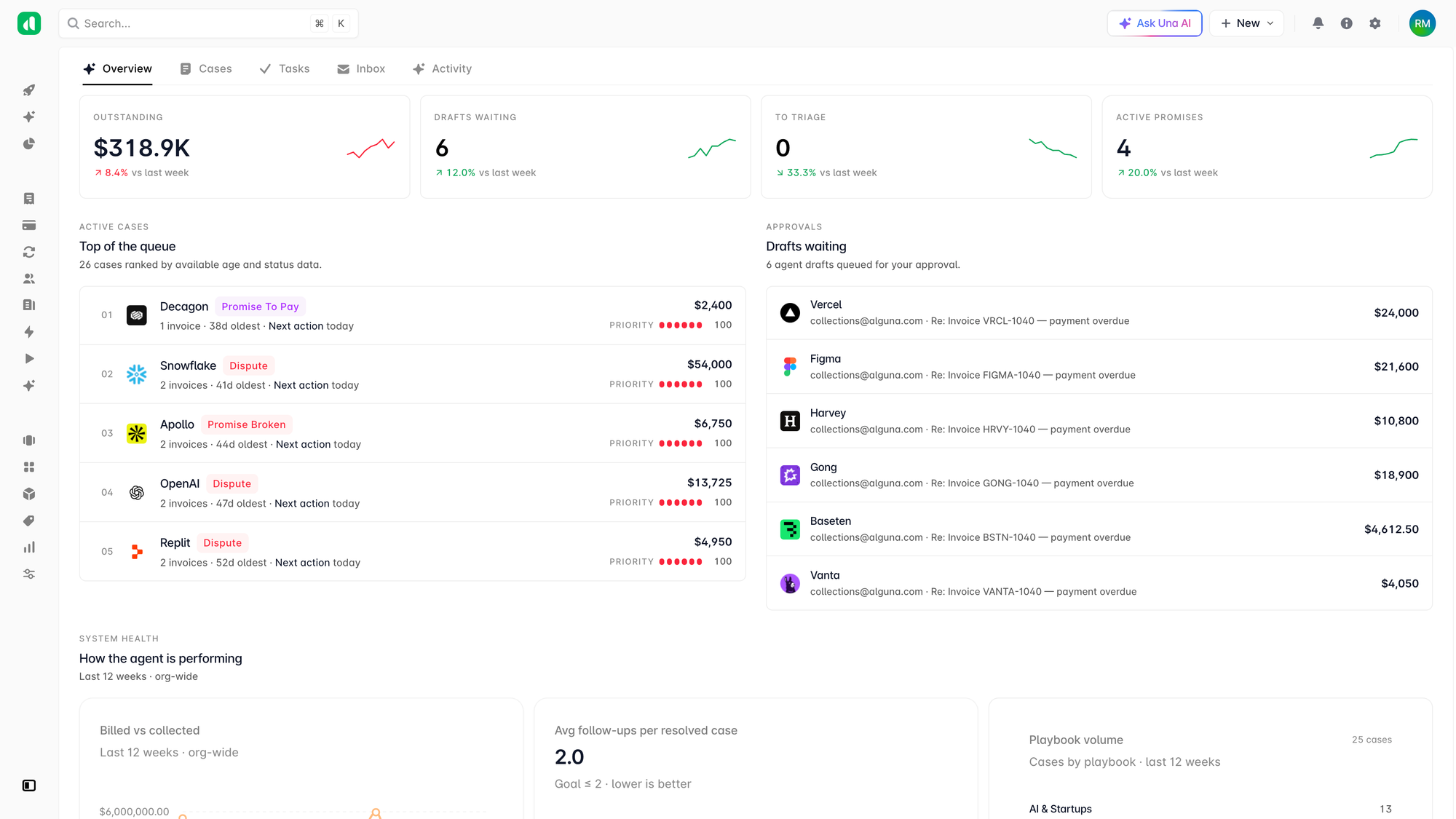
Each of the steps above can be done manually, but at scale, manual execution is what creates the breakdowns in the first place. That's why most high-performing finance teams use AR automation to run these workflows consistently and without the overhead.
According to Deloitte, businesses that adopt automation in their AR processes reduce manual effort by up to 70%. And companies using AR automation see late payments drop from an average of 28 days overdue to 23 days, a five-day improvement that compounds across your entire invoice portfolio.
Alguna's accounts receivable automation platform is built around the four capabilities that drive that kind of improvement:
- Real-time AR dashboard. Live visibility into every outstanding invoice, filtered by aging bucket, customer, contract, or sales rep — synced directly to your CRM and billing data.
- Automated collections and dunning. Configurable reminder sequences and smart payment retry attempts triggered automatically, so no account falls through the cracks.
- Multi-method payments. ACH, SEPA, wire, cards, wallets, and offline payment logging, with smart routing rules based on amount, region, and customer type.
- Auto-reconciliation. Payments matched to invoices instantly, with results synced to QuickBooks, Xero, NetSuite, and your ERP, so month-end close is faster and your AR data is always current.
For a closer look at what this looks like in practice, the AR automation case study with Evervault and Glyphic shows how two fast-growing companies replaced fragmented manual AR with fully automated workflows, and the results they saw in DSO, revenue recovery, and time savings.
Frequently asked questions
How do you improve accounts receivable turnover? The most direct levers are reducing DSO (faster collections) and keeping sales growing. Shorter payment terms, automated dunning sequences, and faster invoicing all reduce DSO. Tracking turnover monthly alongside your AR aging report gives you the earliest signal when something isn't working.
How can you improve the accounts receivable process without overhauling your systems? Start with the highest-friction step in your current process. For most teams, that's either invoicing accuracy or follow-up consistency. Fixing one with a standardized template or a simple dunning sequence produces visible results quickly — and builds the case for more automation downstream.
How do you improve accounts receivable collections for large enterprise customers? Enterprise accounts need a different approach than SMB customers. Longer grace periods, dedicated account manager involvement, and personalized outreach (rather than automated escalations) tend to work better for high-value relationships. Segment these customers separately and configure your collections workflow accordingly.
What's the difference between improving AR and AR automation? Improving AR is the goal; automation is the tool that makes improvements consistent and scalable. You can improve AR manually up to a point — but at any meaningful volume, manual processes reintroduce the inconsistency and errors that caused the problems in the first place.