Checkout abandonment isn’t just a B2C problem.
The B2B checkout process is riddled with revenue leakage. Long and complicated checkouts, redirects, and third parties break trust instantly as customers try to upgrade plans, add more credits, and purchase add-on products and services.
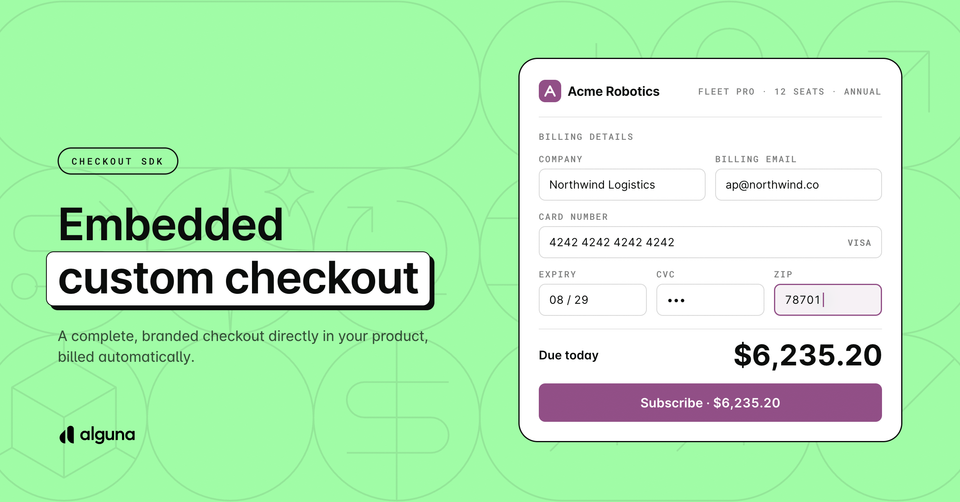
With Alguna’s Embedded Checkout, you can create an embedded checkout experience that keeps your customers on your pricing page, in your upgrade modal, or anywhere else in your product using our Checkout SDK.
Developer? Jump to implementation.
No redirect to a payment page, no card form to build, no additional scope to take on. Meanwhile, your customers get to enjoy a checkout experience without any friction.
When a buyer is ready to pay, Alguna calculates tax, creates the customer account, starts the subscription, issues the paid invoice, and vaults the card for future renewals. The purchase lands in your billing system as a complete, correct record.
Most teams either build a checkout that's fast to ship but disconnected from billing, or wire up billing properly and end up sending customers to a hosted page mid-funnel.
Alguna’s Embedded Checkout gives you both: your UI, our billing engine.
Your customers pay inside your product, under your branding, and the billing is completely automated without your team building or maintaining any of it.
Who is it for?
Alguna’s Embedded Checkout is the perfect choice for a number of companies and use cases, including:
Self-serve software companies
You want people to be able to buy without talking to anyone. The checkout sits on your pricing page and turns a visitor into a paying, properly invoiced customer with no human involved.
Hybrid companies: sales-led at the top, self-serve below
Big accounts go through contracts and invoicing. Everyone smaller buys themselves, at no cost to your sales team. Both motions feed the same billing system, so revenue reporting stays whole.
Usage-based and consumption-priced businesses
The customer signs up and puts a card down; from then on, what they consume is metered and billed automatically. Checkout is just the front door to an ongoing usage relationship.
Developer tools and API businesses
Your buyer is technical, expects to self-serve, and will judge you on the experience. A redirect to a generic payment page reads as a company that outsourced its own signup.
Businesses with more than one legal entity
If you bill from different entities in different regions, each checkout can be tied to the right one, with the right terms of service and tax treatment.
Companies replacing a homegrown payment form
You built one years ago, it works, and nobody wants to touch it. This retires it without a rebuild, and takes the card-security burden off your team.
Companies on a redirect-based checkout today
You already take payments, but send customers off-site to do it. This is the same purchase without the hand-off — usually the single cheapest conversion improvement available to you.
How does it work?
Before we get into the details and technical setup, let’s look at how Alguna’s Checkout SDK works on a high level.
On the frontend, embedding the checkout takes five lines of code:
import { AlgunaCheckout } from "@alguna/checkout-sdk";

AlgunaCheckout.init({
  url,
  container: "#checkout",
});- Your server calls
POST /checkout-sessionswith your secret API key and receives a session containing a browser-safesession_tokenand a hostedurl. - Your page passes that
urlto the Checkout SDK, which mounts the checkout in an iframe and keeps its size, theme, and lifecycle in sync with your page. - The customer pays inside the embedded component. Card details never touch your site or ours, they go directly to the payment processor.
- Alguna fulfills the purchase server-side and notifies you via the
checkout.session.completedwebhook (or you poll the session).
The secret API key must never reach the browser. Only the session url and session_token are browser-safe.
What you can build?
Sell a plan, a one-off, or nothing at all
- Pass a
plan_idand a successful payment produces a customer, an active subscription, and a paid first invoice with tax calculated from the address entered at checkout. - Pass
line_itemsor a bareamountand you get a one-off paid invoice. - Pass
checkout_intent: "vault"with no amount and the checkout collects a card without charging it. This is how you put new customers on autopay or capture a payment method at the end of a trial.
Three identity modes, zero client-side branching
- If the buyer is already an Alguna customer, send
customer_idand checkout skips identity entirely. - If they're signed into your product, send what you already know (
name,email, address) and they never retype it. - Send nothing and checkout collects identity itself, the right mode for a public pricing page.
The component adapts on its own while the session is the source of truth.
Theming that goes beyond a brand color
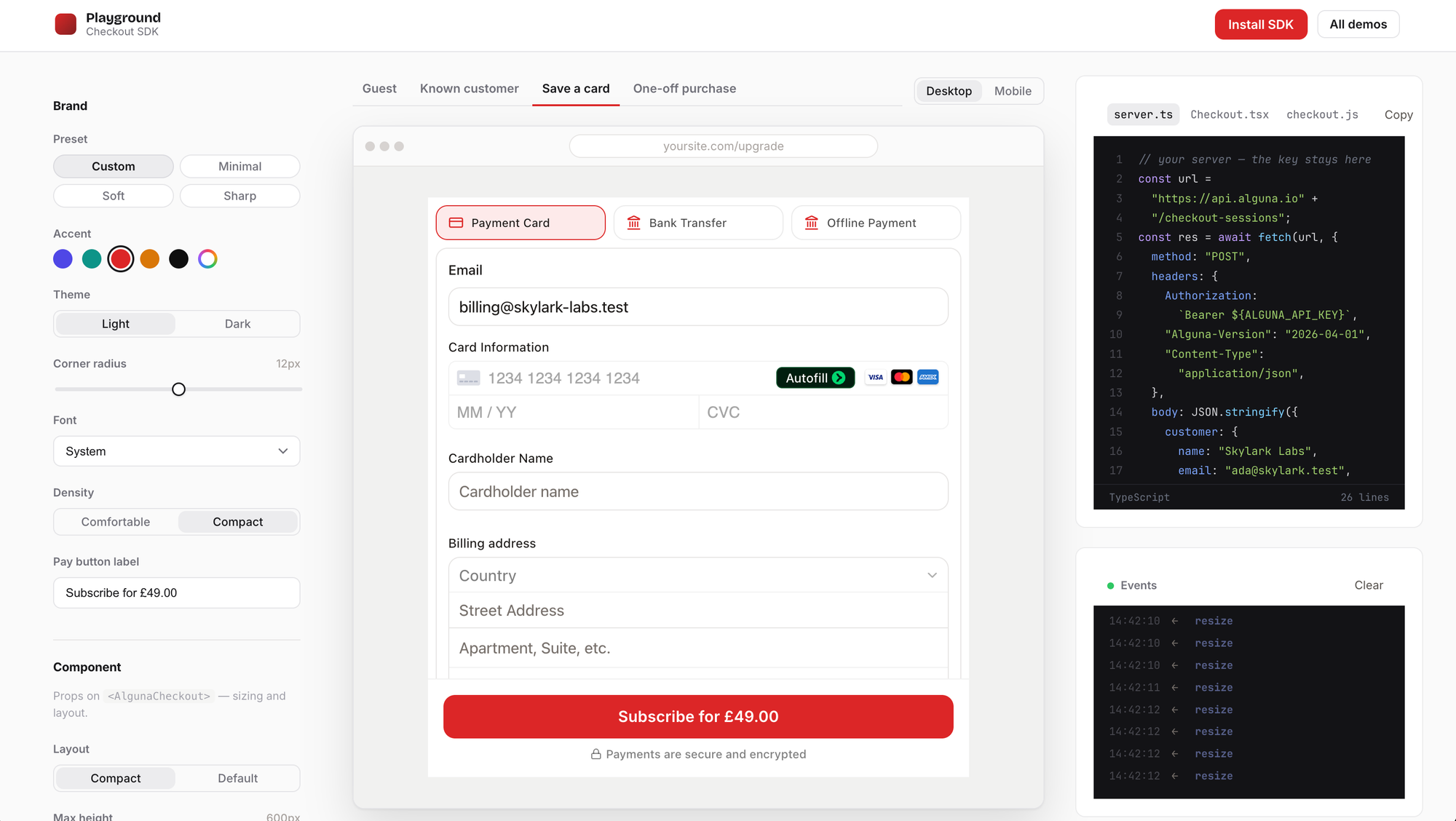
The checkout renders in an iframe on Alguna's origin, which means your page's CSS can't reach it.
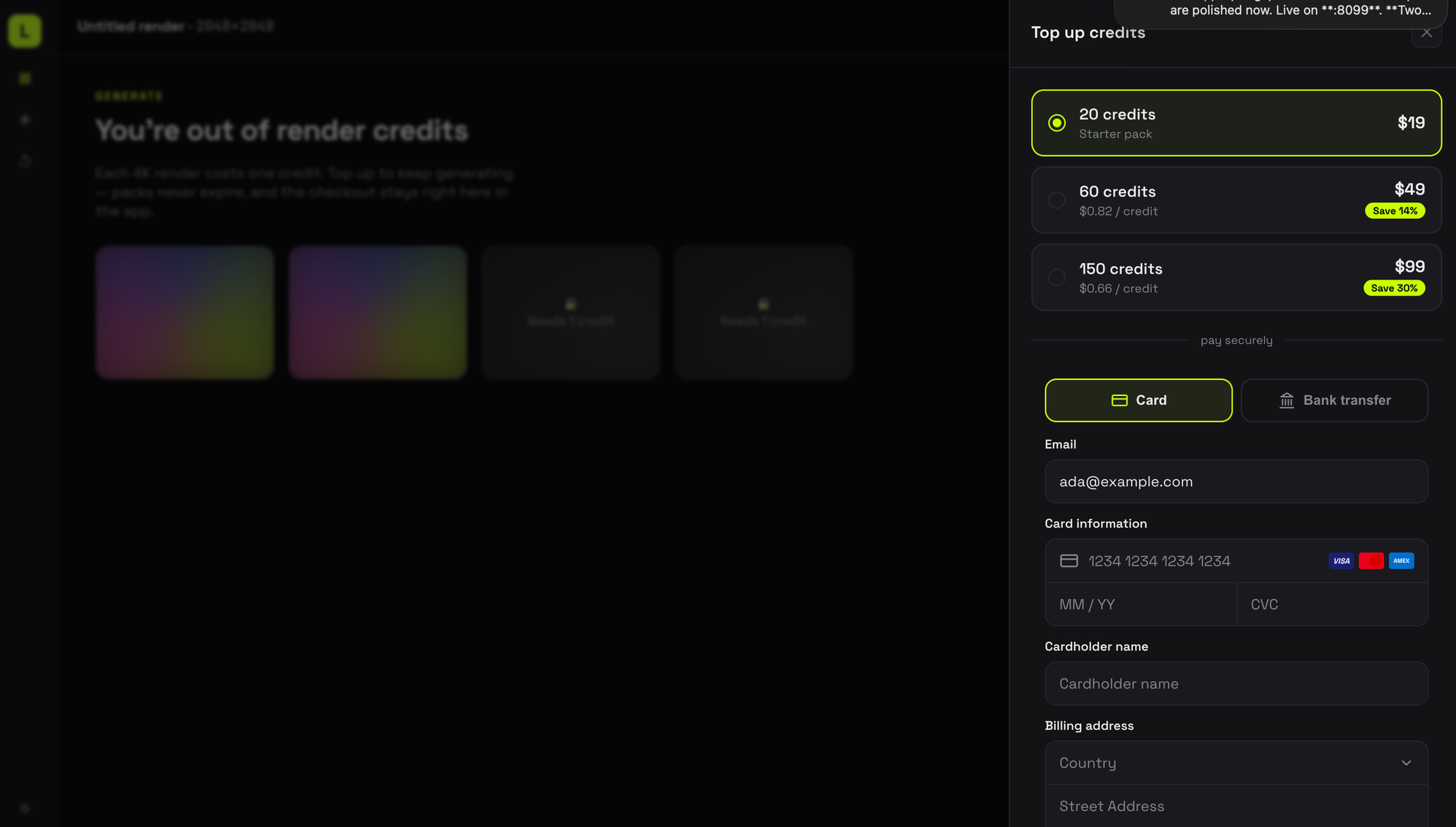
Instead, you style it through an appearance object: three curated presets (minimal, soft, sharp), light and dark mode, accent and primary colors, border radius, font stack, spacing density, a custom pay-button label ("Upgrade for {amount}"), and a fine-grained palette for surfaces, cards, text, borders, and input fields.
Every value applies live, change a prop and the checkout restyles without remounting or losing what the buyer has typed.
Every interactive state picks up your accent color, too. This means focus rings, the terms checkbox, selected payment methods, and the country dropdown will all be styled native to your product.
If you need to go one level deeper, stripeAppearance passes straight through to Stripe Elements for the card field itself.
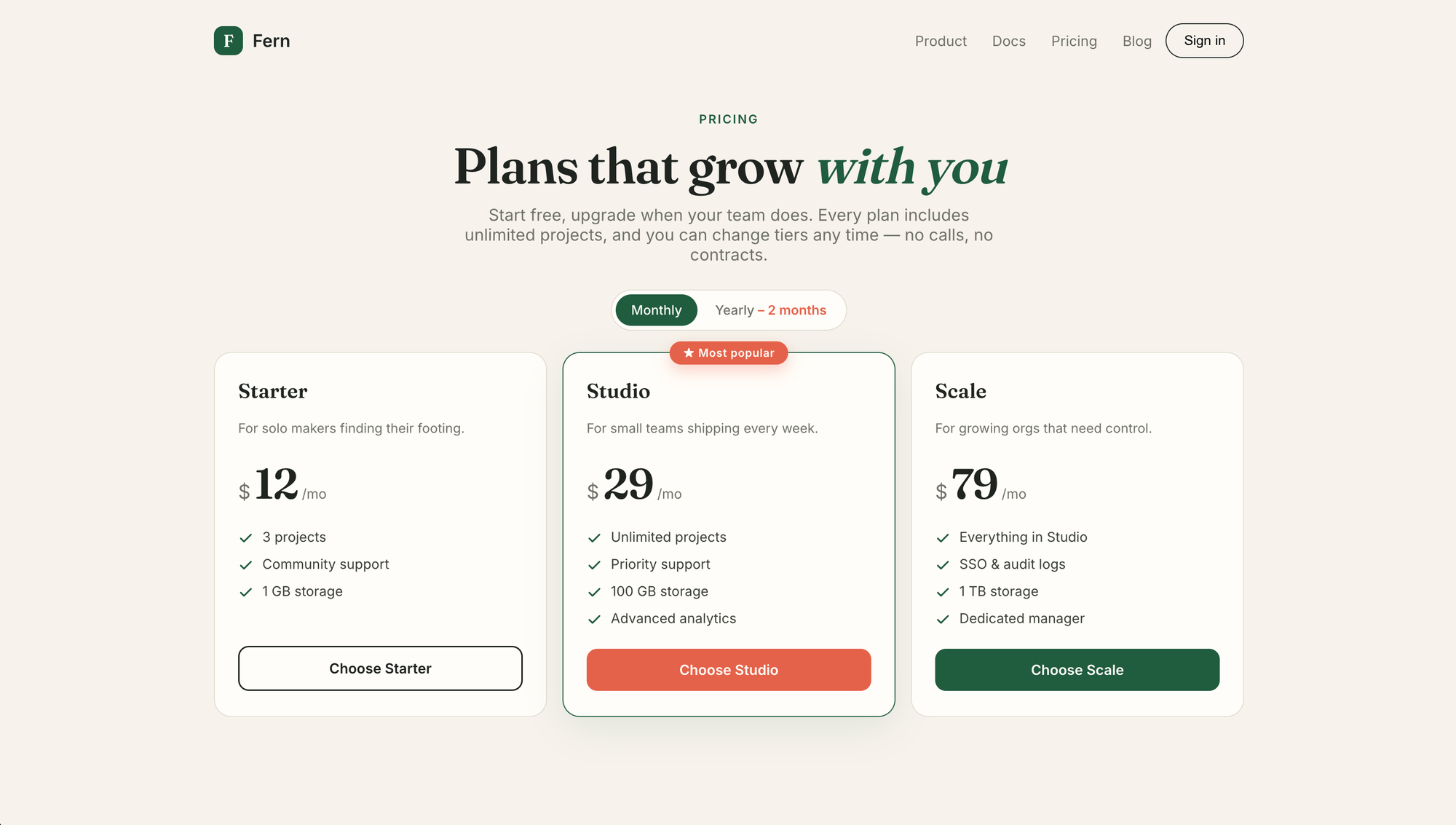
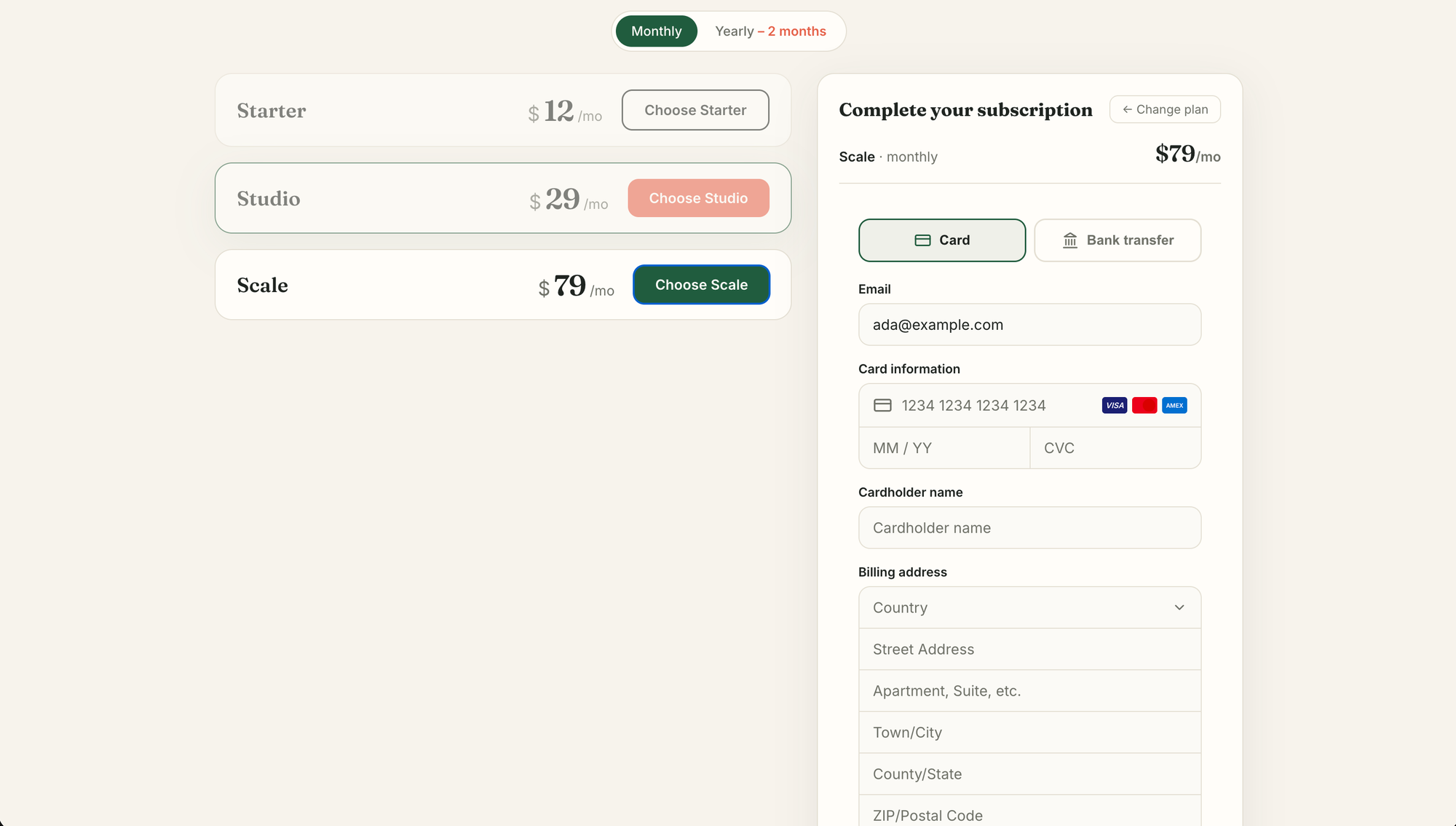
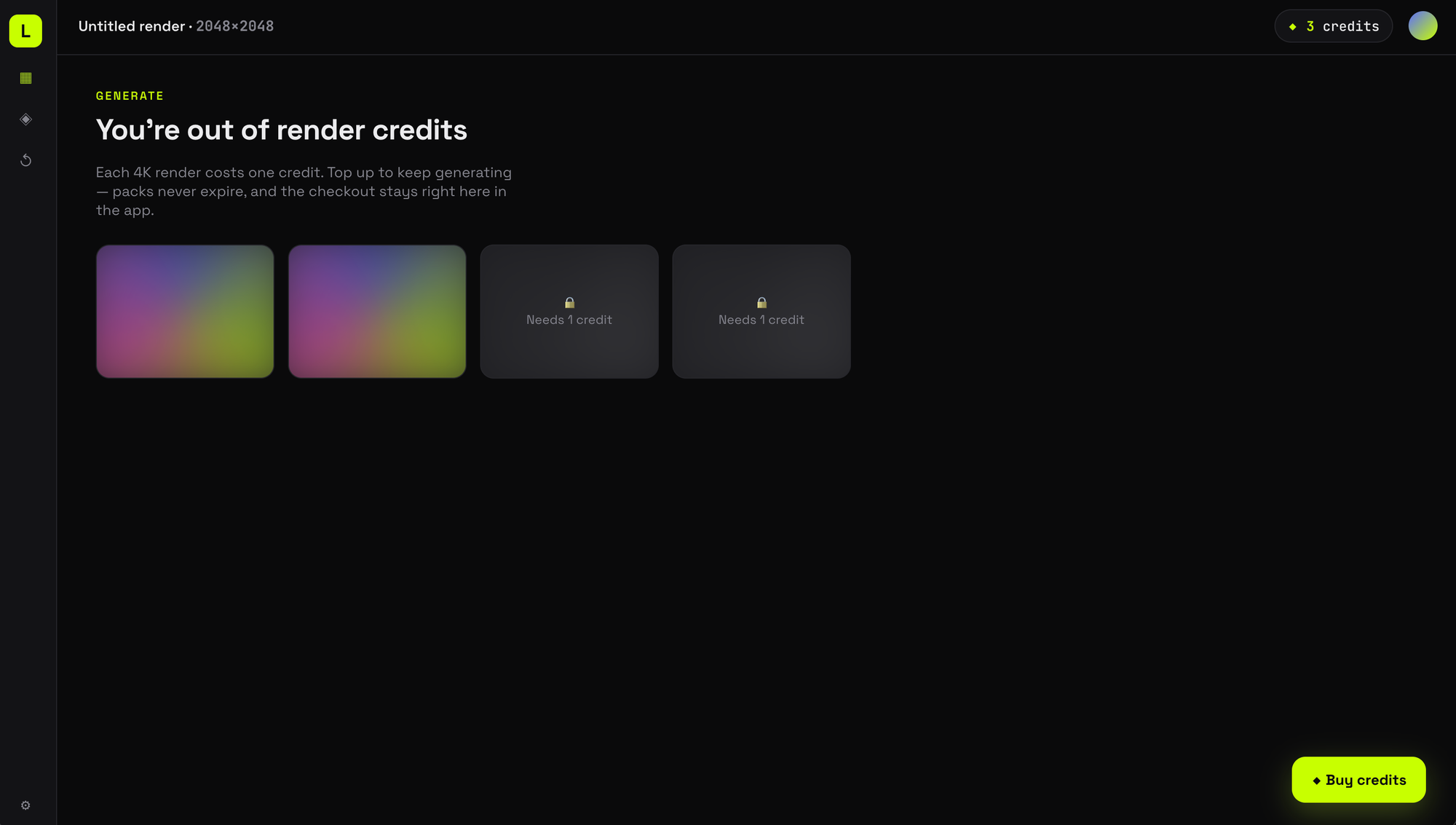
The end result is a completely customized checkout that looks and feels like your brand, for example:
Your own pay button, if you want one
Set hidePayButton, read onCheckoutStateChange for { canSubmit, isProcessing, isComplete, error }, and call submit() on the component ref.
An onRender callback fires the moment the checkout has painted, so you can drop your own loading state with no flash between your spinner and the live component.
The component also auto-resizes to its content, accepts a maxHeight for dense layouts, and forwards scroll gestures so it behaves inside a custom scroll container.
Security that doesn't require your involvement
Your secret API key never leaves your server; the browser only ever holds a short-lived, single-purpose session token scoped to one checkout.
Card details are captured inside Stripe's own iframe, nested within ours, so they never touch your DOM and your site stays in PCI SAQ-A scope. 3-D Secure runs inside the component. And if you want belt and braces, you can allowlist the origins permitted to embed your checkout from the dashboard.
It works with React (@alguna/checkout-sdk/react) or any framework at all via initCheckout, and ships no stylesheet.
Get started
The Checkout SDK is available now on npm as @alguna/checkout-sdk, and the full reference lives in the Embedded Checkout docs.
If you're already on Alguna, log in to connect your processor and create a key. You can have a themed checkout running in your product this afternoon.
If you're evaluating options, book a demo and we'll walk through checkout alongside the billing engine behind it: plans, tax, invoicing, and renewals.