Your sales and CS teams live in HubSpot. It's where you work deals, track conversations, and build forecasts.
But what happens in HubSpot, doesn’t stay in HubSpot.
Any closed deal becomes the contract, the subscription, the invoices and the revenue your finance team reports on. So HubSpot and your billing system need to tell the same story.
Alguna’s updated HubSpot integration connects every deal to the quote and subscription behind it in real time. Reps start quotes from the deal, deal stages can kick off the next step in Alguna, and Alguna writes the commercial details back onto the deal in real-time: who's signing, the contract dates, and Monthly Recurring Revenue (MRR), Annual Recurring Revenue (ARR), and Total Contract Value (TCV).
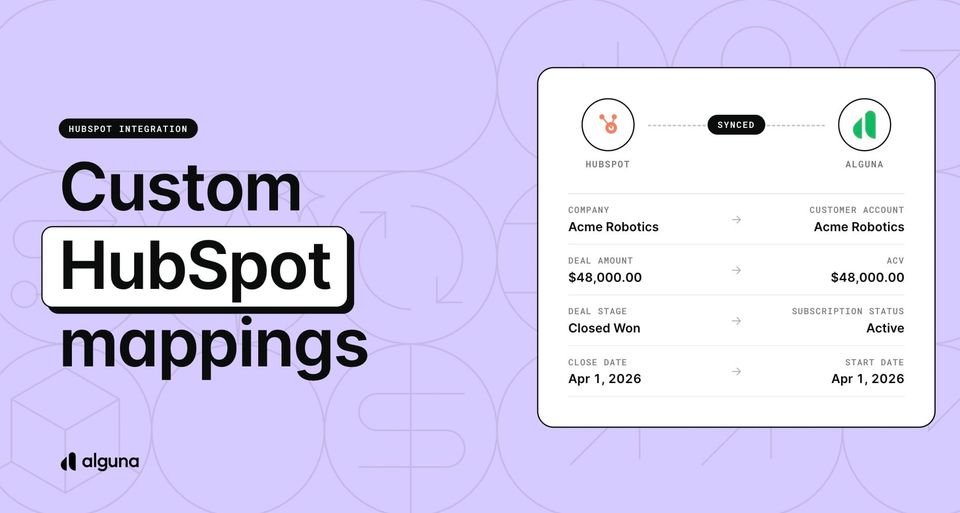
Field mapping lets you choose which Alguna values go onto your own deal properties, and onto companies, contacts, line items and custom objects. Reps can start a quote from the deal. Deal stages can trigger quotes, renewals and close-won updates through automations.
Everything gets updated in real time and Alguna stays the source of truth for every value. Sales keeps working in HubSpot, and every team downstream works from the same numbers.
Let’s take a closer look at what’s new and how it benefits your revenue teams.
Quotes and subscriptions, right on the deal
When a rep wants to know what a customer is paying or where a quote stands, they shouldn't have to open another tool or message finance.
Alguna now adds cards to the sidebar of HubSpot company and deal records. They show the customer's subscriptions, their recent quotes, and the quotes tied to the deal in front of them, with contract dates, status and revenue figures.
Reps can also start a quote from the deal itself. Click Create quote on the deal card and the Alguna quote builder opens with the quote already linked to that deal. No copying deal IDs, no picking the right company from a list, and no quotes that float free of the pipeline.
If you want every quote tied to a deal, you can make that a rule. Admins can require a linked deal before a quote can be saved, so your pipeline and your quotes always line up.
Deal numbers that match the signed quote
Deals rarely have just one quote. A customer asks for a two-year option, a bigger seat count, a different start date. Until now, the deal's amount reflected whichever version someone last typed in, and your forecast inherited the mistake.
Alguna now tracks a primary quote for each deal: the one quote whose numbers belong on it. The first quote linked to a deal becomes primary, reps can pin a different one, and when a customer signs, the signed quote always takes over. Alguna writes the primary quote's details onto the deal whenever it changes, and again the moment it's signed.
That means no more updating the deal amount by hand after every revision, and no closed-won deal carrying the numbers from an option the customer turned down. If you'd rather choose when deals update, you can switch automatic writes off and sync on demand instead.
Your HubSpot data model, your fields
Every RevOps team has built HubSpot its own way: custom properties for ACV, a renewal date field the board report depends on, a custom object for contracts. An integration that only fills a fixed set of fields leaves you building workarounds.
With field mapping, you decide which Alguna values land where. Map a quote's ARR to your own deal property, the contract start date to the field your renewal workflow watches, or the signer's email to the deal. It goes beyond deals, too. You can write Alguna data onto companies, contacts, tickets, line items, products and custom objects.
A few things this makes possible:
- Products as HubSpot line items. Each product on a subscription becomes a line item on the deal, kept in step as the subscription changes.
- Subscriptions as their own records. Give every Alguna subscription a matching record in HubSpot, updated from the moment it's active.
- Calculated values. Write a formula instead of a single field, such as the ARR from one product line, a 10% commission estimate, or the number of products on a deal.
Data flows one way, from Alguna to HubSpot, so Alguna stays the source of truth for anything you map.
Let the deal stage do the work
A lot of deal admin is the same handful of steps: create the quote when the deal hits a certain stage, mark the deal won when the contract is signed, open a renewal deal before the term ends. Each one is easy to forget and slow to chase.
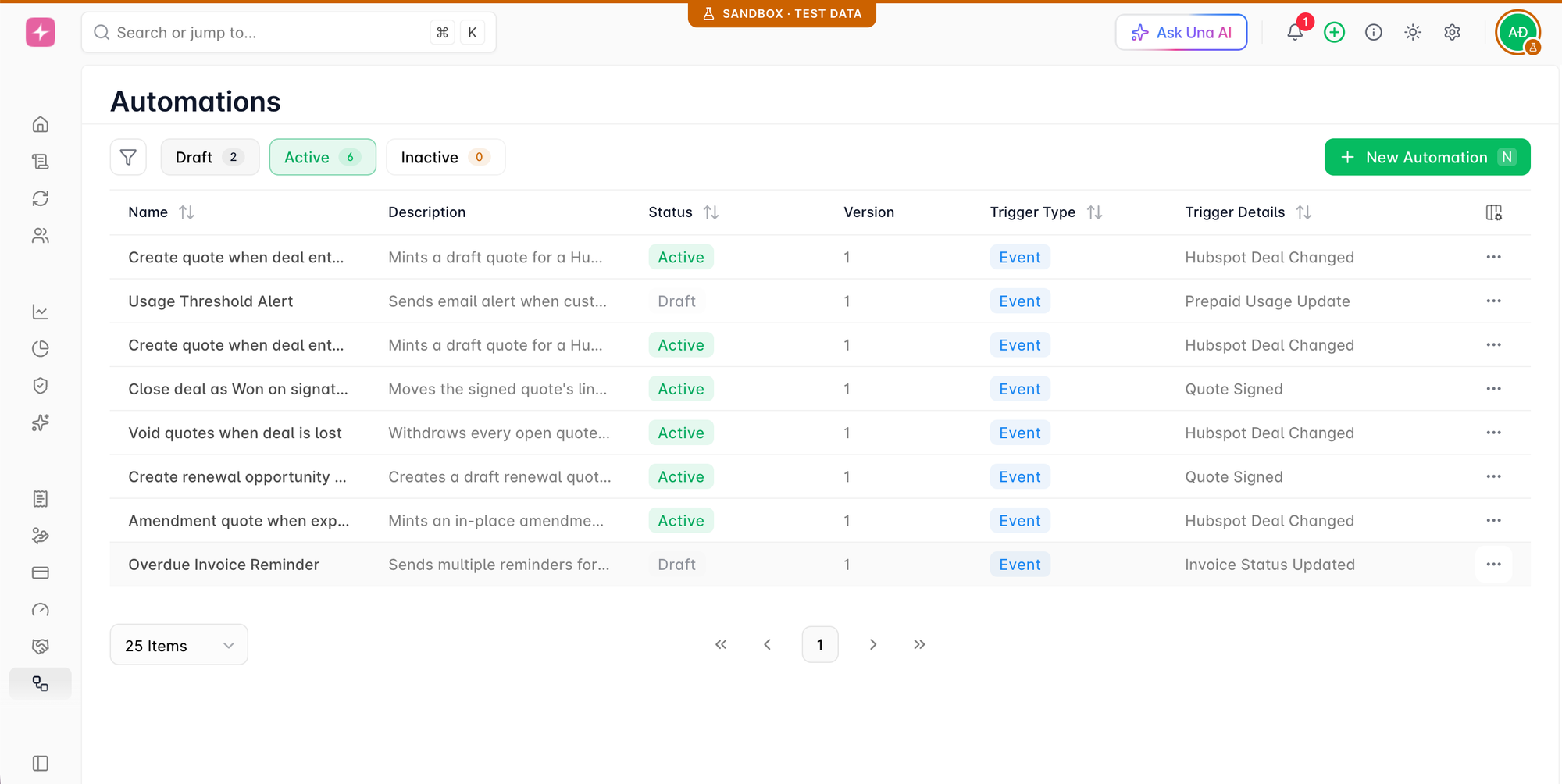
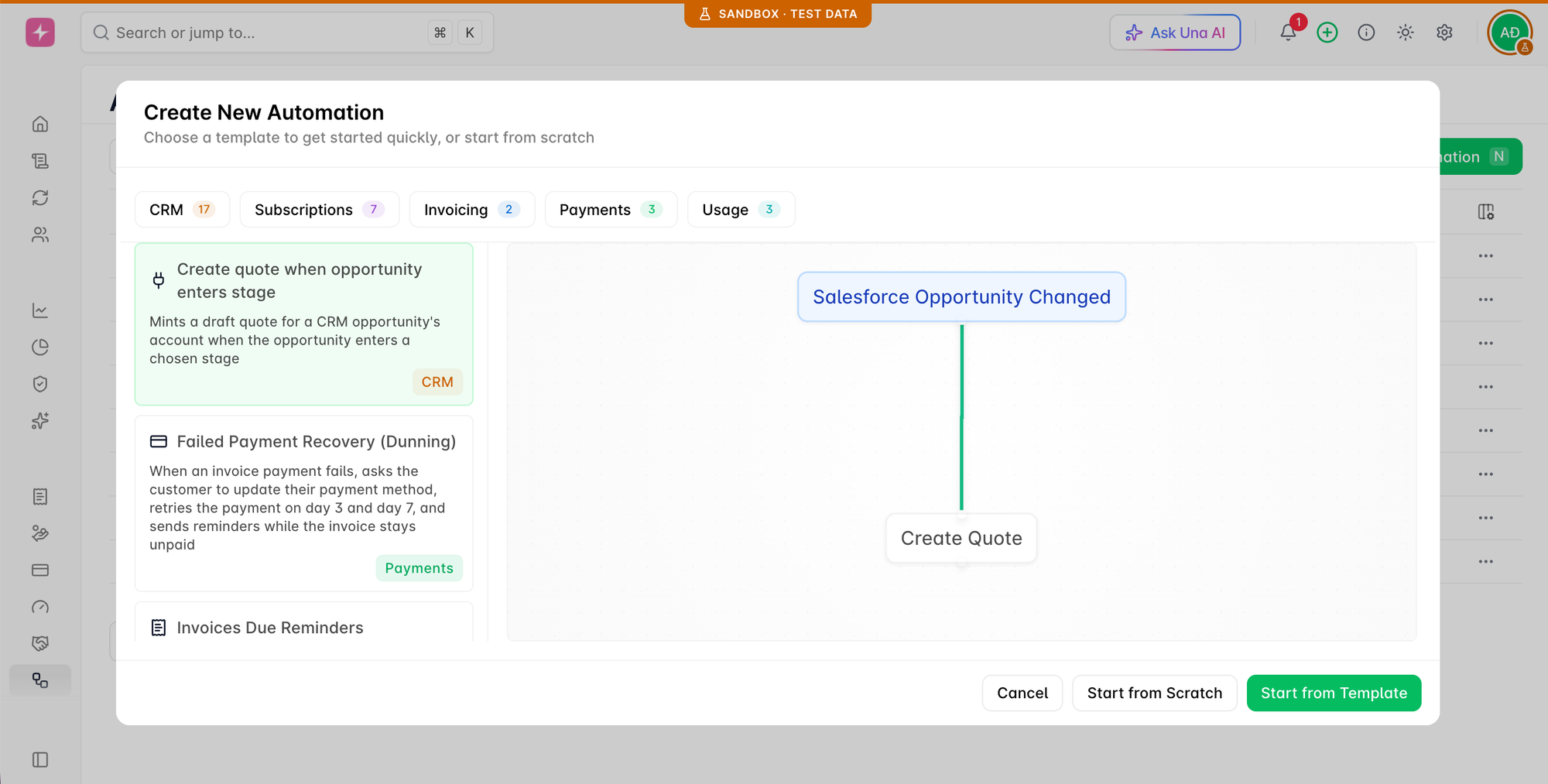
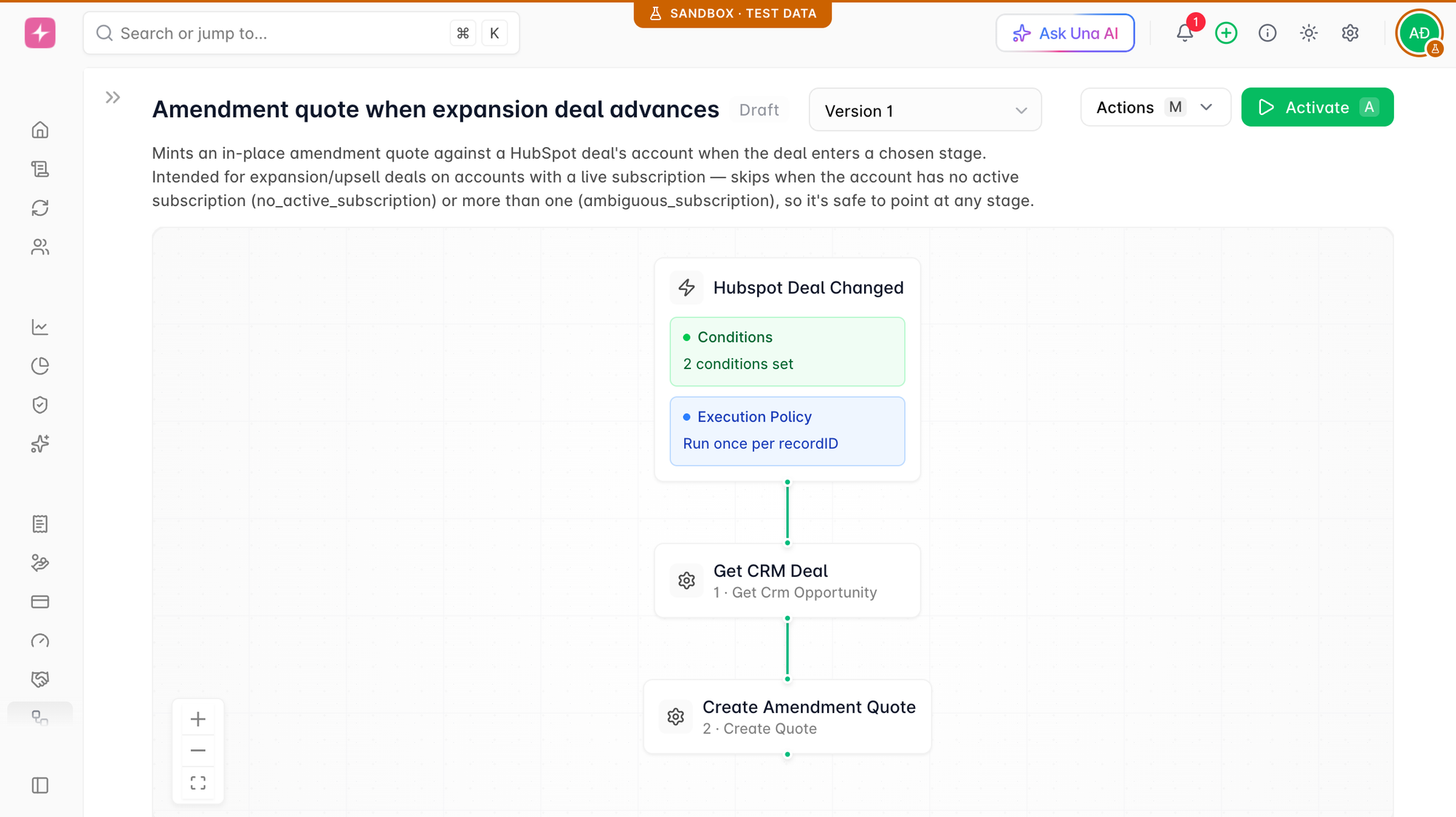
CRM automations now come with ready-made HubSpot templates for these moments. Start from a template, adjust it, and turn it on.
For example:
- A deal moving to Proposal creates the quote
- A signed quote closes the deal as won
- A lost deal voids its open quotes
- A subscription entering its renewal window opens a renewal deal
Your reps stop doing the bookkeeping between stages, and your pipeline reflects what actually happened.
Examples of HubSpot templates in Alguna
Get started
If HubSpot is already connected, go to Settings → Connections → Integrations → CRM to choose your settings, map your fields and turn on automations. Then add the Alguna cards to your company and deal records in HubSpot.
Connected before custom objects were supported? Reconnect HubSpot once to grant the extra access.
For step-by-step setup, see the HubSpot integration guide and the field mapping guide.