Your pricing page says the Pro plan includes 10 seats, 1500 AI credits, and single sign-on (SSO).
But making sure your product gives access to exactly what was sold to customers usually takes some extra work. Perhaps it’s an engineering ticket, a hard-coded list, or someone remembering to update both when anything changes.
The plan (what was sold) and product (what can be used) disconnect is common.
A lot of the time, customers get features they never paid for, or a new customer pays for something and can't use it on day one. Plus, every time you want to repackage a plan, you're waiting on engineering.
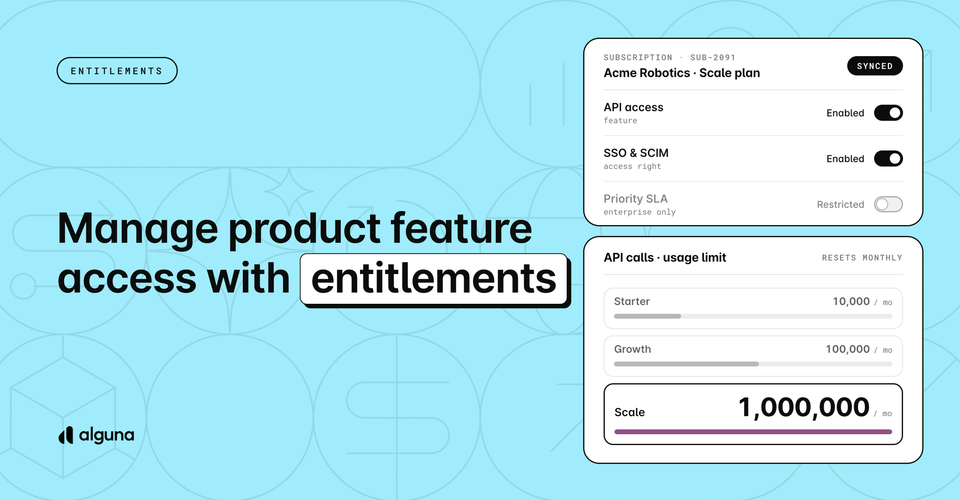
Entitlements fixes this. You set what each plan includes (features, limits, and settings) in Alguna, in the same place you set prices. Your product then checks Alguna to see what each customer can use. When a customer upgrades, signs a quote or changes their contract, their access changes too.
Let’s dive into what this means and how you can close the gap between your plans and product access effectively.
What is an entitlement?
Think of a phone plan. One plan comes with unlimited calls, 20 GB of data and international roaming. When you switch plans, your phone gets different features without you calling anyone.
Entitlements do the same for your software. Each plan says what it includes, and every customer gets exactly that.
There are four kinds:
| Type | What it's for | Example |
|---|---|---|
| On/off | Turn a feature on or off | Single sign-on, API access |
| Number | Set a limit | 25 seats, 10 projects |
| Text | Set a level or configuration | "Priority" support, 90-day audit log |
| Credits | Give a recurring allowance | 1,000 credits every month |
What does entitlements allow you to do?
Once your plans say what each customer can use, your product enforces it on its own. Your team decides what's included, your product follows the subscription, and nobody has to keep the two in sync manually.
That means you can:
- Change your packaging without engineering tickets. Move a feature to another plan or raise a limit in a few clicks, and every new customer on that plan gets the change.
- Customers get what they paid for, from day one. Access follows the subscription automatically.
- Stop giving features away. Nobody keeps Enterprise features on a Starter plan because an admin panel was never updated.
- One answer for every team. Sales, finance, support and product all see the same record of what each customer has.
How entitlements work in Alguna
In Alguna, entitlements live in the same places as your pricing: your plans, your subscriptions and your deals. You set them up where you already decide what a customer pays, so what they can use is decided at the same time.
There are three places they show up:
- On your plans. You add them to a plan once. Every customer who subscribes to it gets them automatically.
- On each subscription. A customer's entitlements come from their subscription. When they upgrade, downgrade or renew, their entitlements change on the same date.
- In custom deals. You can give one customer something extra, like 50 more seats, without creating a new plan.
Because entitlements sit next to your prices and contracts, what a customer pays for and what they can use are always one record.
How it connects to your product
Your product only has to ask Alguna one question: "What does this customer have access to?" Alguna answers in a single request, with the full list from all of that customer's active subscriptions.
You don't need a mapping project to ask it. Alguna recognizes customers by their Alguna ID, your own customer ID or their Stripe customer ID.
Your engineers build this once. After that, your business team owns packaging. Whether it's a new plan, a customer's upgrade or a one-off deal, your product picks it up the next time it asks Alguna.
You'll also find the same information in other places:
- Quotes: sales sees exactly what a customer will get in each phase of the contract before they send it.
- AI assistants: through the Alguna MCP server, Claude, ChatGPT and other assistants can answer "Does this customer have SSO?" or "How many seats is Slack entitled to?" without anyone opening the dashboard.
How it works
Here's what happens for one customer, from sign-up to renewal.
1. You define what each plan includes.
Your Pro plan includes 10 seats, single sign-on and priority support. You add those to the plan in Alguna, next to its prices.
2. A customer subscribes.
Slack signs up for Pro through checkout or a signed quote. Alguna creates the subscription, and Slack automatically gets everything Pro includes.
3. Your product checks what Slack can use.
When someone at Slack logs in or tries to add an 11th teammate, your product asks Alguna what Slack has. Alguna answers 10 seats, single sign-on turned on, and priority support, and your product shows or limits features to match.
4. The deal changes, and access follows.
Slack's sales rep sends a quote for 15 more seats and sets the Seats entitlement to 25 in the same quote. Once Slack signs it, Slack's subscription updates, and the next time your product asks, the answer is 25 seats.
5. Plan changes take effect on the right date.
Slack moves to the Starter plan at renewal. Single sign-on stays on until the renewal date and turns off when the new plan starts. Slack keeps what they paid for until the day their contract changes.
At every step, the subscription controls what Slack can use. Change the plan, the quote or the contract, and access changes with it.
How to set up entitlements in Alguna
Your team handles steps 1–3 in the dashboard. Step 4 is a one-time job for your engineers.
1. Create your entitlements
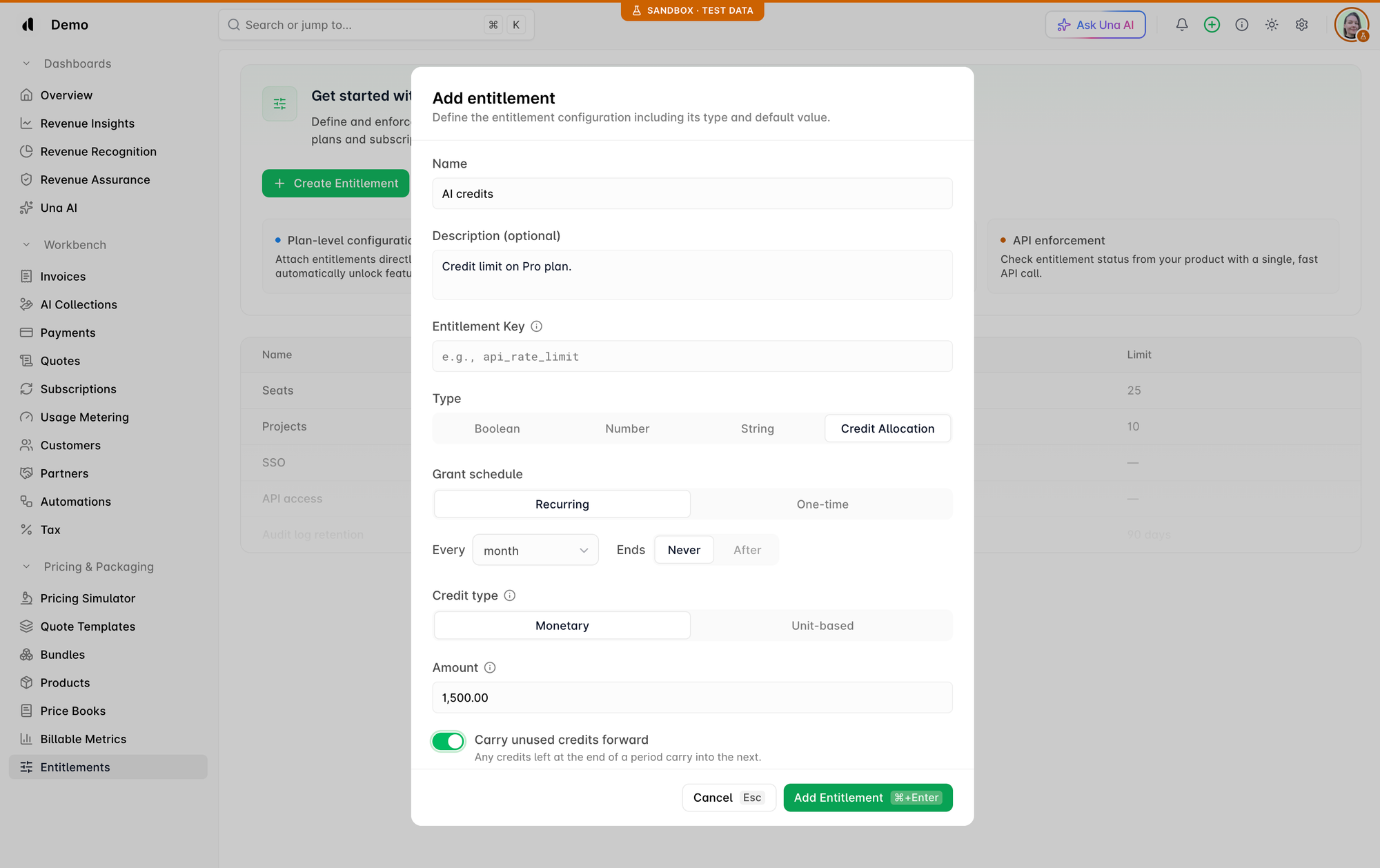
Go to Pricing & Packaging → Entitlements and click New Entitlement. For each one, add:
- A name your team will recognize, e.g. "AI credits"
- A key your product will look for, e.g.
AI credits - A type: on/off, number, text or credits
- A default value, e.g. 1,500.00
2. Add them to your plans
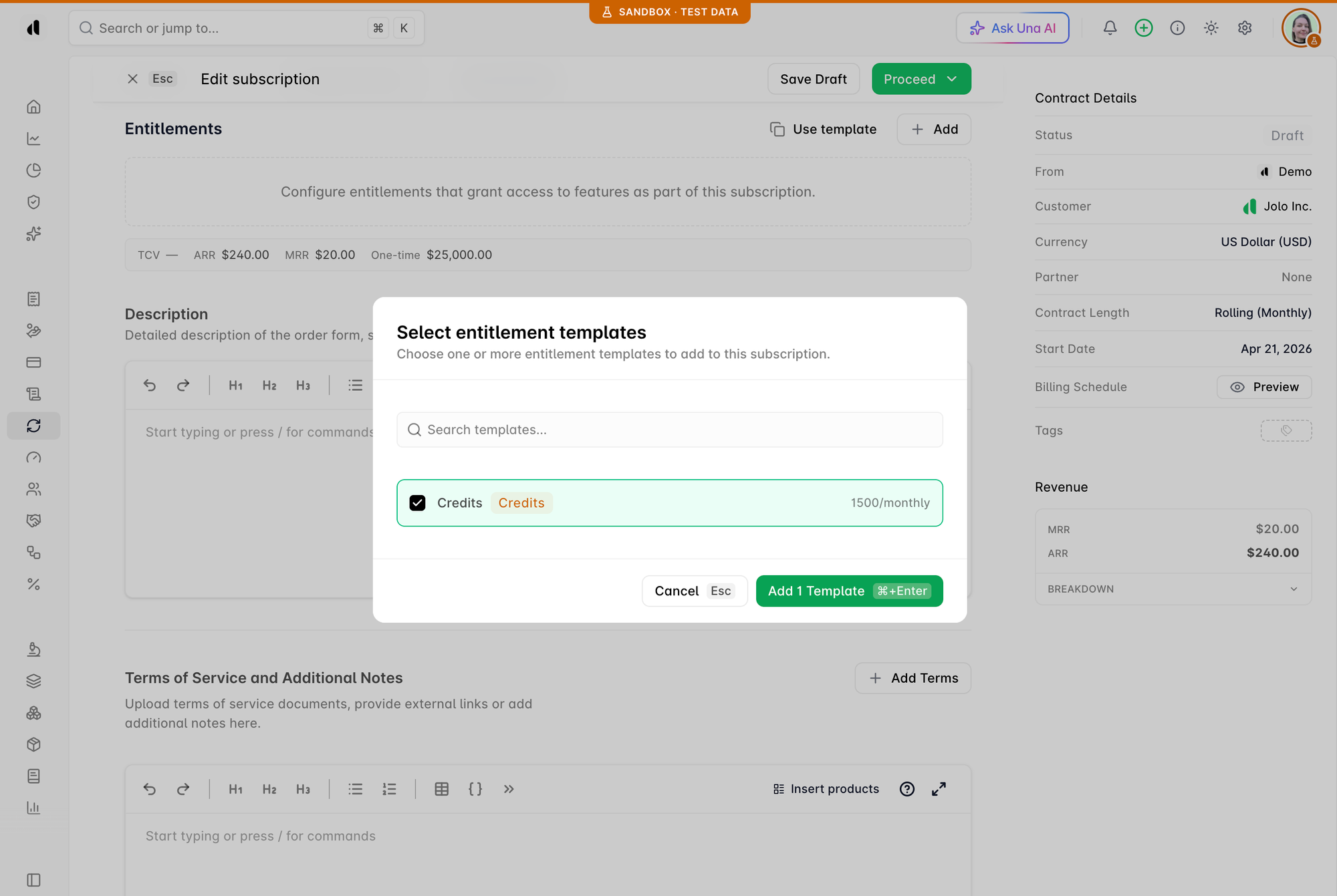
Open a plan, go to the Pricing & Packaging step, and choose the entitlements it includes.
Every new subscription on that plan gets them automatically.
3. Customize for individual deals (optional)
In the subscription builder, open Custom Terms to raise a limit or add a feature for one customer.
The plan doesn't change for anyone else.
4. Connect your product (one time)
Send your engineering team the Entitlements setup guide. They add one check that asks Alguna what a customer can use.
5. Change packaging whenever you need to
When you launch a new plan or change a customer's subscription, your product follows. That includes upgrades, downgrades, renewals and custom deals.
Ready to get started?
Your pricing and your product should agree without an engineering ticket every time you change a plan. With Entitlements, you decide what each customer gets, and your product follows.
If you’re an existing customer, go ahead and log in to Alguna and go to Pricing & Packaging → Entitlements to create your first one.
Book your personalized demo and we'll show you how it works.