Most companies still run revenue on disconnected systems: CPQ for sales, billing for finance, revenue recognition somewhere else entirely. Each handoff introduces drift. Each pricing change creates manual work. And every custom deal compounds the mess.
That’s why teams are actively replacing legacy stacks with software for quote-to-revenue automation. These are platforms where pricing is defined once and reliably flows from quote → billing → revenue—without manual rework or engineering support.
This guide compares the leading quote-to-revenue solutions on the market today, including platforms like Y Combinator backed Alguna, Agentforce Revenue Management, Zuora, and more, so you can see which ones (actually) support modern SaaS monetization and AI pricing models.
What is quote to revenue?
Quote-to-revenue, also known as quote to revenue, is the end-to-end process that governs how a deal moves from what sales quotes to what finance bills and recognizes as revenue.
In a true quote-to-revenue flow, pricing logic is created once—at the quote—and then flows automatically through:
- Configure, Price, Quote (CPQ): What is sold, how it’s priced, and under what terms
- Contracts and amendments: What’s legally agreed (including changes over time)
- Billing and usage metering: How customers are charged
- Invoicing, collections, and dunning: How cash is collected
- Revenue recognition and reporting: How revenue is booked and audited
The defining characteristic of quote-to-revenue is continuity: The same pricing and contract logic drives every downstream financial outcome.
What is quote-to-revenue automation?
Quote-to-revenue automation is the practice of automatically carrying pricing, contract, and usage logic from the moment a deal is quoted all the way through billing, collections, and revenue recognition—without manual rework at any stage.
In practical terms, it means that the system that creates the quote is the same system that determines what gets billed and how revenue is recognized.
No re-modeling. No spreadsheets. No downstream “fixing” after the deal closes.
Quote-to-revenue automation: Overview
A true quote-to-revenue automation platform automates four critical handoffs that traditionally break:
- Quote → Contract
The pricing logic, terms, ramps, and entitlements defined at quote time persist after signature. - Contract → Billing
Invoices are generated directly from the contract logic, including usage, overages, credits, and amendments. - Billing → Revenue recognition
Revenue schedules are created automatically based on the same data—aligned with accounting standards. - Changes over time
Mid-cycle upgrades, downgrades, usage spikes, or pricing changes flow through automatically without retroactive cleanup.
Quote-to-revenue solutions: Comparison overview
The comparison below breaks down the leading quote-to-revenue solutions based on how well they support modern pricing models, where automation truly starts and stops, and which teams they’re best suited for.
As you review the table, pay close attention to how far pricing logic actually flows. That distinction is where most buying decisions succeed—or fail.
| Solution | Best for | Strengths | Limitations | Price |
|---|---|---|---|---|
| Alguna | SaaS, AI, and fintech companies with usage-based or hybrid pricing. | True end-to-end quote-to-revenue automation CPQ → billing → automated RevRec. No-code setup, unmatched flexibility, and fast implementation. | Newer platform that may be more than needed for simple subscriptions. | Paid plans from $699/month. No setup fee. No revenue cut. |
| Agentforce Revenue Management | Salesforce-first enterprises. | Deep CRM integration, powerful customization, enterprise governance. | Expensive, long implementations, rigid for usage-based pricing. | Starting from $150 user/month. |
| Zuora | Large enterprises with stable subscription models. | Mature billing, RevRec, global compliance, scales well. | Slow to iterate, clunky CPQ, high total cost of ownership. | Custom. $50k and up. |
| Chargebee | SMB–mid-market SaaS with simple plans. | Easy setup, strong subscription management, clean UI. | Limited CPQ, complex usage requires engineering. | Paid plans start at $599/month up to $100k in billings. |
| Maxio | Finance-led SaaS teams | Strong RevRec, SaaS metrics, accounting-friendly. | CPQ is secondary, less flexible pricing logic. | $599/month up to $100k in billings. |
| Ordway | Finance and RevOps teams | Solid order-to-revenue automation, replaces spreadsheets, AR support. | No native CPQ, sales quoting handled elsewhere. | Custom. |
Deep dive: 6 software that simplifies quote-to-revenue processes
In this deep dive, we compare eight leading platforms that promise to automate the full quote-to-revenue flow and simplifies revenue processes, end-to-end.
From no-code CPQ to finance-led billing engines and unified platforms quote-to-revenue solutions Alguna, this breakdown shows where each platform excels, where it breaks, and which teams it’s really built for.
Alguna: Best software for quote-to-revenue automation for scaling SaaS teams
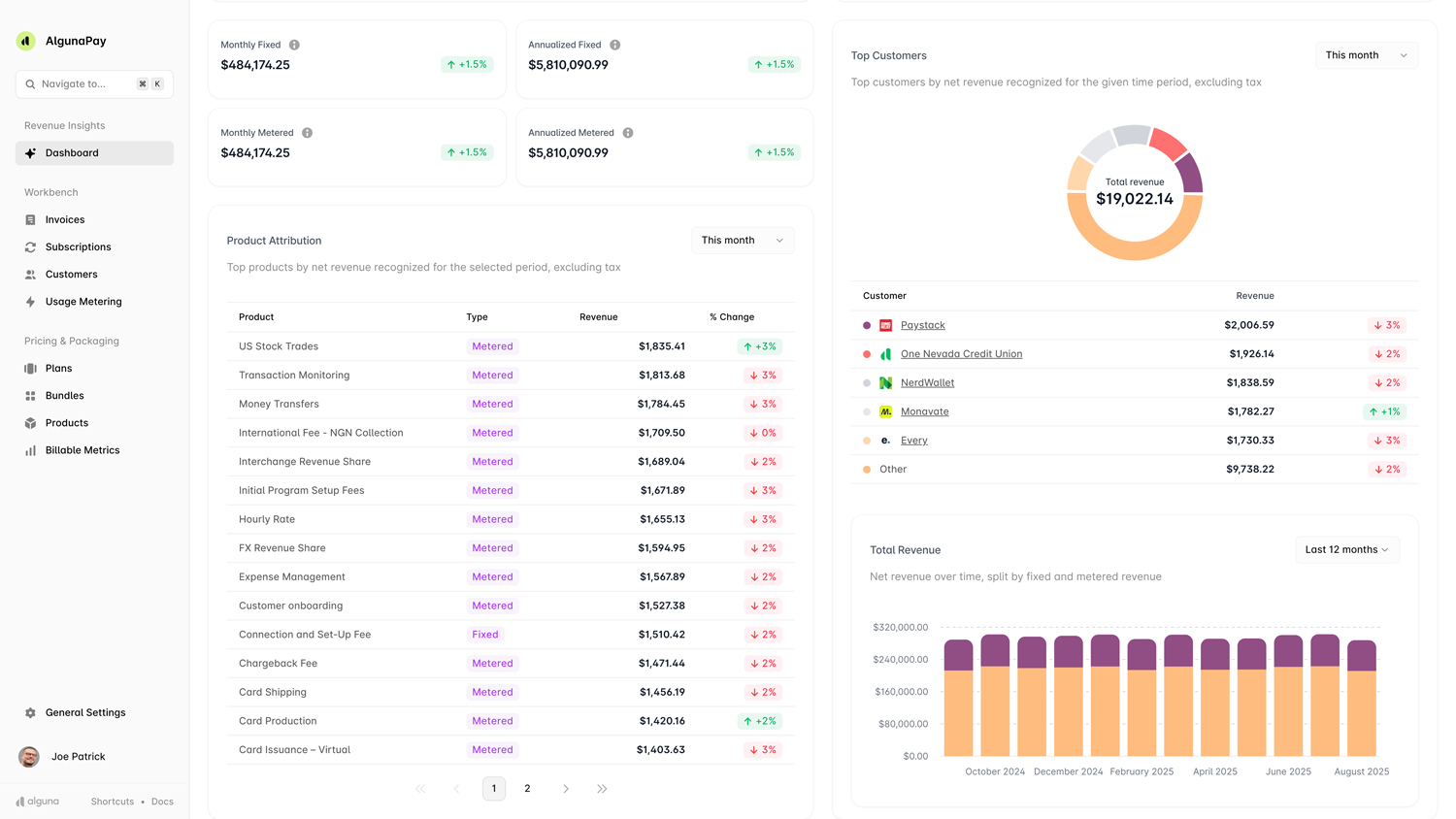
Alguna is an end-to-end quote-to-revenue automation platform (founded in 2023, Y Combinator S23) that was purpose-built for modern SaaS, AI, and fintech companies.
The no-code platform unifies pricing configuration, quoting (CPQ), usage-based billing, and revenue recognition in one system. By replacing fragmented tools and spreadsheets, Alguna aims to eliminate revenue leakage and manual errors, ensuring quotes, invoices, and revenue reports all align in real time.
It’s particularly suited for businesses with hybrid pricing models or dynamic, usage-based pricing (e.g. AI token consumption or fintech transaction models) that need agility in monetization.
Key Features
- Unified quote to revenue flow: Integrated configure-price-quote engine with built-in e-signature, instantly turning closed deals into billable subscriptions or usage contracts. Sales can generate accurate quotes and contracts without leaving the platform. Signed contracts flow downstream into billing and revenue recognition automatically.
- Real-time usage metering: Handles complex consumption metrics (e.g. API calls, AI tokens, compute time) by ingesting events in real time and converting them into billable charges automatically. Supports hybrid models (recurring subscriptions + usage overages) on a single invoice.
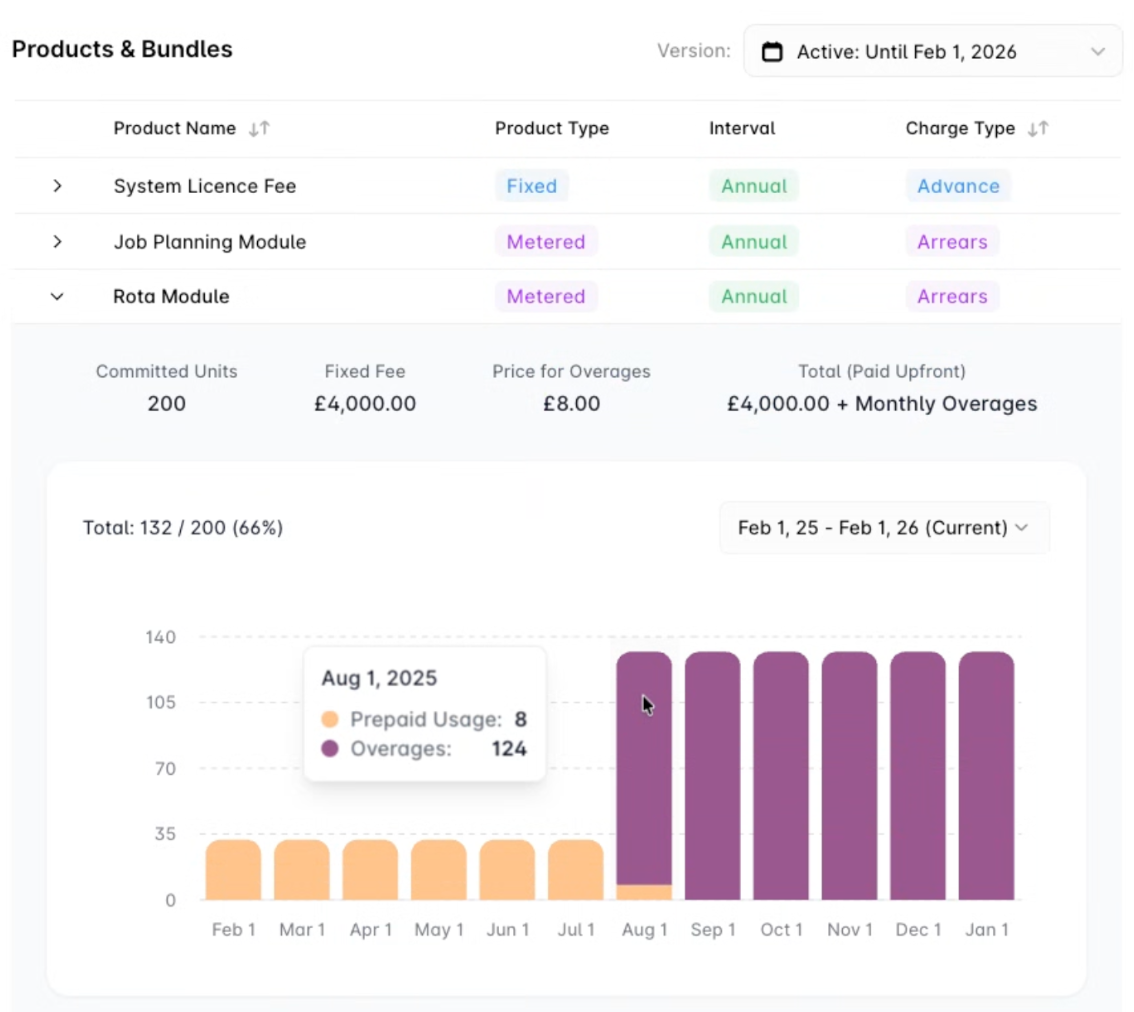
- Automated invoicing and collections: Instantly issues consolidated invoices covering subscriptions, usage, and one-off fees. Includes smart payment retry (dunning) logic to recover failed payments and reduce involuntary churn.
- Built-in revenue recognition: Natively allocates and defers revenue per ASC 606/IFRS 15 standards, eliminating the need for separate rev rec systems. Revenue schedules are generated automatically once a deal is closed.
- Integrations and API: Provides out-of-the-box connectors for popular CRMs (Salesforce, HubSpot) and accounting tools (QuickBooks), plus a robust API for custom integrations. This ensures a bidirectional sync of quotes, invoices, and payments with existing systems.
- Global and multi-entity support: Supports multi-currency billing, multi-entity consolidations, and global tax compliance by design, enabling companies to scale internationally without custom workarounds.
Strengths
- All-in-one automation: Covers the entire quote-to-revenue cycle (CPQ, billing, collections, rev rec) in one platform, so teams don’t need to stitch together separate tools. This unified approach provides a single source of truth for sales and finance.
- Designed for modern pricing: Purpose-built for usage-based and hybrid pricing models common in AI and SaaS monetization. It easily handles complex pricing experiments, tiered usage packs, and frequent pricing updates that legacy systems struggle with.
- Fast and flexible: A modern, cloud-native architecture allows rapid deployment and changes. Non-technical teams can launch new pricing plans or discounts in minutes and A/B test monetization strategies without code. This agility is critical for fast-evolving markets.
- Prevents revenue leakage: By automating billing and tying it directly to quotes and usage events, Alguna helps ensure every entitled usage is billed and collected. The platform was explicitly created to stop the “leaks” that occur with manual processes (unbilled overages, missed renewals, etc.).
- Seamless integration with CRM/finance: Strong integration focus (Salesforce, HubSpot, QuickBooks) means sales, finance, and customer success all see the same data in real time. This alignment reduces errors and reconciliation effort compared to siloed systems.
Limitations
- Ecosystem maturity: Being new, it has fewer pre-built integrations and certified implementation partners than more established competitors. Companies might need to invest extra effort in custom integrations if their stack goes beyond Alguna’s out-of-box connectors.
- Advanced functionality: Small companies with basic billing needs might find the platform’s depth unnecessary until their pricing grows in complexity.
Best for
- SaaS, AI, and fintech companies with complex hybrid pricing or usage-heavy pricing (e.g. token-based SaaS, transaction fees) that need unified quoting, billing, and revenue recognition.
- RevOps-focused teams in mid-market tech companies that are outgrowing Stripe or basic billing systems. If you’re struggling with spreadsheets for usage billing or manual revenue accounting, Alguna offers a one-stop automation platform to scale these operations.
Pricing
Paid plans start from $699 per month. Free tier available. Alguna never takes a revenue cut.
Customer insight
“Alguna enables complex usage-based billing for us in a way that other products can’t.
After moving to Alguna, finance and sales have become tightly coupled and are in lockstep."
– Shane Curran, CEO at Evervault
Agentforce Revenue Management (Salesforce Revenue Cloud): Best quote-to-revenue solution for Salesforce-led teams
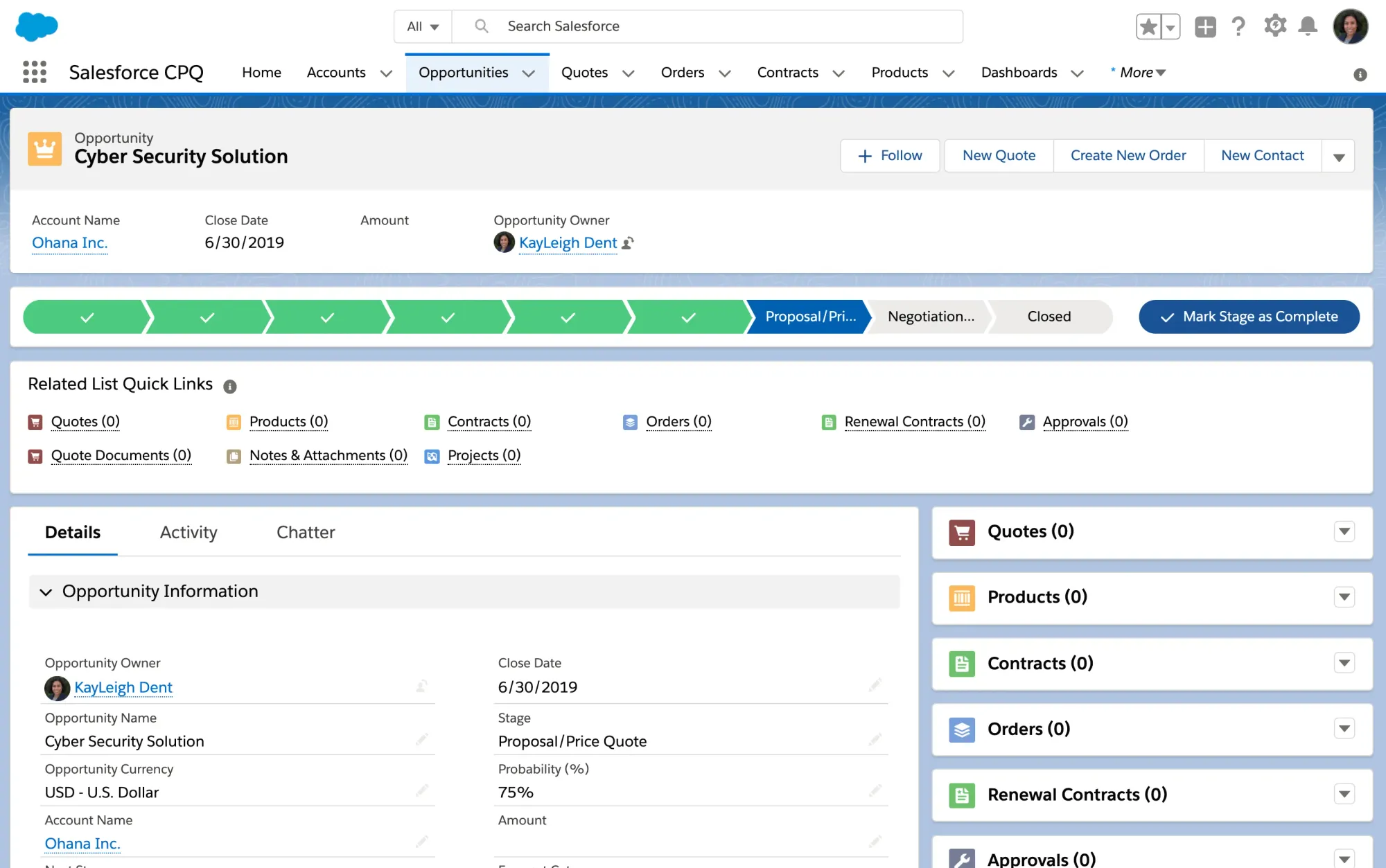
Agentforce Revenue Management (formerly Salesforce Revenue Cloud) is Salesforce’s quote-to-cash suite, combining Salesforce CPQ and Billing with new AI-driven features.
It automates the entire revenue lifecycle on the Salesforce platform: from configure-price-quote (CPQ) and contract management to invoicing, payments, and revenue analytics.
In short, it’s an end-to-end solution for quoting and monetizing products or services across any channel, tightly integrated with the world’s #1 CRM.
Key Features
- Robust CPQ and product configurator: Salesforce’s CPQ capability (now enhanced with Agentforce AI) helps sales reps configure complex product bundles, apply pricing rules, and instantly generate accurate quotes from anywhere (desktop or mobile).
- Unified catalog and pricing engine: A single product catalog supports all channels and handles sophisticated pricing models (subscriptions, usage, tiered pricing).
- Contract lifecycle management: Natively manage quotes through contracts and renewals on the CRM. Reps can convert opportunities to contracts, leverage pre-approved clause libraries, and use integrated e-signature.
- Billing and invoicing automation: Salesforce Billing (part of Revenue Cloud) automates invoice generation, proration, and payment collection for various revenue models (one-time, subscription, usage).
- Salesforce ecosystem integration: As part of Salesforce, it natively connects with Sales Cloud (CRM), Service Cloud, and the broader platform (e.g. Tableau, MuleSoft).
Strengths
- End-to-end on CRM: Agentforce keeps the entire quote-to-cash process inside Salesforce. This unified data model means sales, finance, and support are always looking at the same customer information.
- Enterprise-grade CPQ: Salesforce CPQ is known for its power and flexibility in handling complex product configurations, pricing rules, and approval workflows.
- Highly scalable and secure: Backed by Salesforce’s infrastructure, Revenue Cloud can scale to handle large volumes of customers and transactions. Compliance (e.g., SOC 2, GDPR) and security are best-in-class, which is critical for public companies or those in regulated industries.
- Ecosystem and extensibility: A vast network of Salesforce partners, consultants, and AppExchange add-ons are available to extend functionality – from tax engines to payment gateways. This means you can customize Agentforce to fit niche requirements.
- Cross-department alignment: Since it’s built into the CRM, Revenue Cloud fosters tighter alignment between sales, finance, and operations. For example, a sales rep quoting a deal can see billing implications (proration, revenue schedules) in advance, and finance can trust that invoices and revenue recognition will match the signed deal terms automatically.
Limitations
- Salesforce-only stack: Agentforce really shines if you are all-in on Salesforce CRM. If your sales team isn’t using Salesforce, adopting Revenue Cloud will be a harder sell.
- Complex implementation: Companies often need 6+ months and help from Salesforce consultants or integration partners to get all the CPQ rules, product catalog, and billing processes configured correctly (similar in effort to an ERP project).
- Maintenance and expertise: Running this platform requires skilled admins. Ongoing changes (e.g. updating product rules, adding a new pricing model) can be complex and might necessitate a Salesforce CPQ specialist on staff or retainer.
- Not usage-focused: While Salesforce Billing can handle subscriptions and some usage rating, it’s not as natively focused on high-volume usage billing as specialized billing platforms. Companies with millions of usage events often need to integrate an external metering system or do custom development.
Best for
- Existing Salesforce customers: Organizations (typically mid-size to enterprise) that already use Salesforce for CRM and want to extend it to handle quoting, orders, and billing. They benefit from having all customer and transaction data in one system.
- Large enterprises with multi-channel sales: Companies selling across direct sales, e-commerce, and partners can use Revenue Cloud to centralize product catalog and pricing across channels.
Pricing
Agentforce Revenue Management offers tiered pricing.
- Growth edition (focused on CPQ + basic subscriptions) is listed at $150 USD/user/month
- Advanced edition (full quote-to-cash with consumption billing and AI analytics) is $200 USD/user/month, both billed annually.
These licenses can add up based on the number of sales and operations users in the system. Note this pricing does not include the costs of Salesforce CRM itself (Sales Cloud licenses) which are prerequisite. Enterprise deployments may also incur significant one-time implementation fees (for integration partners, etc.).
Overall, budget for both licensing and services; the ROI is strong for organizations with high deal volume or complexity, but small businesses often find it cost-prohibitive.
Customer insight
“Salesforce Revenue Cloud is transforming the way we do business. We’re currently piloting the new quoting agent, and we expect it to cut manual work, accelerate deal cycles, and get quotes to clients faster than ever.
It’s not just about efficiency. It’s about unlocking more closed-won opportunities and scaling smarter.”
– Bill Francy, President of Client Services, AdMed, Inc.
Zuora: Enterprise-first quote-to-revenue solution
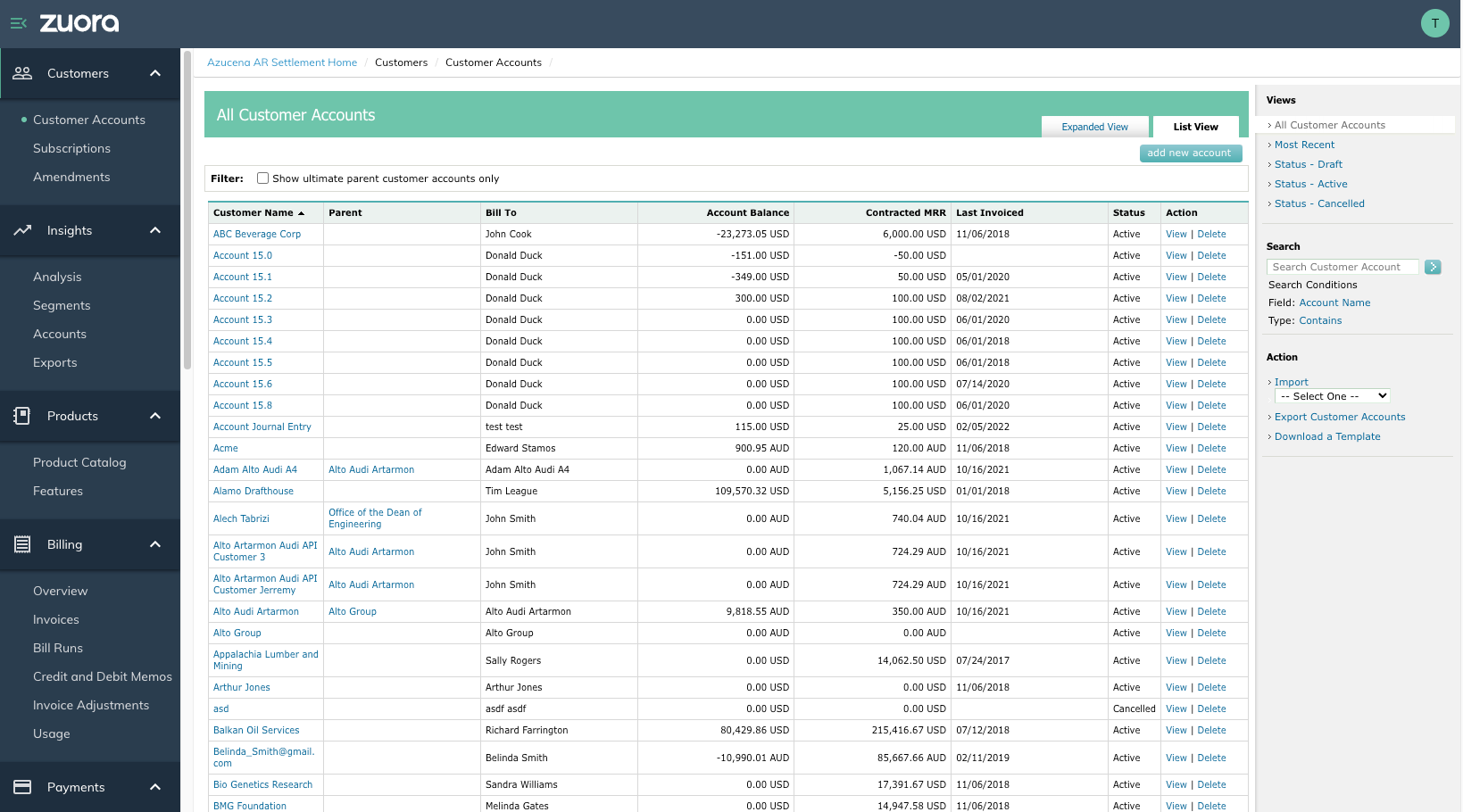
Zuora is a long-standing leader in subscription billing and has evolved into a comprehensive quote-to-revenue platform aimed at large enterprises. Its core offerings include Zuora Billing (to automate recurring and usage-based billing), Zuora CPQ/Quotes (often used within Salesforce for quoting deals under complex pricing rules), and Zuora Revenue (formerly RevPro, for advanced revenue recognition compliant with accounting standards).
Zuora excels at supporting sophisticated subscription and consumption models at scale. Many view it as the “system of record” for subscription businesses, handling everything from order capture to invoicing to revenue recognition.
Key Features
- Subscription and usage billing engine: Zuora’s platform can handle a vast array of billing scenarios, from standard monthly subscriptions to metered pay-as-you-go models, one-off charges, prepaid drawdowns, and beyond.
- Multi-currency and multi-entity: Zuora was built with global enterprises in mind. It natively handles multi-currency pricing and invoicing, as well as multi-entity or subsidiary structures (important for companies operating in multiple countries or with multiple product lines).
- Zuora CPQ (Quotes) Integration: For the quoting process, Zuora offers a CPQ product that integrates with CRMs like Salesforce. Sales reps can configure subscription deals (with products, tiers, discounts) in CRM, and the data flows into Zuora for billing once closed.
- Advanced revenue recognition: Through Zuora Revenue (acquired from Leeyo), the platform provides robust revenue recognition and audit compliance. It can automatically allocate transaction prices, handle deferred revenue schedules, and produce audit-ready reports under ASC 606 and IFRS 15.
- Ecosystem integrations: Aside from CRM, Zuora has pre-built integrations with major ERP and finance systems like NetSuite and Oracle Financials. It also offers tax integration and a configurable taxation engine for global tax compliance (e.g., VAT, GST, sales tax).
Strengths
- Unparalleled flexibility and power: Zuora has a proven ability to handle very complex billing scenarios and contract structures. Whether it’s a multi-year enterprise SaaS deal with ramped quantities, or millions of IoT usage events per month, Zuora can model it.
- Comprehensive quote-to-cash: It’s one of the few platforms that offers best-of-breed components in each stage: quoting (CPQ), billing, and revenue. The depth in revenue recognition and financial compliance is a standout.
- Global enterprise focus: Zuora comes with features enterprises need: multi-currency, multi-entity, advanced tax and payment support, high scalability, and strong SLAs. It is built to support business models across continents and regulatory environments.
- Integration and extensibility: The platform’s large user base has driven a rich integration ecosystem. Connectors to CRM/ERP reduce the custom work, and Zuora’s APIs allow for extensive customization where needed.
Limitations
- Lengthy implementation: Adopting Zuora is a significant undertaking. Typical implementations for an enterprise can take 6–12 months. It often requires specialized Zuora consultants or a dedicated project team to configure product catalogs, billing rules, integrations, and to migrate existing subscriptions.
- Complexity requires expertise: e, Zuora is a complex system. Administering usually falls to experienced revenue operations or finance IT personnel. Without the right expertise, users might under-utilize the system or make configuration mistakes.
- Sales process and vendor lock-in: Prospective buyers often note that Zuora has an “enterprise sales process,” meaning negotiations and procurement can be drawn out. Once implemented, companies might feel locked in due to the effort of migration, which can make renewing at increasing prices an inevitability.
Best for
- Large enterprises: Zuora is ideal for businesses roughly in the $100M+ ARR range or those aiming there. These organizations typically have dedicated billing/revenue operations teams that can manage a platform like Zuora.
- Companies requiring deep compliance: If your finance team needs SOX-compliant processes, audit trails, and automated revenue recognition in accordance with accounting standards, Zuora is a top choice.
Pricing
Zuora typically operates on an annual subscription license (SaaS model) that scales with usage (e.g. number of subscribers or revenue processed). Precise pricing is by quote only.
As noted, a ballpark entry point is ~$50,000 per year and up for enterprise deployments. Costs increase with add-ons (Revenue module, CPQ, etc.) and higher transaction volumes. In addition, first-year implementation services can be significant (sometimes equaling the first year of software cost).
Customer insight
“Zuora Billing and Revenue have been the indispensable financial backbone that empowered Asana’s transition from PLG to enterprise sales, unlocking complex monetization and scaling our financial operations for global growth.”
– Asana’s Finance Team
Chargebee: Subscription-led quote-to-revenue solution for mid-market SaaS
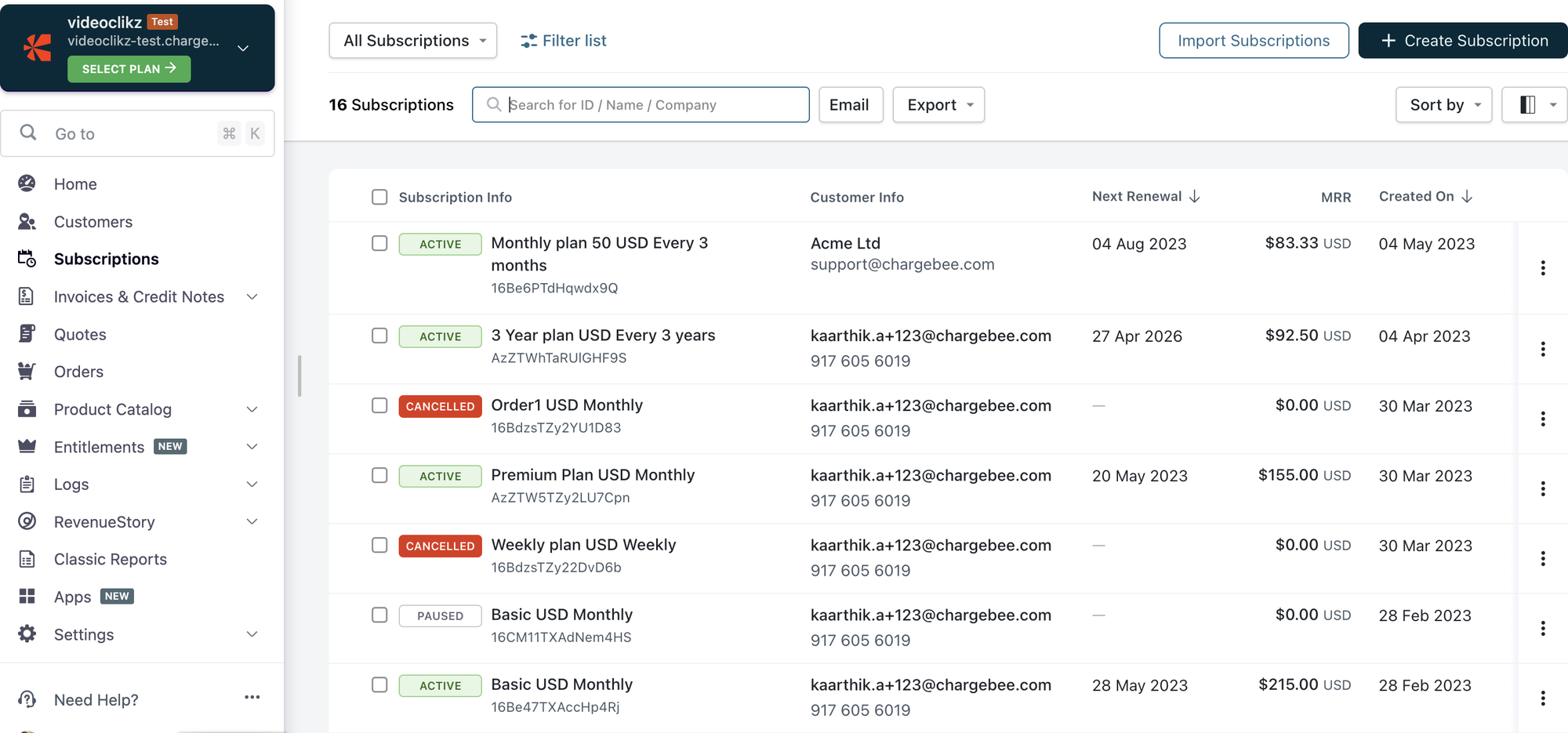
Chargebee is a subscription management and billing platform well-known among SaaS startups and mid-market companies. It began with a focus on recurring subscription billing and has gradually expanded to support usage-based add-ons, basic quoting, and even revenue recognition modules.
Chargebee aims to be an easy-to-implement solution that handles the “nuts and bolts” of subscription billing (plans, invoicing, payments, dunning) without requiring a big enterprise IT project.
In recent years, Chargebee has introduced CPQ functionality and other quote-to-cash features to offer a more complete quote-to-revenue experience for growing businesses.
Key features
- Subscription and usage billing: At its core, Chargebee automates recurring billing for subscriptions (monthly, annual, etc.) and now supports hybrid models with usage-based charges on top.
- Quote-to-cash with CPQ: Chargebee offers a lightweight CPQ module (including a Salesforce CPQ integration for Chargebee) that lets sales reps create quotes for customers. This bridges sales and finance: quotes can be turned into subscriptions in Chargebee without re-entry.
- Dunning and retention workflows: Strong dunning management is a highlight – Chargebee provides configurable retry schedules, grace periods, and even custom retry logic to recover failed payments.
- Integrations and API: Chargebee integrates with 30+ payment gateways (Stripe, Braintree, Adyen, etc.), accounting software (QuickBooks, Xero), CRMs like HubSpot and Salesforce, and others. Its API is well-documented, allowing custom integration into your product (for self-serve signups, customer portal, etc.).
- Revenue recognition module: As an add-on, Chargebee offers automated revenue recognition compliant with accounting standards. This module can generate schedules for deferred revenue and provide reports for auditors, which is a step up from startups doing this in spreadsheets.
Strengths
- User-friendly and fast to implement: Chargebee is known for its relatively quick onboarding. Smaller teams without dedicated developers or consultants can often get Chargebee up and running in weeks, configuring plans and pricing via its UI.
- Robust mid-market feature set: It hits a sweet spot of offering many enterprise-like features (dunning, multi-currency, proration) without the complexity of enterprise software.
- Strong dunning and retention: Chargebee’s customers often praise the platform’s dunning/collection tools. Recovering failed payments automatically has a direct positive impact on revenue.
- Integration rich: With numerous pre-built integrations, Chargebee can slot into your existing tech stack with minimal fuss.
Limitations
- Limited complex CPQ/contract support: Chargebee’s CPQ capabilities, while growing, are still not as advanced as dedicated CPQ or Revenue Cloud. For instance, extremely complex deal structures (multi-layer discount hierarchies, performance-based pricing, etc.) might be beyond its scope.
- Usage billing add-on nature: Chargebee was built with subscriptions in mind so usage billing is effectively an add-on layer. It can handle metered charges, but more complex usage scenarios (like very high event volumes, real-time rating, or intricate usage-based pricing models) could strain its capabilities.
- Integration challenges at scale: Some users report that integrating Chargebee deeply into CRM or ERP can be tricky. For example, the Salesforce integration might need tweaking to fit custom Salesforce setups, and syncing a high volume of transactions can require careful configuration.
Best for
- Mid-market SaaS and subscription businesses: Chargebee is best for companies roughly in the $5M–$50M ARR range (and even up to $100M) that have a subscription-centric business but are layering in some usage or add-on fees.
- Product-led growth companies: SaaS startups that have a self-service funnel (free trials, freemium to paid conversions) benefit from Chargebee’s out-of-the-box hosted pages, trials management, and self-service portals.
Pricing
Chargebee uses a tiered pricing model:
- Startup plan (free) for early-stage companies, then “Rise” and “Scale” plans, and custom Enterprise plans.
- The Starter tier is free until you reach $250K USD in cumulative billing, after which a 0.75% fee on revenue kicks in.
Paid plans typically involve a base annual fee plus a percentage of revenue over certain thresholds. For example, the Scale/Performance plan starts around $7,188/year (approximately $599/month) which covers up to $100K in billing per month (~$1.2M annually). Beyond that, an overage of ~0.6–0.75% on revenue may apply.
Customer insight
“Chargebee has been a vital partner in our growth, powering our billing, invoicing, and hybrid subscription platform while streamlining our entire billing process.”
– Ajay Bulusu, Co-Founder & CEO of NextBillion AI
Maxio: Finance-led quote-to-revenue solution
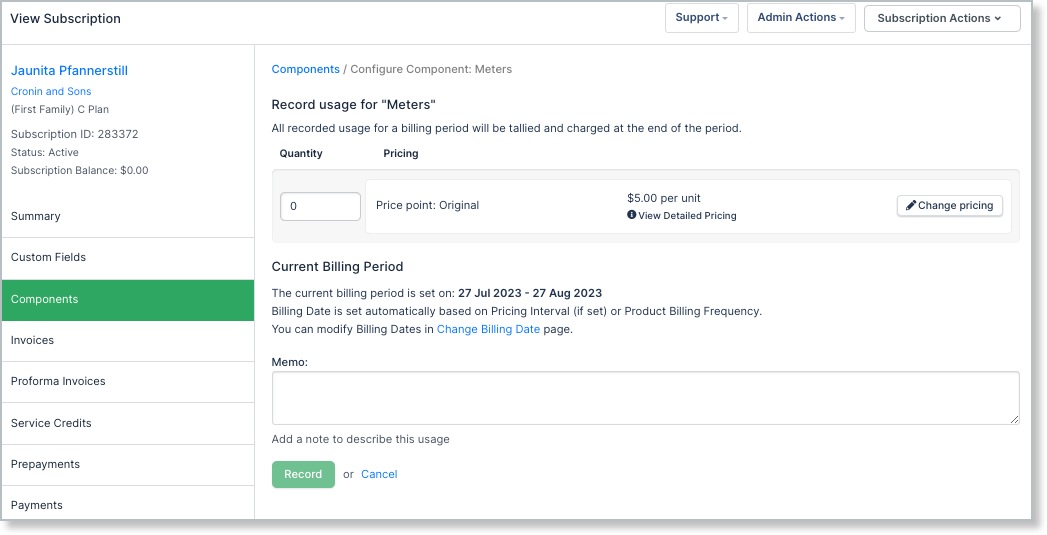
Maxio is a unified financial operations platform for SaaS companies, formed from the 2022 merger of Chargify (subscription billing) and SaaSOptics (revenue recognition and SaaS analytics). This combination means Maxio offers both robust billing capabilities and built-in financial reporting/metrics, targeting finance teams who need accuracy and insight into their recurring revenue.
Maxio enables B2B SaaS firms to automate subscription and usage billing, manage customers (subscription lifecycle management), handle ASC 606 revenue recognition, and track key SaaS metrics like ARR, churn, and LTV in one solution.
In addition, Maxio has incorporated a CPQ tool (from its acquisition of RevOps.io) to help with quote generation and deal workflows. The platform’s value proposition is often about bridging the gap between sales operations and finance.
Key features
- Subscription and usage billing: Maxio (drawing on Chargify’s heritage) supports flexible recurring billing. You can set up plans with monthly/annual fees, usage-based components (metered or tiered pricing), free trial periods, discounts, and more.
- Automated revenue recognition: A core strength from the SaaSOptics side, Maxio can automatically create revenue schedules for deferred revenue and recognize it properly per ASC 606.
- Accounts receivable (AR) management: Maxio includes AR tools like invoice aging reports, DSO (Days Sales Outstanding) tracking, and automated dunning workflows.
- Integrations (CRM & ERP): Native integrations include Salesforce (so that customer and billing info syncs between CRM and Maxio), QuickBooks and NetSuite (to push financial entries or pull customer info).
- SaaS metrics and reporting: One of the differentiators is the built-in analytics, dashboards for MRR/ARR, churn, customer lifetime value, bookings, etc., are available, leveraging SaaSOptics’ reporting background.
Strengths
- Finance-oriented “Single Source of Truth”: Maxio’s biggest strength is combining the billing and finance lens in one platform. Finance teams love that they can trust the numbers, billings, revenue, and SaaS metric, all coming from Maxio without exporting to spreadsheets.
- All-in-one platform for SaaS ops: It covers a broad spectrum: billing, collections, revenue, and analytics. For a growing SaaS company, having subscription management tightly coupled with revenue recognition and metrics is a huge plus, it eliminates data reconciliation between systems and provides real-time insights.
- SaaS metrics “out of the box”: Unlike generalist billing systems, Maxio was built for SaaS, so it knows about MRR, ARR, churn, etc. This means less custom work to get the reports executives want.
- CPQ addition improves sales alignment: With the integration of CPQ, Maxio addresses one of its historical gaps (quote management). Now sales teams can use Maxio’s CPQ to structure deals and enforce pricing policies.
Limitations
- Merged platform hiccups: Since Maxio is the result of a merger, some users have noted UX inconsistencies or integration pain points between the formerly separate parts (billing vs. reporting UI, etc.). The company has been unifying these, but one might encounter quirks as the two systems continue to blend.
- Not a specialized CPQ/contract system: While Maxio now has CPQ, it’s primarily aimed at standardizing quotes for billing. It may not handle extremely complex sales contracting scenarios as deeply as a standalone CPQ like Salesforce CPQ or Conga. If your sales process requires highly custom contracts or non-standard deal structures, Maxio could feel limiting.
- Setup and configuration effort: Maxio is powerful, but that also means implementation is not instant. Companies often need to invest time to configure their product catalog, map their financial accounts for revenue sync, and ensure data cleanliness when migrating.
- Focus on finance users: Maxio is often championed by Finance teams. The flip side is that some Sales or RevOps users might find its interface less intuitive for their day-to-day, compared to tools specifically built for sales quoting or CRM.
Best for
- Finance-led SaaS companies: If your CFO or finance team is driving the tool decision, Maxio is very appealing. It’s ideal for B2B SaaS firms that prioritize accurate financial reporting and revenue recognition alongside billing.
- SaaS with complex financial needs (but moderate sales complexity): Companies that have fairly straightforward sales order processes (e.g., selling subscriptions with maybe some usage or add-ons, and not too many one-off negotiated terms) but complex finance workflows (multi-currency billing, detailed revenue deferrals, etc.) will get a ton of value from Maxio.
Pricing
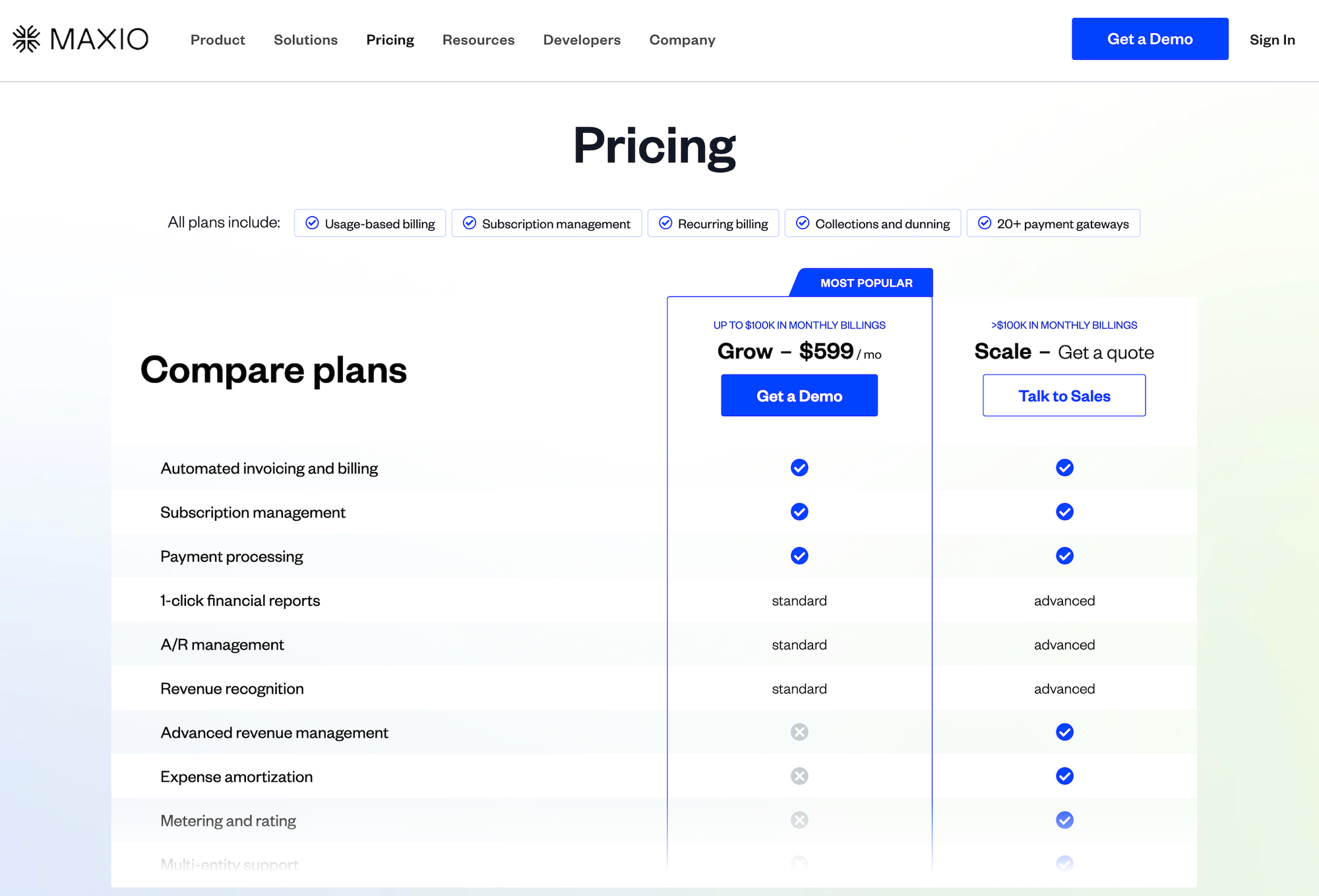
Maxio’s pricing is customized to the client’s size and needs. It generally involves an annual subscription fee that can scale with the volume of billing (ARR or number of invoices/customers) and which modules are activated (billing, CPQ, revenue recognition, analytics).
Customer insight
One account executive, after adopting Maxio’s CPQ, put it simply: “This feels like modern software.”
Ordway: Basic quote-to-revenue platform for smaller teams
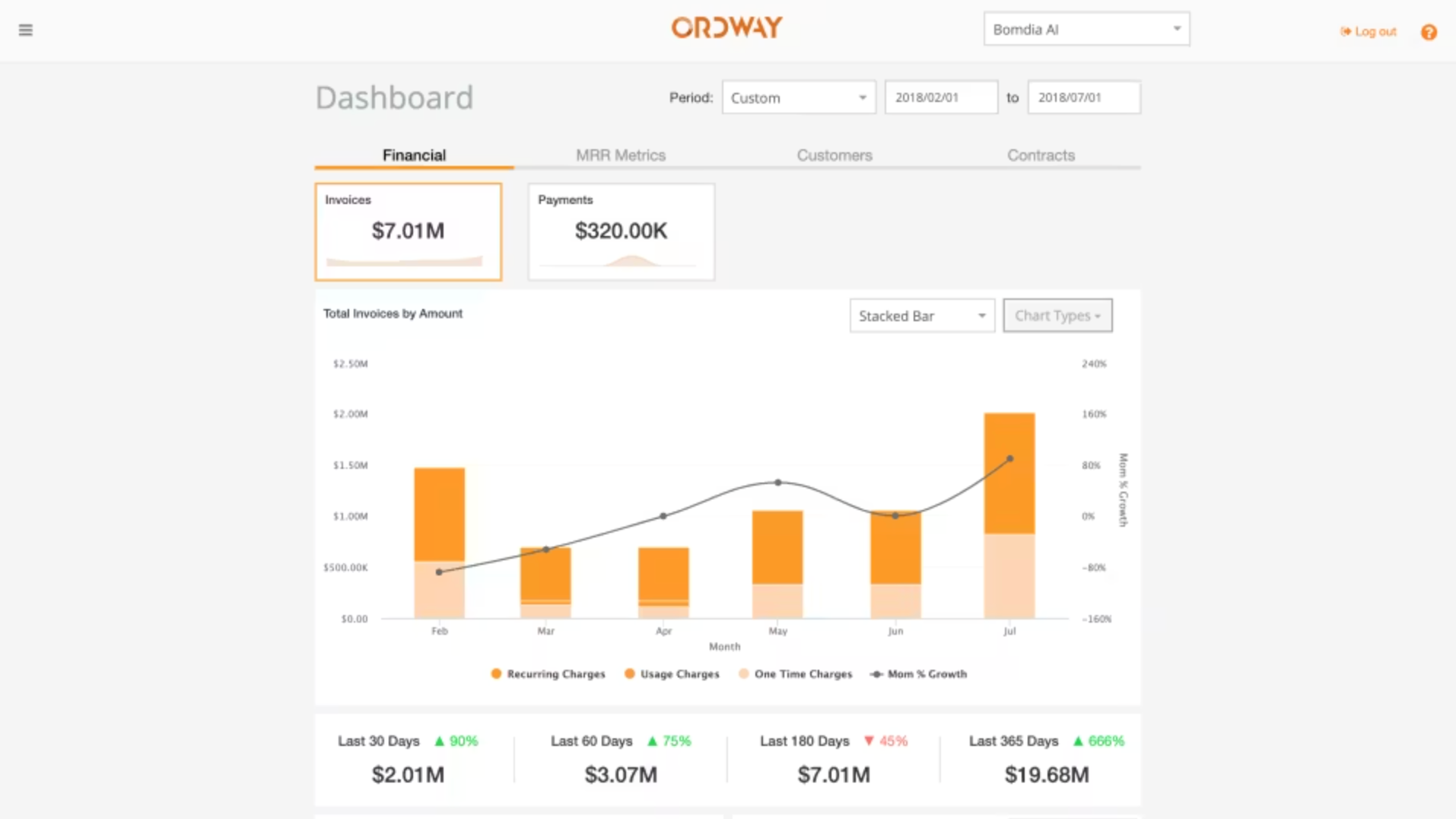
Ordway is a quote-to-cash platform designed to automate complex billing and revenue processes for scaling companies. `Simialr to Alguna, it emphasizes flexibility, handling subscriptions, usage commitments, and prepaid credits, while unifying these processes so that finance teams can ditch spreadsheets.
In practice, Ordway covers CPQ inputs (often via CRM integration), billing and invoicing, payment collections, and revenue recognition in one solution. Its sweet spot is companies that have outgrown basic tools (like simple subscription billing services or manual invoice tracking) and need a system that can accommodate unique contracts or usage arrangements without heavy custom coding.
Key features
- Flexible usage billing logic: Ordway excels at complex consumption models. It can handle prepaid credit systems, commit-plus-overage contracts, tiered overages, roll-over of unused usage, etc.
- Subscription and recurring billing: Alongside usage, it supports standard subscription billing (recurring charges, seat licenses, etc.), including co-terming, proration, and upgrades/downgrades mid-term.
- ASC 606/IFRS 15 Revenue Automation: Ordway has built-in revenue recognition that automatically defers and recognizes revenue according to accounting rules. For multi-element arrangements, the system can allocate revenue and handle separate recognition schedules.
- CRM Integration (Salesforce, HubSpot): Ordway offers bidirectional sync with CRM systems like Salesforce, meaning quotes/deals closed in the CRM can kick off the billing in Ordway, and Ordway can push back invoice/payment info to CRM.
- Custom reporting and dashboards: Users can create custom reports within Ordway to track things like billing by product, customers approaching usage limits, or AR aging. These can be saved and reused.
Strengths
- End-to-end automation: It’s a full quote-to-cash system of record. Companies have reported eliminating separate quoting tools and collections systems after implementing Ordway. Sales enters a deal (in CRM or Ordway), and from there Ordway takes care of invoicing, collection, and revenue recognition.
- Finance and sales alignment: Because of its integrations and design, Ordway helps align finance and sales operations. Finance can trust that invoices will match the signed deals, and sales can get insights into how their deals are being billed/paid.
- Customizable reporting: Users can create and save reports tailored to their business, which is a boon if you have specific reporting needs (like tracking usage consumption against commit thresholds, or seeing which customers are hitting their prepaid limits). This helps finance teams be more strategic.
Limitations
- Lower profile (perceived risk): Ordway is not as widely known, which can give some buyers pause (“Will the company be around in 5 years? Is the product mature?”). It lacks the brand recognition of Alguna, Salesforce or Zuora, so internal stakeholders may require extra assurance (through customer references or trial periods) to get comfortable.
- Fewer off-the-shelf integrations: Ordway covers the key systems (CRM, major accounting packages), but its integration marketplace is not as extensive as some larger platforms.
- Manual setup vs. AI automation: Some newer platforms boast AI-driven automation (like scanning contracts or auto-configuring based on patterns). Ordway, while flexible, may require more manual configuration of rules and workflows up front.
Best for
- Companies with complex billing logic: Ordway is the best choice for companies with complex consumption models (commits, prepaid credits, overages) who need to get off spreadsheets but don’t need enterprise scale.
- Mid-market B2B SaaS: Typically, mid-sized (say $5M–$50M revenue) B2B companies that have outgrown simpler billing systems. These teams often have a lean finance ops group that needs a lot of automation.
Pricing
Ordway doesn’t publicly list pricing; it’s offered via custom quotes based on each customer’s requirements. Generally, Ordway is positioned for mid-market affordability while delivering enterprise-grade capabilities.
Customer insight
“Our sales team is creative with some of the things they come up with for customers. And we haven’t seen anything from them that we couldn’t handle in Ordway pretty easily.”
– Slater Latour, VP Finance at Springboard Retail
Choosing the right quote-to-revenue solution
Fragmented revenue workflows are not sustainable. Whether you’re scaling usage-based pricing, streamlining quote-to-cash, or aiming for audit-ready revenue reporting, a modern quote-to-revenue solution is a growth enabler.
The right solution aligns Sales, Finance, and RevOps around a single source of truth, turning pricing into a strategic lever rather than a liability. Platforms like Alguna lead with unified automation built for complex, hybrid pricing, while others excel in specific areas like CPQ or subscription billing but leave gaps downstream.
Ultimately, the best platform is the one that supports your current monetization model and gives you the flexibility to evolve it. If you’re dealing with manual quoting, fragmented billing, or revenue reconciliation headaches, it’s time to move beyond band-aids and choose a quote-to-revenue solution that can scale far beyond your immediate growth plans.
See how Alguna replaces fragmented tools and unifies your revenue workflows in a single source of truth
Book a demo to walk through one of your real quote to revenue flows.