A deal closes on a custom usage-based contract. Next, someone has to manually translate the commercial terms into your billing system.
Three days pass.
The invoice goes out a week late.
The amount is slightly wrong because the usage data lived in a spreadsheet. The customer queries it. Your finance team spends two hours reconciling.
You fix it. You move on.
And the same thing happens again next month, and the month after that—in perpetuity.
Multiply that by 50 customers. Then 200. Now, you don't just have a billing problem, instead you're looking at a growth ceiling.
That's a compelling reason to rethink how your billing works.
But "flexible billing" is a broad term. It covers everything from usage-based pricing and metered billing to hybrid subscription models, custom enterprise quotes, and automated revenue recognition.
Choosing the wrong flexible billing software means either paying for complexity you don't need, or outgrowing your tool in 18 months.
In this guide, we compare 10 of the leading platforms for B2B SaaS and AI companies, covering what each does well, where each falls short, and which types of businesses each serves best.
What is flexible billing software?
Flexible billing software is a platform that allows businesses to configure, automate, and manage multiple billing models without requiring engineering resources for every change.
Unlike basic payment processors, flexible billing platforms handle the complexity of:
- Usage-based billing: Charging customers based on how much of your product they consume (API calls, seats, storage, transactions, etc.)
- Subscription management: Handling recurring charges, plan upgrades and downgrades, mid-cycle proration, and trial periods
- Custom quoting and CPQ (configure, price, quote): Generating tailored proposals for enterprise deals and converting them directly into billing agreements
- Automated invoicing: Generating and sending invoices, collecting payment, handling dunning, and managing credits or adjustments
- Revenue recognition: Allocating revenue according to accounting standards (ASC 606/IFRS 15) as it's earned, not when it's collected
The best platforms do all of this in one place, eliminating the data silos and manual work that comes from running billing, quoting, and revenue reporting in separate tools.
A quick note on terminology you'll see throughout this guide:
- Hybrid billing: Combining a recurring base subscription with variable usage charges on top
- CPQ (configure, price, quote): Software that helps sales teams build accurate, custom quotes and convert them into contracts and billing
- Dunning management: The automated process of recovering failed payments through retry logic and customer communication
Comparison overview: 10 flexible billing platforms at a glance
Use this table to quickly identify which platforms fit your needs before diving into the detailed reviews below.
| Platform | Best for | Key strengths | Key limitations | Starting price |
|---|---|---|---|---|
| Alguna Featured | B2B SaaS and AI companies with complex usage-based or hybrid billing needs | End-to-end quote-to-revenue, usage-based flexibility, revenue analytics, no code, fast migrations | Not ideal for early stage companies. Less mature integration ecosystem. | Paid plans from $699/month. No revenue cut. |
| Sequence | B2B SaaS with complex custom contracts | Intuitive CPQ + billing in one, fast migrations, handles any deal structure | Newer player; some users want deeper customization in certain areas | Custom (platform fee based on billed revenue) |
| Tabs | B2B finance teams automating contract-to-cash workflows | AI-powered contract ingestion, ASC 606 rev rec, strong AR automation | Less focused on CPQ/quoting; better for finance than sales teams | Custom pricing |
| Zenskar | B2B SaaS needing maximum pricing model flexibility | Decoupled metering and pricing, no-code engine, 200+ integrations | Newer platform; smaller partner ecosystem; requires some implementation effort | Custom pricing |
| Salesbricks | SaaS startups and SMBs wanting fast quote-to-cash | Easy CPQ, fast deal execution, good for early-stage revenue ops | Less suited for large enterprises; limited advanced rev rec features | % of invoiced revenue (custom) |
| Stripe Billing | Developer-first teams wanting deep customization | Extensive API, wide payment method support, huge ecosystem | Complex usage billing requires heavy engineering effort; limited revenue reporting | 0.5–0.8% + transaction fees |
| Chargebee | Mid-market SaaS with subscription-led growth | Strong subscription management, good integrations, self-serve portal | Usage-based billing less mature; can get expensive at scale | From $599/month |
| Maxio (formerly SaaSOptics + Chargify) | SaaS companies needing financial reporting + billing | Revenue recognition, SaaS metrics, combined billing and finance view | Steeper learning curve; UI can feel dated | From $599/month |
| Zuora | Enterprise companies with complex subscription needs | Highly configurable, strong compliance tools, enterprise integrations | Very complex to implement and maintain; expensive; slow to iterate | Custom (enterprise) |
| Recurly | Consumer subscription businesses | Strong dunning management, good churn reduction tools, easy setup | Limited B2B and usage-based capabilities; less suited for enterprise deals | From $249/month + 0.9% |
Flexible billing software: 10 platforms that can handle complex billing
Let's go deeper on each platform.
Alguna: Flexible billing and RevRec for AI companies and B2B SaaS
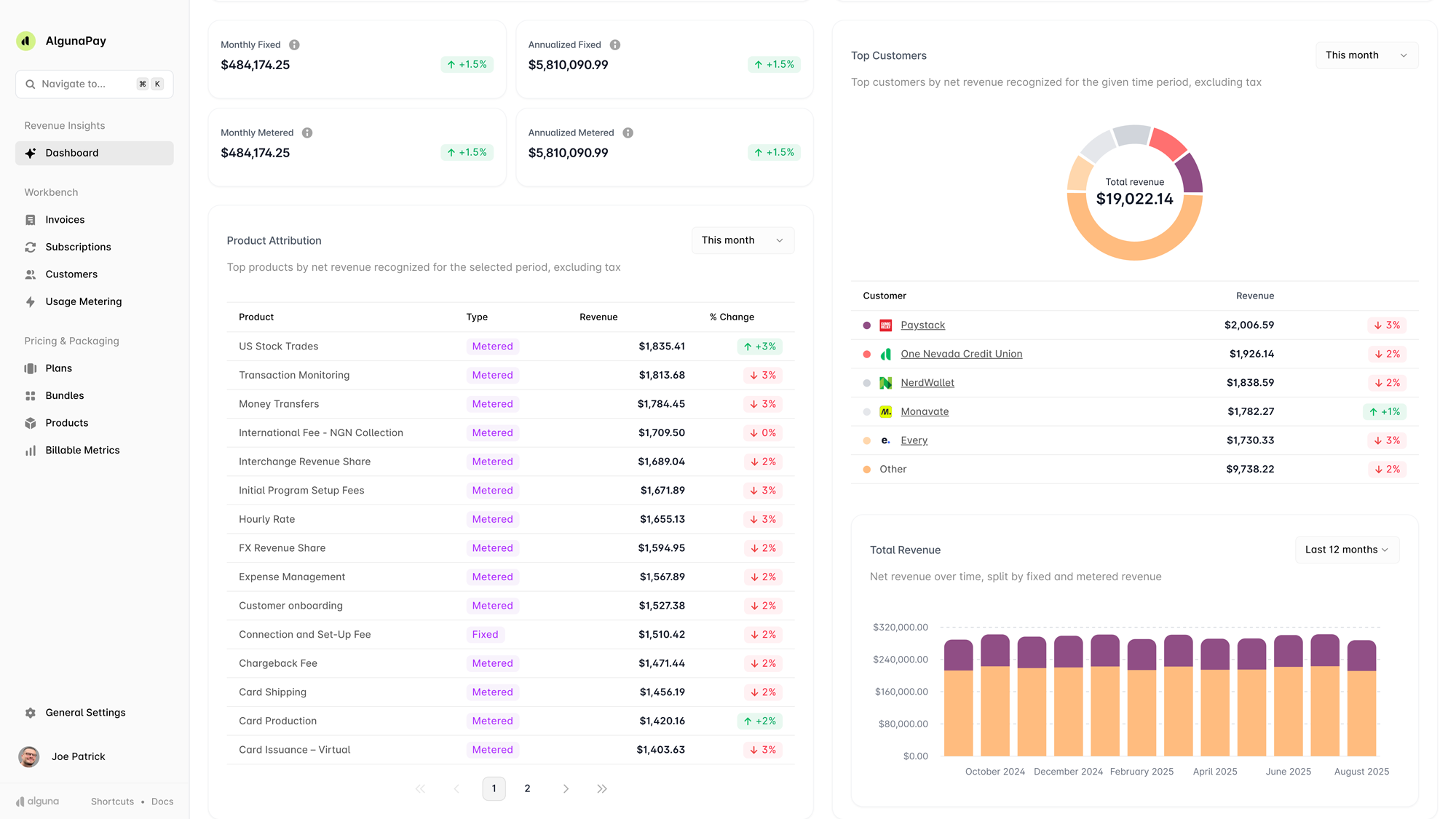
Y Combinator backed Alguna is an end-to-end quote-to-revenue platform built specifically for AI, B2B SaaS, and fintech companies.
The no-code platform covers the entire revenue lifecycle: from creating and sending a custom quote, to converting that quote into a contract, to automating billing and invoicing, to giving finance teams a real-time view of revenue movements.
Where Alguna stands apart is its ability to handle genuinely complex usage-based billing scenarios alongside traditional subscription models. You can mix and match billing structures at the customer level without needing engineering involvement every time. Once a customer is live on the platform, billing runs on autopilot.
"Alguna enables complex usage-based billing for us in a way that other products can't."
- Shane Curran, CEO at Evervault
Read the case study
Alguna has built a strong reputation for Stripe migrations specifically. Its native Stripe payments integration means you keep using Stripe as your payment processor while Alguna takes over the billing logic layer.
Most migrations complete in 2-4 weeks, which is significantly faster than legacy enterprise alternatives. Its AI-powered contract ingestion also removes a common source of manual error at deal close.
Key features
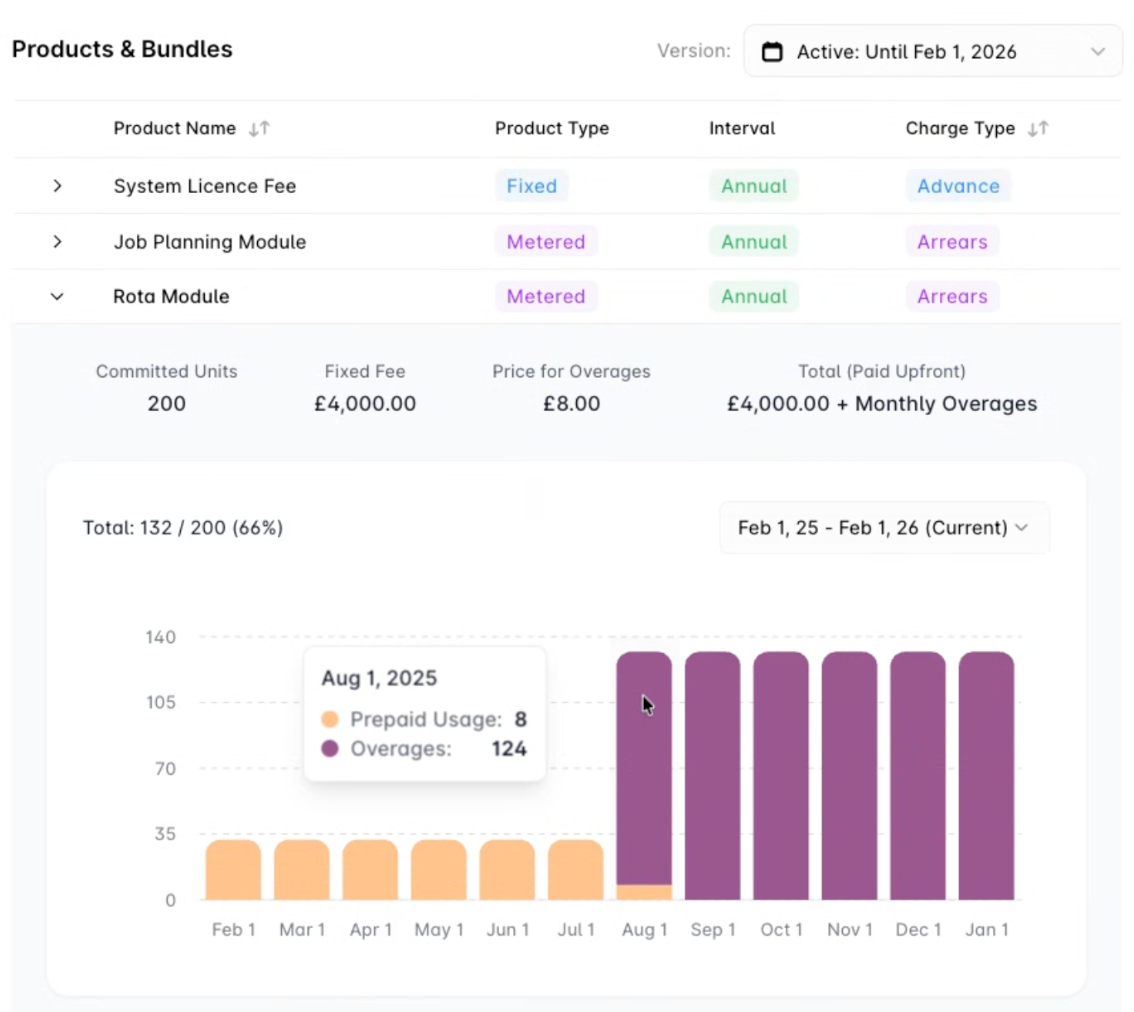
- Flexible billing models: Supports flat-rate subscriptions, usage-based billing, seat-based pricing, tiered pricing, and hybrid combinations of all four at the customer level
- No-code CPQ with e-signature: Create custom quotes directly in Alguna, send them to prospects, and convert accepted quotes into active billing agreements in one workflow
- Automated invoicing: Invoices are generated and sent automatically based on your chosen billing schedules and taking into account the impact of flexible billing frequencies on growth, with support for manual adjustments, credits, and add-ons
- Pricing simulator: Alguna's billing and subscription management systems allows for flexible pricing model testing
- Revenue analytics: Real-time dashboard showing MRR, ARR, churn, expansion revenue, and net revenue retention, giving founders and CFOs a single source of truth for revenue
- Self-service account support: Ability to manage self-service customers that would otherwise be too labor-intensive to handle manually
- White-glove migration: Alguna's team handles the heavy lifting of migrating existing customers and billing data, with a clear migration plan and ongoing support
Pros
- Handles any deal structure without breaking billing operations
- Specifically equipped to deal with complex usage-based billing that simpler platforms or legacy systems can't support
- Covers the full quote-to-cash workflow without needing separate tools
- Fast to set up and onboard new customers once live
- Strong customer support with flexibility to accommodate specific requirements
- Clear revenue visibility that payment processors like Stripe don't provide
Cons
- If your business runs purely on simple flat subscriptions, some of the platform's depth may go unused
- Smaller ecosystem of native integrations compared to legacy platforms like Chargebee
Best for
- B2B SaaS companies with usage-based, seat-based, or hybrid pricing models
- Founders and revenue teams who want billing on autopilot after customer onboarding
- Companies outgrowing manual billing processes or spreadsheet-based revenue tracking
- Teams that need a clear overview of revenue movements and SaaS metrics in one place
- SaaS companies managing enterprise deals alongside self-service accounts
"Alguna ticked every box I needed. Most importantly, it gave me a clear overview of revenue movements, something Stripe just couldn't provide."
- Adam Liska, Co-founder and CEO at Glyphic AI
Read the case study
Pricing:
- Free tier available.
- Paid plans from $699/month.
- Custom pricing based on your revenue volume and requirements.
- Mix and match product modules based on needs.
- Alguna never takes a revenue cut.
• Handle any pricing model
• Eliminate manual processes and workarounds
• Uncover up to 20% of ARR
Sequence: Billing flexibility for B2B SaaS companies
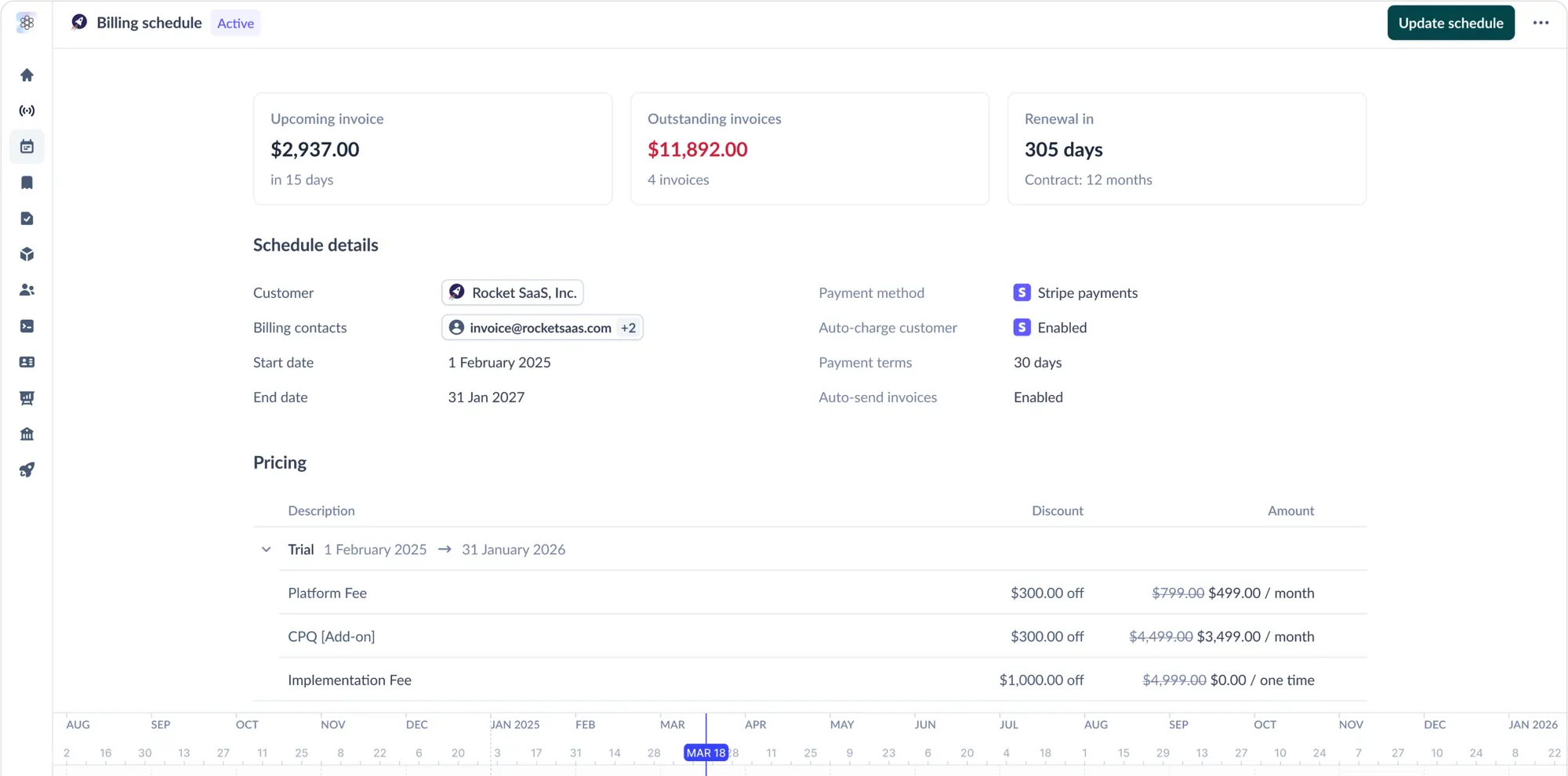
Sequence is a purpose-built quote-to-revenue platform designed for B2B SaaS companies that have outgrown Stripe Billing and need to handle custom contracts, and complex pricing without overhauling their entire finance stack.
Just like Alguna, it covers CPQ, billing, usage metering, and revenue recognition in a single platform.
Key features
- CPQ with e-signature: Build and send sales quotes with configurable pricing tiers, ramps, discounts, and custom terms, with e-signature built in for faster deal execution
- Flexible billing: Handles usage-based pricing, seat-based billing, hybrid models, multi-year contracts, prepaid credits, milestone billing, and automated proration
- AI contract ingestion: Forward contracts via Slack or email and Sequence automatically extracts pricing terms and configures billing schedules, reducing manual handoffs
- Revenue recognition: ASC 606-compliant rev rec with a dedicated sub-ledger and AI-assisted month-end workflows
- Accounts receivable automation: Automated invoicing, AI-powered collections agents, and real-time visibility across billing, quoting, and receivables
Pros
- Fast migration from Stripe with a native payments integration that requires no payment re-setup
- Intuitive, Notion-like interface that finance teams actually enjoy using
- Strong CPQ capability rarely found in billing-first platforms
- Customers report meaningfully reduced revenue leakage from billing errors and underbilling
Cons
- Pricing is based on projected billed revenue, which can be harder to model upfront than flat monthly fees
- Some users note that certain advanced customization options are still maturing
- Third-party integration depth is good but still growing compared to more established platforms
Best for
- B2B SaaS companies between $5M and $50M ARR that have hit the ceiling with Stripe Billing
- Finance and RevOps teams managing a mix of self-serve and enterprise contracts
- Teams where sales is closing custom deals and finance needs billing on autopilot from the moment a contract is signed
- Companies that want to keep Stripe for payments but need a smarter billing layer on top
Pricing: Custom platform fee based on projected billed revenue and features required.
Tabs: Revenue automation for B2B finance teams
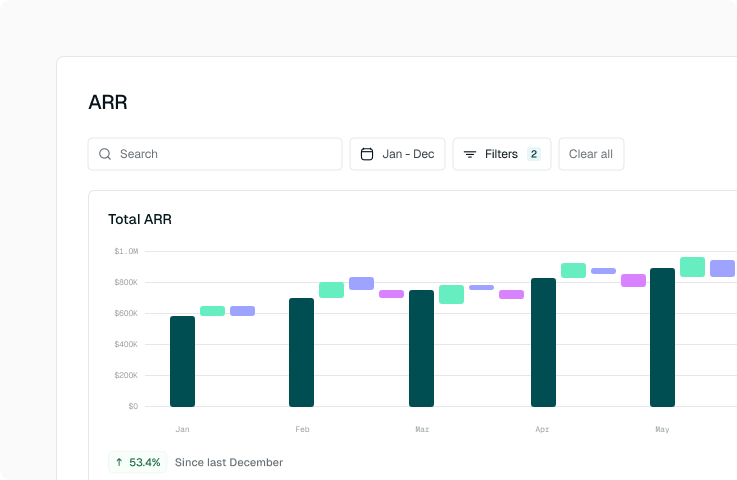
Tabs is a revenue automation platform built specifically for B2B finance teams. Where many billing platforms start from the product catalog and work outward, Tabs starts from your contracts.
Its AI reads executed contracts and usage data to automatically generate billing schedules, invoices, and revenue recognition entries, without requiring finance teams to manually configure rules for each deal.
The result is a platform that excels at the unglamorous but high-value work of accounts receivable: getting invoices out accurately and on time, following up on overdue balances, and closing the books cleanly.
Key features
- AI contract ingestion: automatically reads and extracts billing terms from contracts and CRM data, eliminating manual invoice entry across any pricing model
- Usage-based and hybrid billing: natively supports subscription, usage-based, milestone, and hybrid contract structures without requiring structured data mapping
- ASC 606 revenue recognition: automated deferred revenue recognition powered by contract and billing data, with no spreadsheets required
- Collections automation: automated payment reminders, embedded payment links, and an AR dashboard with actionable insights on overdue balances
- ERP and CRM integrations: native integrations with QuickBooks, NetSuite, Sage Intacct, and major CRM systems for a connected contract-to-cash workflow
Pros
- AI contract ingestion removes a major source of manual work and billing errors
- Strong accounts receivable automation with real cash flow impact
- Handles genuinely complex contract terms, including milestones, hybrid models, and amendments
- Finance teams can manage high invoice volumes without additional headcount
- SOC 2 compliant with enterprise-grade security and audit-ready controls
Cons
- Less focused on the sales-side CPQ and quoting workflow compared to platforms like Sequence or Salesbricks
- Better suited to finance-led implementations than sales-led teams looking for a seller experience
- Custom pricing means upfront cost visibility requires a sales conversation
Best for
- B2B finance teams managing high volumes of complex, custom contracts
- Companies where getting invoices out accurately and collecting cash faster is the primary goal
- Organizations that need clean ASC 606 revenue recognition without building a separate process
- SaaS companies scaling rapidly where manual billing processes are already becoming a bottleneck
Pricing: Custom pricing.
Zenskar: Flexible billing with order to cash focus
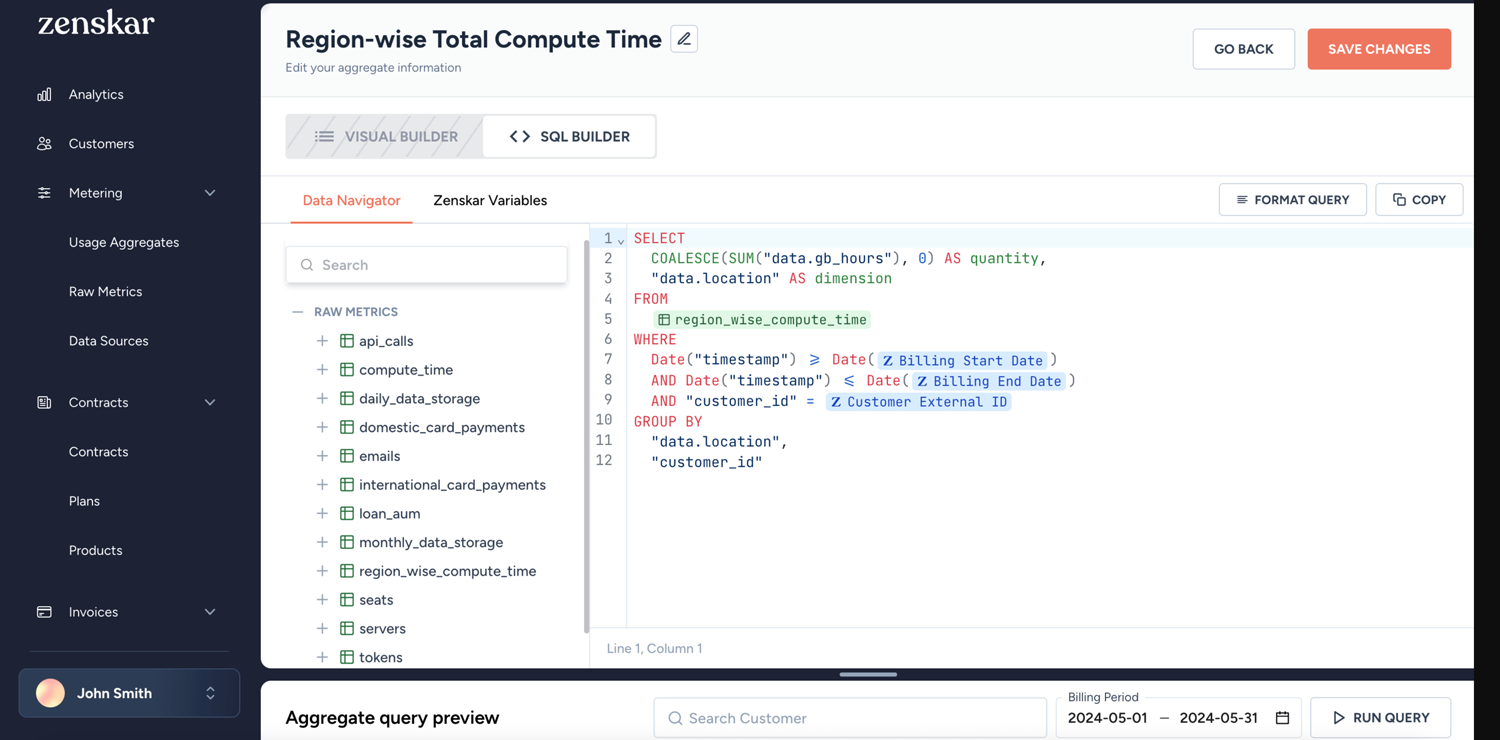
Zenskar is an order-to-cash platform designed for B2B SaaS. Its core differentiator is a proprietary graphical data model that decouples metering from pricing, meaning you can change your pricing structure without altering how usage data is collected, and vice versa.
This decoupled architecture matters most for companies that iterate on pricing frequently or run highly customized enterprise contracts alongside standardized self-serve plans.
Key features
- Decoupled metering and pricing: change pricing models without rewriting metering logic, and update usage tracking without impacting existing contracts or billing schedules
- No-code pricing engine: configure any billing model (tiered, volume, milestone, prepaid credits, hybrid, and custom) through a no-code interface without developer involvement
- Usage metering: ingest raw usage data via API, CSV, or 200+ pre-built source integrations, with no-code aggregation and real-time monitoring
- Revenue recognition: ASC 606 and IFRS 15 compliant with AI-generated performance obligations, flexible recognition methods, and two-way ERP integration
- SaaS metrics and reporting: real-time MRR, ARR, LTV, churn, and customer health dashboards with custom reporting built for finance, sales, and product teams
Pros
- Pricing model flexibility for teams that run complex or rapidly evolving billing structures
- No-code interface reduces reliance on engineering for billing changes
- 200+ pre-built integrations across CRM, ERP, payment gateways, and data tools
- Flat-fee pricing model with no revenue percentage charge, which becomes advantageous at scale
Cons
- Newer platform with a smaller community and partner ecosystem than legacy tools
- Requires some implementation effort and configuration upfront
- No mobile app, which may be a consideration for teams needing on-the-go access
- Learning curve for teams moving from simpler tools given the platform's depth
Best for
- B2B SaaS companies with complex, dynamic pricing that changes frequently or varies significantly by customer
- Engineering-conscious teams that want to remove developer dependency from billing operations
- Companies with both product-led and sales-led motions running in parallel
- Finance teams that need best-in-class revenue recognition alongside automated billing
Pricing: Custom pricing with no revenue percentage fee. All features are available on all plans. Contact Zenskar for a quote.Startup and SMB CPQ
Salesbricks: Flexible billing solution for B2B startups
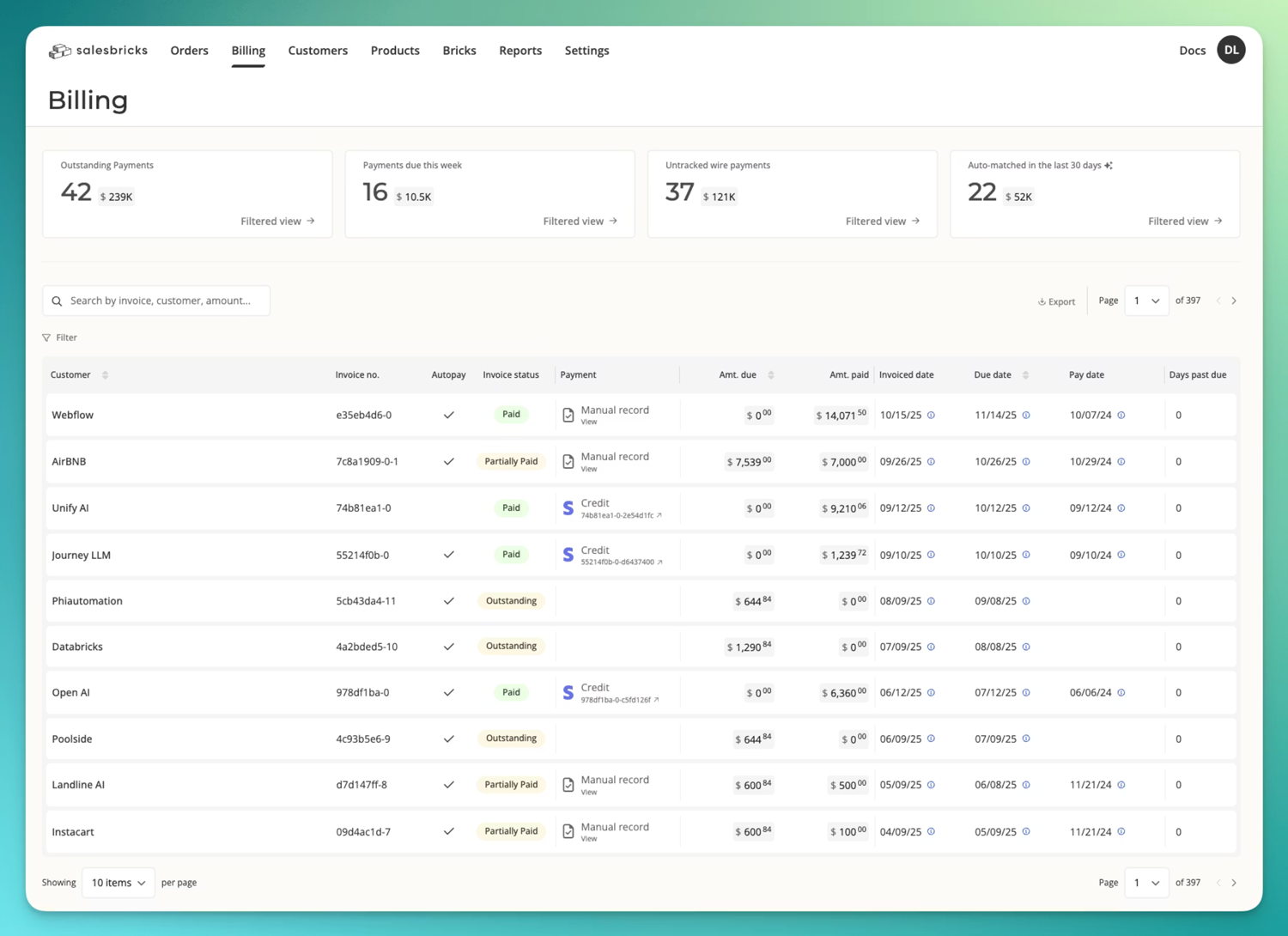
Salesbricks is an easy way for B2B SaaS startups to go from pricing configuration to closed deal to recurring billing, all in one place. Its core design philosophy is speed: sales reps can generate interactive, accurate quotes in seconds, buyers get a B2C-like purchasing experience, and the revenue workflow runs from contract to invoice automatically.
The platform is built around a modular pricing concept called "Bricks," where admins configure their product catalog, pricing tiers, usage models, and bundles once, and sales reps can then mix and match from that library to build custom quotes without spreadsheets or RevOps involvement on every deal.
Key features
- CPQ and interactive quoting: Sales reps build quotes from a pre-configured product library with support for usage models, bundles, discounts, ramping entitlements, and custom billing schedules
- Contract and legal terms management: Attach MSAs, DPAs, SLAs, and other legal exhibits directly to quotes for a fully self-contained deal package
- Billing and subscription management: Automatically converts signed contracts into billing schedules, managing recurring charges, upgrades, and renewals
- Revenue waterfall: Organizes the financial timelines and data from every deal into a unified view for finance and leadership
- BrIQ AI assistant: Search across contracts, invoices, and payments to get instant answers, or train it to automate renewals, collections, and operational tasks
Pros
- Very fast to set up and get sales reps quoting accurately without RevOps on every deal
- Excellent buyer experience with interactive, self-serve quote customization
- Strong integration with the tools most SaaS startups already use
- Modular pricing approach scales naturally as your product catalog grows
- Revenue-aligned pricing model means lower upfront cost for early-stage companies
Cons
- Better suited to startups and growing SMBs than large enterprises with dedicated RevOps and finance teams
- Revenue recognition capabilities are less comprehensive than finance-first platforms like Maxio or Zenskar
- Percentage-of-invoiced-revenue pricing model can become expensive as ARR scales into the tens of millions
- Less depth on usage metering for API-first or infrastructure products with complex consumption models
Best for
- SaaS startups and scale-ups looking to clean up their revenue process early and avoid technical debt
- Sales-led teams that want to give reps the ability to quote accurately and close deals faster
- Companies that want to eliminate the Word-doc-plus-DocuSign quoting workflow
- Businesses where the primary pain is quote-to-cash friction rather than complex usage metering
Pricing: Percentage of invoiced revenue (custom rate). No fixed monthly fee, making it accessible for early-stage companies.
Stripe: Flexible billing for early-stage startups
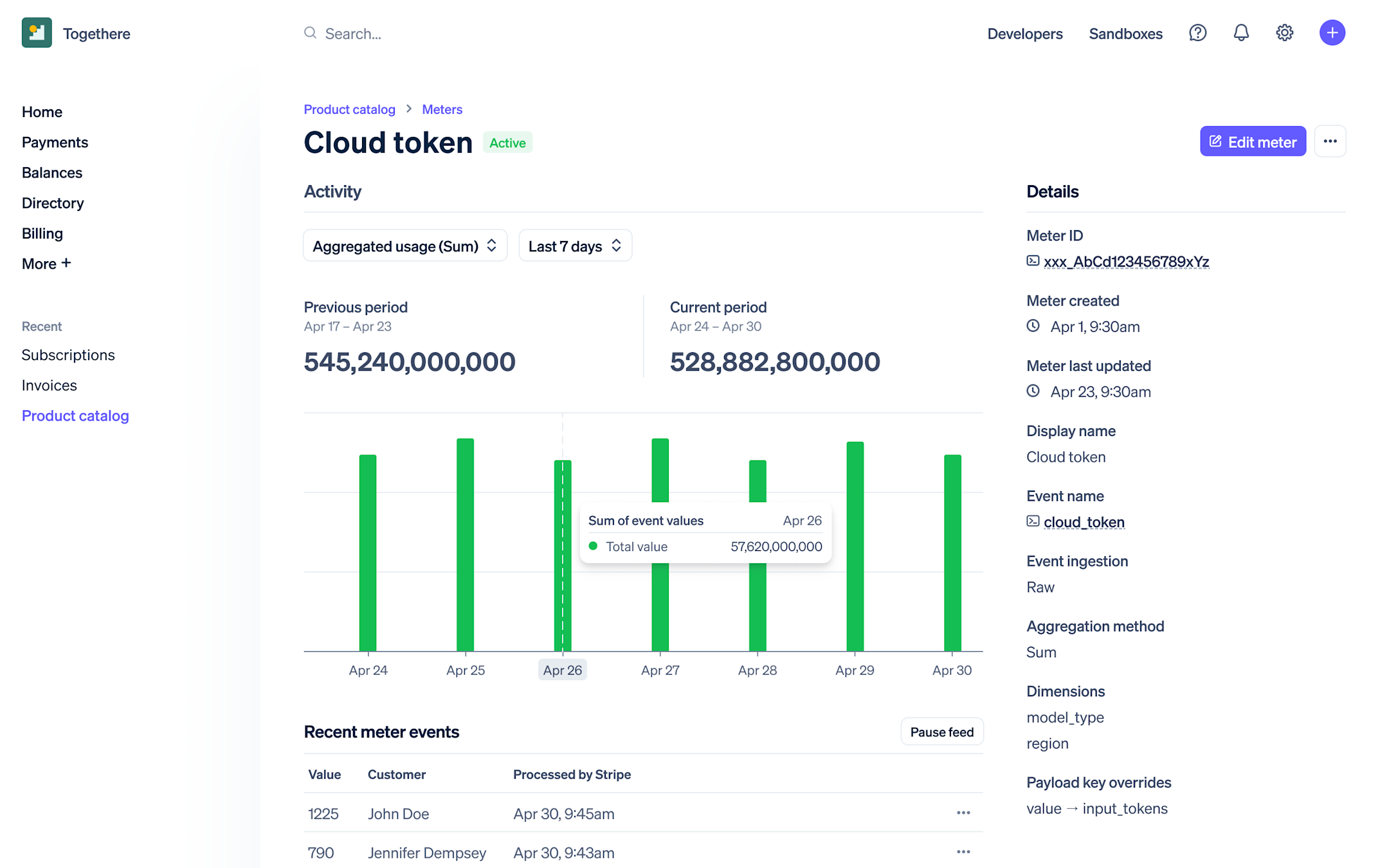
Stripe Billing is the billing layer built on top of Stripe's payment infrastructure. For development teams, it offers an exceptionally powerful API and a huge ecosystem of integrations. It's the default starting point for many SaaS companies and handles straightforward subscriptions well out of the box.
The challenge comes when your billing needs evolve beyond the basics. Implementing complex usage-based billing, custom enterprise pricing structures, or automated revenue recognition in Stripe typically requires significant engineering time and ongoing maintenance.
Many fast-growing SaaS companies find themselves outgrowing Stripe Billing and looking for a purpose-built billing platform once their pricing model gets more complex.
Key features
- Subscription management: handles recurring billing, trials, proration, plan upgrades, and downgrades
- Metered billing: supports usage-based billing via the API, though implementation requires engineering resources
- Invoicing: automated invoice generation with a branded customer portal
- Smart retries and dunning: built-in retry logic and dunning emails for failed payments
- Massive ecosystem: connects with virtually every CRM, accounting tool, and data platform on the market
Pros
- Best-in-class payment infrastructure with global coverage and payment method support
- Extremely flexible via API for teams with strong engineering resources
- Extensive documentation and developer community
- Trusted brand with strong fraud prevention and compliance tools
Cons
- Complex billing logic requires heavy engineering work that takes time away from product
- Revenue analytics are limited; you don't get a native MRR/ARR dashboard
- No built-in quoting or CPQ functionality, so you'll need separate tools for enterprise deals
- Percentage-based fees can add up quickly at higher revenue volumes
Best for
- Early-stage companies with simple subscription billing and strong technical teams
- Companies that need global payment coverage as a primary concern
- Teams that want maximum control and are willing to invest engineering time to get it
Pricing: 0.5% for basic billing features; 0.8% for advanced features like usage-based billing, plus standard Stripe payment processing fees.Subscription management
Chargebee: Billing system with flexible subscription options
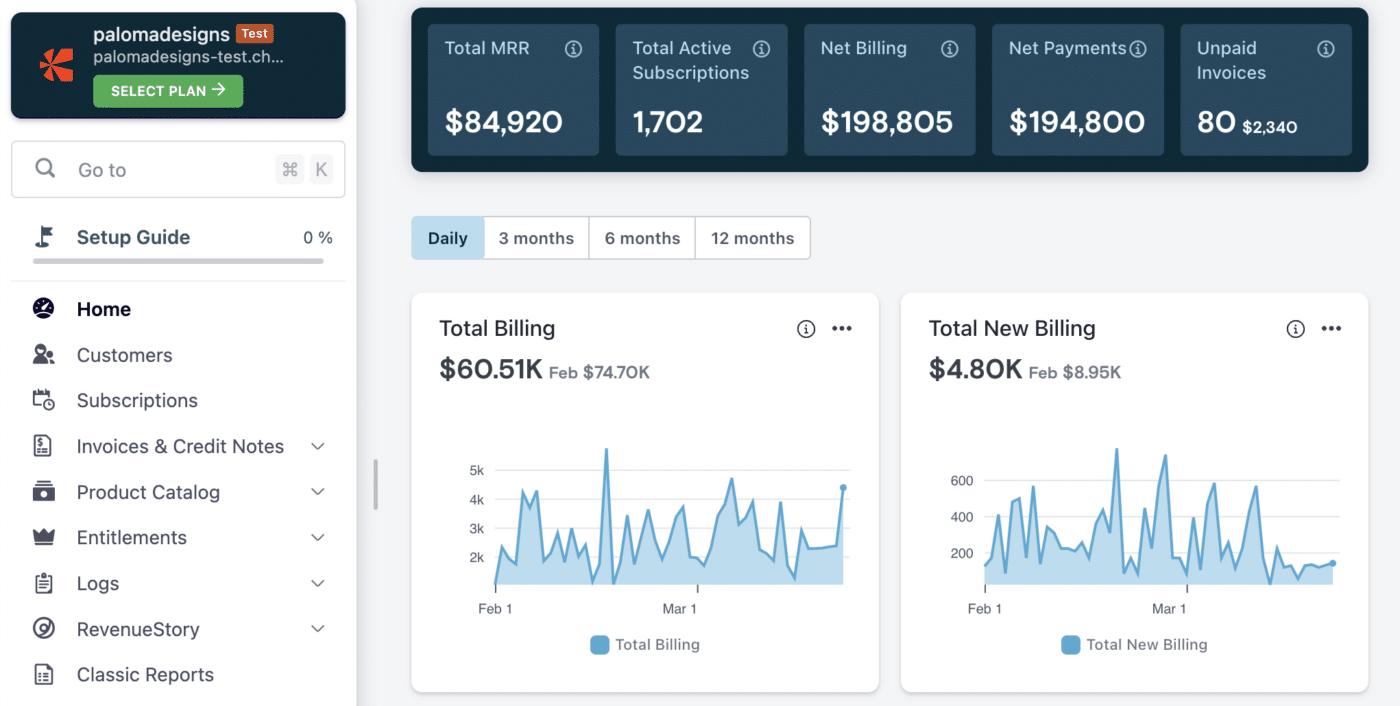
Chargebee is one of the most well-established subscription management platforms in the market, having built a strong reputation with mid-market SaaS companies. Its core strength is managing the full subscription lifecycle: trials, upgrades, downgrades, cancellations, proration, and renewal notifications.
Chargebee has invested heavily in its self-serve customer portal and CRM integrations, making it a strong fit for product-led growth companies.
⚠️ Its usage-based billing capabilities have improved in recent years but remain less mature than the platform's subscription management features, which can be a limiting factor for companies where usage billing is central to their model.
Key features
- Subscription lifecycle management: comprehensive handling of trials, plan changes, renewals, and cancellations
- Customer self-serve portal: branded portal for customers to manage their own subscriptions
- Revenue recognition: automated deferred revenue recognition in the RevRec module (available on higher tiers)
- Integrations: native connectors for Salesforce, HubSpot, QuickBooks, Xero, and many others
- Dunning management: automated retry logic and customer communications for failed payments
Pros
- Very mature subscription management with comprehensive lifecycle coverage
- Strong out-of-the-box integrations with popular CRMs and accounting software
- Good customer self-serve portal reduces support load
- Well-documented API for teams that want customization
Cons
- Usage-based billing capabilities are less flexible for complex metering scenarios
- Pricing tiers can become expensive as your customer base and revenue grows
- Revenue recognition module is locked behind higher-tier plans
- Some users report that customer support quality varies
Best for
- Mid-market SaaS companies with subscription-led or product-led growth models
- Teams that want strong out-of-the-box CRM and accounting integrations
- Companies where self-serve subscription management for customers is a priority
Pricing: Plans start at $599/month for the Performance tier. Enterprise pricing is custom. Revenue recognition is available on higher-tier plans only.
Maxio: Finance-first billing
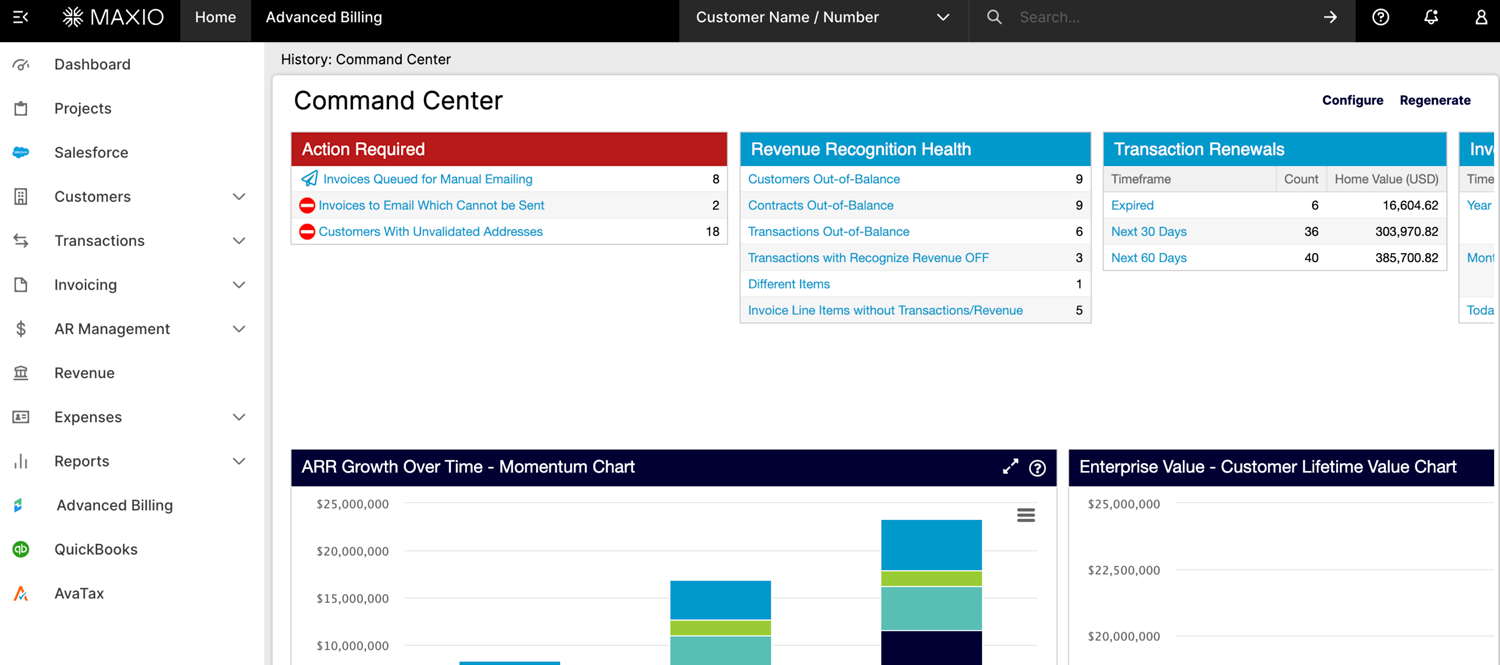
Finance focused Maxio (formed from the merger of SaaSOptics, Chargify, and RevOps.io) combines billing and subscription management with financial reporting and revenue recognition in a single platform. This makes it appealing to CFOs and finance teams who need both billing operations and financial compliance handled together.
The platform caters primarily to B2B SaaS companies that are moving toward more serious financial reporting requirements, particularly around revenue recognition (ASC 606).
Its SaaS metrics dashboards are genuinely strong. However, the UI reflects the platform's heritage as multiple merged products, and some users find the learning curve steeper than alternatives.
Key features
- Billing and subscription management: supports subscriptions, one-time charges, usage-based billing, and hybrid models
- Automated revenue recognition: ASC 606 compliant deferred revenue recognition built into the core product
- SaaS metrics reporting: MRR, ARR, churn, expansion, and retention reporting that CFOs and investors expect
- Contract management: handles amendments, renewals, and multi-year deal structures
- Accounting integrations: native sync with NetSuite, QuickBooks, Xero, and Salesforce
Pros
- Strong combination of billing and financial reporting in one platform
- ASC 606 revenue recognition out of the box is a genuine differentiator for finance teams
- Good SaaS metrics dashboards trusted by CFOs and investors
- Handles complex deal structures like multi-year contracts with amendments
Cons
- The UI can feel dated and less intuitive compared to newer platforms
- Steeper learning curve, particularly for teams coming from simpler tools
- Post-merger integration of two products means some workflows feel inconsistent
- Customer support response times can be slow for lower-tier plans
Best for
- B2B SaaS companies with complex subscription deal structures needing ASC 606 compliance
- CFOs and finance teams who need billing and revenue recognition in one tool
- Companies preparing for audit, fundraising, or acquisition where financial reporting accuracy matters
Pricing: Plans start at $599/month. Custom pricing available for higher revenue volumes.
Zuora: Flexible billing for enterprise companies
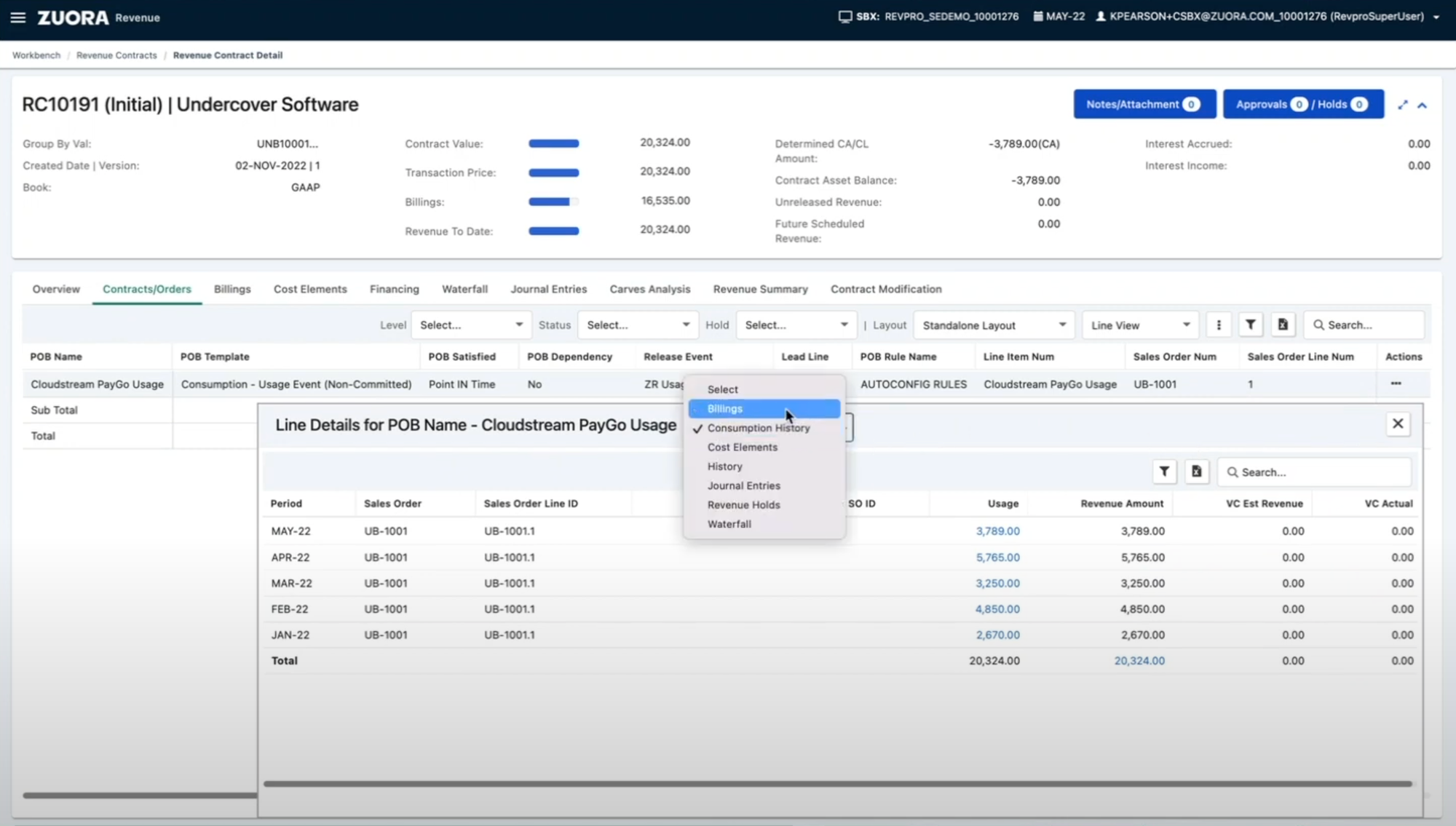
Zuora is the dominant legacy player in enterprise subscription management. For large organizations with dedicated billing operations teams, Zuora provides a level of control that few platforms can match.
The trade-off is significant: Zuora is very expensive, complex to implement (typical implementations take 6-12 months), and requires ongoing maintenance from either internal specialists or a Zuora implementation partner. It's a platform built for enterprises with the resources to invest in it, and it tends to be overkill for companies below a certain revenue threshold.
Key features
- Highly configurable billing: handles virtually any billing model, including complex enterprise structures
- Revenue recognition: full ASC 606/IFRS 15 compliance with Zuora Revenue
- Enterprise integrations: deep connectors for Salesforce, SAP, Oracle, and other enterprise systems
- Order management: handles complex order-to-cash workflows including amendments and order transformations
- Global tax compliance: built-in tax calculation across multiple jurisdictions
Pros
- Best-in-class for complex enterprise billing requirements
- Extremely configurable for organizations with specific compliance requirements
- Strong revenue recognition and financial reporting tools
- Established platform trusted by large public companies
Cons
- Implementation is expensive and time-consuming, often requiring a systems integrator
- High total cost of ownership including licensing, implementation, and ongoing maintenance
- Slow to iterate and make changes once live; not suited for companies that pivot their pricing frequently
- Overkill for companies that don't have dedicated billing operations resources
Best for
- Large enterprises or publicly traded companies with complex compliance and audit requirements
- Organizations with dedicated billing operations teams and IT resources
- Companies with multi-product, multi-entity, or multi-currency billing at scale
Pricing: Custom enterprise pricing. Total cost of ownership (including implementation) is typically high. Contact Zuora for a quote.
Recurly: Flexible subscription billing for B2B and media companies
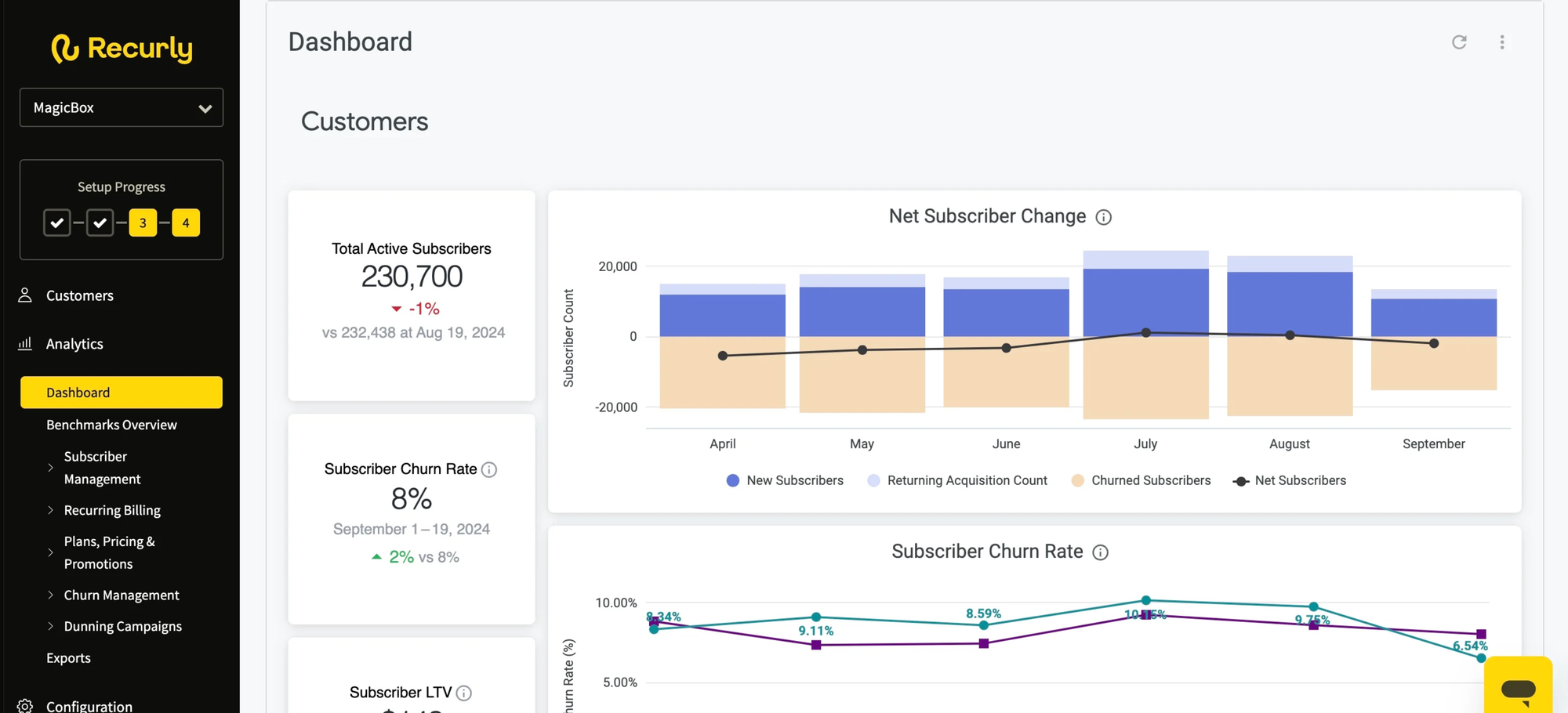
Recurly built its reputation as one of the best platforms for managing consumer subscription businesses, with particularly strong dunning and churn reduction capabilities. For media companies, SaaS products with consumer audiences, and businesses where recovering failed payments is a significant revenue driver, Recurly is a solid and well-priced option.
Where Recurly is less strong is in B2B-specific use cases: complex enterprise quoting, usage-based billing for developer tools or API products, and the kind of flexible billing model support that modern B2B SaaS companies need. It's a good tool, but not one optimized for the same use cases as the other platforms in this guide.
Key features
- Subscription management: trial management, plan changes, coupons, and promotions
- Dunning and churn reduction: intelligent retry logic, pause subscriptions, and revenue recovery workflows
- Analytics: subscription and revenue metrics with churn analysis
- Integrations: connects with Salesforce, HubSpot, and major payment gateways
Pros
- Excellent dunning management and failed payment recovery
- Easy to set up and get running quickly
- Solid churn reduction tooling built into the core product
- Competitive pricing for mid-market companies
Cons
- Limited support for complex B2B billing structures and enterprise quoting
- Usage-based billing capabilities are basic compared to purpose-built platforms
- Less suited for companies with hybrid or negotiated enterprise pricing models
- Revenue recognition features lag behind Chargebee and Maxio
Best for
- Consumer subscription businesses where recovering failed payments is a top priority
- Media, e-commerce, and SaaS companies with straightforward recurring subscription models
- Teams looking for a quick, easy-to-implement subscription management solution
Pricing: Starts at $249/month plus 0.9% of revenue. Higher tiers unlock advanced features. Volume-based pricing available.Merchant of record
How to evaluate flexible billing software
Choosing the right billing platform is a high-stakes decision. It touches every part of your revenue process, from how you price and sell to how you recognize revenue and report to your board. Here are the key criteria to evaluate before you commit.
Billing model flexibility
Can the platform support your current pricing model and where you want to take it? If usage-based or hybrid billing is on your roadmap, evaluate that capability now, not after you've onboarded.
Time to implement
How long does it realistically take to go live? A platform that takes six months to implement may cost more in delayed revenue than a platform with higher fees but faster onboarding.
Engineering dependency
Can your finance, sales, or RevOps team make billing changes without involving engineering? Every time your developers have to touch billing, it's time not spent on your product.
Revenue visibility
Does the platform give you the revenue metrics your leadership team and investors need? MRR, ARR, net revenue retention, and churn should be available without manual spreadsheet work.
Quote-to-cash coverage
How many steps in your revenue workflow does the platform cover? A tool that handles quoting, contract execution, billing, and invoicing in one place reduces data fragmentation significantly.
Migration support
What does migrating existing customers look like? Revenue and billing migrations can be high-risk. Understand what the vendor does to support the migration process before you commit.
Scalability and pricing model
How does the platform's cost change as you grow? Percentage-based fees that seem low at $1M ARR can become very expensive at $10M. Model your costs at your expected 18-24 month revenue targets.
Integration with your stack
Does the platform connect with your CRM, accounting software, and data tools? Billing data that doesn't flow automatically to your financial reporting creates ongoing manual reconciliation work.
One thing we hear consistently from revenue teams is that the migration experience itself is often the make-or-break factor. Billing migrations are complex: customer data, payment methods, subscription terms, and billing history all need to move correctly. Work with platforms that have a clear, structured approach to migrations and can demonstrate it.
"Revenue and invoicing are sensitive areas, so as a founder I wanted to be extra cautious. Alguna's team made me feel completely at ease: they answered every question, laid out a clear migration plan, and kept me in the loop throughout. The process turned out to be far smoother than I expected, with most of the heavy lifting handled behind the scenes."
- Adam Liska, Co-founder and CEO at Glyphic AI
We'd also recommend asking vendors about their approach to edge cases: mid-cycle plan changes, custom pricing exceptions, credits and adjustments, and how they handle disputes or billing errors. The day-to-day management of billing is where complexity lives, and the platform you choose needs to make those situations easy to handle without engineering support.
For a deeper look at how to approach SaaS billing models and choose the right pricing structure, our guide covers the trade-offs between usage-based, subscription, and hybrid approaches in more detail.
Frequently asked questions about flexible billing software
What's the difference between a payment processor and billing software?
A payment processor (like Stripe or Braintree) handles the mechanics of collecting money: charging cards, processing bank transfers, and managing payment methods. Billing software sits on top of that to manage the logic of when to charge, how much to charge, and what to invoice for. Most flexible billing platforms integrate with one or more payment processors rather than replacing them.
When should a SaaS company switch from Stripe to a dedicated billing platform?
The most common trigger is when your billing logic becomes complex enough that your engineering team is spending significant time maintaining it. Other signals include: you want to offer usage-based or hybrid pricing but lack the infrastructure to do it cleanly, your finance team is doing manual revenue reporting from Stripe exports, or you need a built-in quoting flow for enterprise deals. If any of those apply, it's worth evaluating a purpose-built billing platform.
Is usage-based billing actually better for SaaS growth?
The evidence suggests it can be. OpenView Partners has consistently found that SaaS companies using usage-based pricing grow faster and have higher net revenue retention than those on pure subscription models. The key advantage is that your revenue grows naturally as customers get more value from your product, without requiring renewal negotiations. The trade-off is less revenue predictability in the short term and the need for more sophisticated billing infrastructure.
How long does it take to migrate to a new billing platform?
It depends heavily on the platform and the complexity of your existing billing setup. Enterprise platforms like Zuora can take six to 12 months. Purpose-built B2B platforms like Alguna typically move much faster, with migrations often completed in weeks rather than months. The key variable is how much of the migration work the vendor handles for you versus how much lands on your engineering team.
What is revenue recognition, and does my billing platform need to handle it?
Revenue recognition is the accounting process of recording revenue in the period it's earned, not when cash is collected. Under ASC 606 and IFRS 15, you can't book an annual contract as revenue on day one: you recognize it ratably over the contract period. If you're raising a Series A or above, are considering an acquisition, or have any investor reporting obligations, having automated revenue recognition in your billing platform will save your finance team significant time and reduce audit risk.
Can Alguna handle both self-service and enterprise billing?
Yes. One of Alguna's strengths is that it supports both self-service accounts (which previously required too much manual work to manage) and custom enterprise deals in the same platform. This gives revenue teams a unified view of all customers and revenue streams without needing separate tools for different customer segments.
What integrations does a billing platform typically need?
The most common integrations are with your CRM (Salesforce, HubSpot), accounting software (QuickBooks, Xero, NetSuite), and data tools (Segment, your data warehouse). For billing platforms specifically, you'll also want a clean connection to your payment processor. Before selecting a platform, map out your current stack and confirm that the billing platform has reliable, well-maintained connectors for the tools you actually use.
Stop letting billing complexity slow your revenue engine
Billing infrastructure isn't the most exciting part of running a SaaS business, but it's one of the highest-leverage things you can get right. When your billing platform handles the complexity automatically, your sales team can quote and close faster, your finance team gets accurate revenue data without spreadsheet gymnastics, and your customers experience a seamless billing process that builds trust rather than creating friction.
The best flexible billing software for your company depends on where you are today and where you're headed. If you're an early-stage company with a simple subscription model, starting with Stripe is perfectly reasonable. If you're growing fast, offering usage-based or hybrid pricing, and your billing is becoming a source of manual work or revenue leakage, it's time to evaluate a purpose-built platform.
For B2B SaaS companies that need the full quote-to-cash workflow in one place, with genuine flexibility to support complex billing models without engineering overhead, Alguna stands out as the platform built specifically for that problem.
"With Alguna, we're more confident in our operations, onboarding customers much faster, and we've even unlocked the ability to support self-service accounts that used to be too labor-intensive to manage."
- Adam Liska, Co-founder and CEO at Glyphic AI
The companies that get this right don't just reduce administrative overhead. They remove the ceiling on how fast their revenue can grow.
Book your personalized 30-minute demo and we'll walk you through exactly how Alguna handles your specific pricing models, from first quote to recurring invoice, with no engineering required.
No commitment. We'll map your current billing setup and show you what's possible.