Manual billing at enterprise scale is a liability. The more complex your contracts, pricing tiers, and customer base, the more damage a spreadsheet and multi-tool driven process can do to your revenue.
42% of companies experience some form of revenue leakage and EY determined that companies should expect to lose 1% to 5% of realized EBITDA annually to billing-related inefficiencies.
For a mid-market company, that translates to between $500,000 and $2 million in lost revenue every year. For enterprise? We're looking at double digits.
The good news is this: Most of it is preventable.
In this guide, we'll walk you through how to automate enterprise billing processes step by step, from auditing where you're losing revenue today to choosing the right platform and getting it live.
Whether you're running a SaaS business, a fintech, or a professional services operation, the playbook is largely the same.
Why manual billing breaks at enterprise scale
Before we get into the how, it's worth understanding exactly why manual billing processes create such serious problems at scale.
The core issue is complexity. Enterprise deals typically involve custom pricing, multi-year and multi–entity contracts, usage-based commitments, overages, negotiated discounts, and varied billing frequencies across products. All of which have to be entered, tracked, and reconciled manually if you don't have automation in place.
When information passes between teams (from sales to finance to operations), details get lost. A discount that was supposed to expire doesn't. An overage charge that should have been applied gets missed. A contract renewal slips by unnoticed.
Each of those events costs money.
MGI Research reports that contract mismanagement alone accounts for 60% of all revenue leakage. That means the majority of revenue loss at most companies isn't happening because of bad pricing or weak sales—it's happening because of process gaps between systems and teams.
On top of revenue leakage, manual billing creates cash flow problems. When invoices are delayed, disputed, or incorrect, payment follows the same pattern. Best-in-class AP teams complete invoice cycles in 3.1 days, compared to 17.4 days for average organizations. That's a gap that has a direct impact on working capital.
The solution isn't to hire more people to manage the spreadsheets. It's to remove the spreadsheets from the process entirely.
Step 1: Audit your current billing process
You can't fix what you can't see. Before you select a tool or redesign any workflow, you need to map out exactly how billing works today and where the gaps are.
Start by asking your finance and RevOps teams these questions:
- How do deal terms from contracts get into your billing system? Is it manual data entry?
- How long does it take from a signed contract to the first invoice going out?
- How do you track usage commitments and overage charges?
- How are mid-cycle changes—upgrades, downgrades, co-terming—handled?
- How do you manage renewals and pricing escalations?
- What happens when an invoice is disputed?
Document the answers, then look for the handoff points. That's where revenue leaks most often originate: the moment data moves from one system (or one person) to another.
• Sales reps are copy-pasting deal terms from contracts into Salesforce or a billing tool
• Finance is reconciling invoices in a spreadsheet at month-end
• You've had a customer dispute an invoice because the pricing didn't match their contract
• You've discovered unbilled usage charges during an audit
• Your average days-to-invoice is longer than five days
If any of those are familiar, you're already building the business case for automation.
Step 2: Map your pricing models and contract structures
Enterprise billing automation only works if your system can actually represent your pricing. Before you configure anything, you need a clean inventory of the pricing models you use today and the ones you're likely to need in the next 12 to 24 months.
Common enterprise pricing models to account for:
- Flat subscriptions: Fixed monthly or annual fees, regardless of usage
- Seat-based pricing: Per-user fees that scale with your customer's team size
- Usage-based pricing: Charges tied to consumption (API calls, tokens, transactions, data processed)
- Outcome-based pricing: Charges tied to pre-defined outcomes.
- Tiered pricing: Different rates at different consumption thresholds
- Credit-based models: Customers pre-purchase credits and draw them down over time
- Hybrid pricing: A combination of recurring subscription plus usage-based charges
If you're running hybrid pricing, that last model deserves special attention. As we covered in our guide to hybrid billing, managing a combination of subscription and usage charges manually is one of the fastest ways to accumulate billing errors. The two sides of the invoice need to be reconciled against contract terms every billing cycle, which is impossible to do accurately at scale without the right tooling.
Document all of this before you start evaluating platforms. You want to be certain the system you choose can handle your current complexity and your future complexity.
Step 3: Define your quote-to-cash workflow
Enterprise billing doesn't start at the invoice. It starts at the quote. If your quoting process isn't integrated with your billing process, you're creating a manual handoff that introduces errors at the very beginning of the revenue cycle.
A clean quote-to-cash process looks like this:
- Quote: Sales configures pricing using a CPQ (Configure, Price, Quote) tool and generates a proposal
- Contract: The customer reviews and signs, with e-signature built into the flow
- Activation: Contract terms automatically populate the billing system, including pricing, start dates, and any custom terms
- Invoicing: Invoices are generated automatically based on contract terms, usage data, and billing frequency
- Collections: Payments are collected, with automatic retries and dunning for failed payments
- Revenue recognition: Revenue is recognized in compliance with ASC 606 standards and synced to your accounting system
- Reporting: Finance and leadership have real-time visibility into MRR, ARR, usage trends, and collections
Every step that currently requires a human to move information from one place to another is a step that can be automated. The goal is for a signed contract to automatically trigger everything that follows, with human review only where judgment is required.
This is where platforms like Alguna make the biggest difference. As we explain in our breakdown of AI billing automation tools for SaaS companies, modern billing platforms unify CPQ, usage metering, invoicing, collections, and revenue recognition into a single system, removing the silos that cause most billing errors in the first place.
Step 4: Automate contract data extraction
One of the most underestimated sources of billing error is the contract-to-billing handoff. In most companies, this is still a manual process: someone reads a signed contract, extracts the key terms, and enters them into a billing system or CRM.
That process is slow, error-prone, and doesn't scale.
We built Contracts AI specifically to solve this problem. You upload a signed contract (PDF, DOCX, or any standard format), and Alguna automatically extracts all the key data points (pricing, service terms, start dates, billing frequency, custom clauses) and maps them to the correct fields in your billing system. A human reviewer approves the output before anything goes live, so you keep accuracy and compliance without the manual labor.
What used to require five people and several hours now takes one person a few seconds.
If you're not using Alguna, look for a billing platform that offers native contract ingestion or, at minimum, clean API integrations with your CRM and contract management tools. The goal is to eliminate any step where data has to be manually re-entered from a contract into another system.
Step 5: Set up automated usage metering
If any part of your pricing is usage-based, you need a reliable metering layer before you can automate billing accurately.
Usage metering means tracking events at the infrastructure level, such as API calls made, tokens consumed, transactions processed, and feeding that data into your billing system in real time.
Without accurate metering, your invoices will either undercharge (revenue leakage) or overcharge (customer disputes and churn).
The key requirements for a solid metering setup:
- Real-time event ingestion: Usage events should be captured as they happen, not batched and uploaded manually
- Idempotency: Your system should handle duplicate events without double-charging
- Threshold alerting: Customers should be able to see their usage and get notified before they hit limits or trigger overage charges
- Audit trails: Every usage event should be logged and queryable in case of disputes
If your usage metering currently relies on engineers pulling data and sending it to finance, that's a process worth prioritizing for automation.
As we've covered in our breakdown of usage-based billing software, the best platforms handle metering natively rather than requiring you to build your own infrastructure.
Step 6: Configure automated invoicing and dunning
Once your contract terms and usage data are in the system, automated invoicing is straightforward, but only if you've set it up correctly.
For each customer, your billing system should know:
- What they're being billed for (subscription, usage, one-time fees, or a combination)
- When they're billed (monthly, quarterly, annually, or on a custom schedule)
- What currency and payment method they use
- What their contract says about price escalations, discounts, or caps
With that information in place, invoices should generate and send automatically at the start of each billing period, without anyone in finance having to touch them.
For collections, set up a dunning sequence for failed payments. A basic dunning workflow looks like:
- Day 0: Payment attempt fails, customer is notified automatically
- Day 3: Second payment attempt
- Day 7: Third attempt and escalation email
- Day 14: Account flagged for manual review by your team
This alone can recover a significant portion of revenue that would otherwise slip through failed payment processing without your finance team having to manage it individually.
Step 7: Automate revenue recognition
For most enterprise SaaS and fintech businesses, revenue recognition under ASC 606 (or IFRS 15 for international operations) is a non-trivial compliance requirement. Doing it manually means your accounting team is spending significant time each month building recognition schedules, reconciling deferred revenue, and preparing for audits.
Automated revenue recognition ties directly to your billing system. When a subscription is created or a contract is activated, the system automatically:
- Generates a revenue schedule aligned with ASC 606 performance obligations
- Defers revenue that hasn't yet been earned
- Recognizes revenue as delivery occurs
- Produces reports your auditors can rely on
This is one of the highest-leverage areas of billing automation for finance teams, because the manual alternative is a compliance risk.
Step 8: Integrate with your existing finance stack
Billing automation doesn't work in isolation. It needs to feed clean data to the systems your finance team already uses—your general ledger, your CRM, your FP&A tools.
At minimum, your billing platform should integrate with:
- Your CRM: So deal terms flow in automatically and customer data stays in sync
- Your accounting software: So revenue is posted automatically without manual journal entries
- Your payment processor: So payment collection and reconciliation happen in a closed loop
The more of these integrations that are native (rather than built on custom middleware), the lower your maintenance burden and the fewer failure points in the process.
Step 9: Build reporting that finance and leadership can act on
One of the under appreciated benefits of billing automation is what it does for visibility. When all of your revenue data lives in a single system and flows through a consistent process, you can generate accurate, real-time reports on:
- Monthly and annual recurring revenue (MRR/ARR)
- Revenue by customer, product, and pricing model
- Usage trends and overage revenue
- Collections performance and days-sales-outstanding (DSO)
- Churn and expansion revenue
For enterprise teams, this data is what enables accurate forecasting, confident board reporting, and proactive decision-making.
When revenue data is locked in spreadsheets or scattered across systems, finance teams spend most of their time gathering and reconciling numbers instead of analyzing them.
Enterprise billing software worth exploring
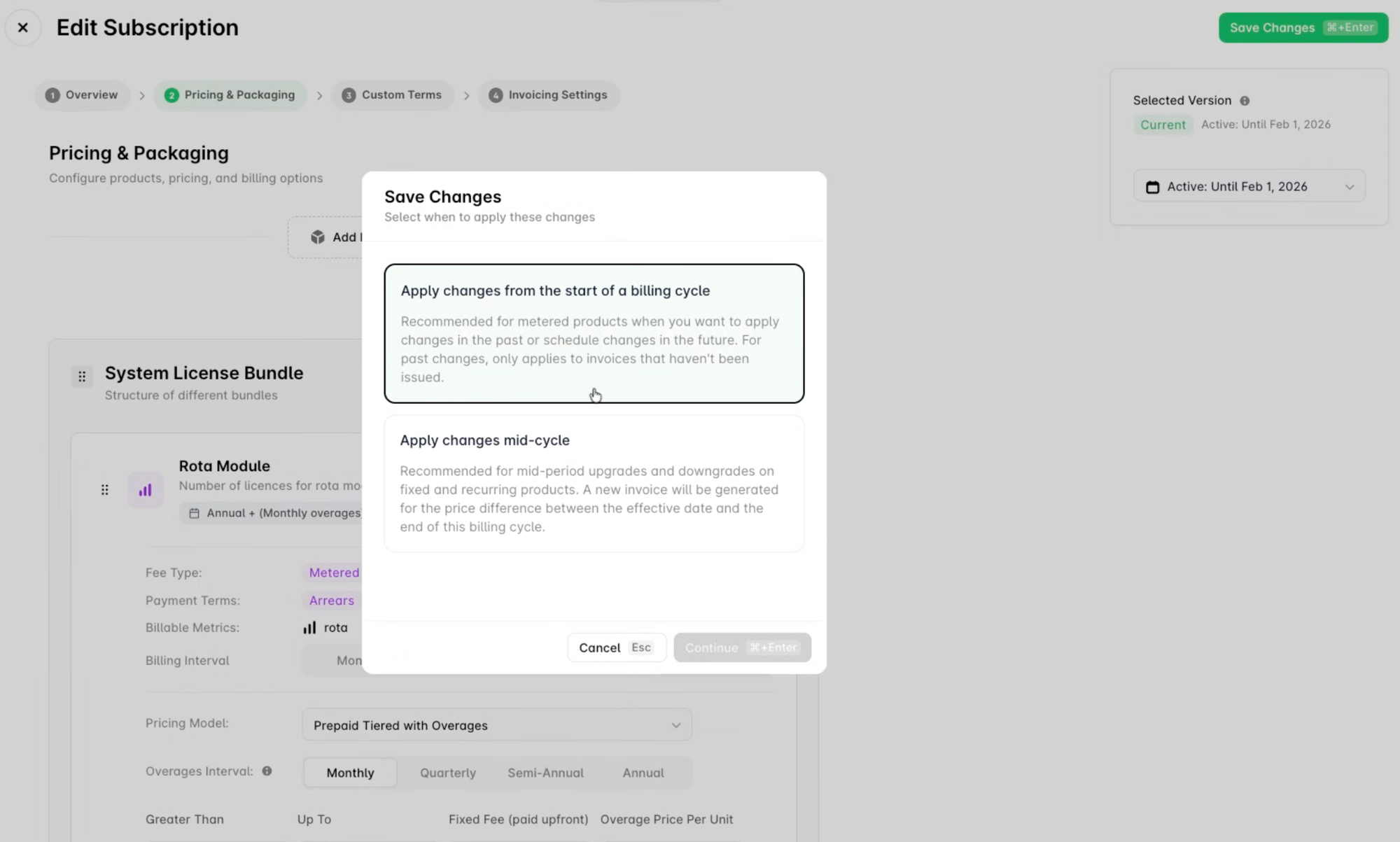
Not all billing platforms are built for the complexity that enterprise contracts demand. The right software needs to handle multi-entity structures, hybrid pricing, usage metering, and revenue recognition without requiring your finance team to live in spreadsheets between billing cycles.
There are more options in the market than ever right now. This includes modern challengers like Alguna that were purpose-built for SaaS and AI companies to legacy platforms like Zuora that are adding new capabilities to keep up.
If you're at the stage where you're evaluating tools, we put together a full breakdown of the top enterprise billing software solutions in 2026, including a side-by-side comparison of Alguna, Chargebee, Maxio, Zuora, Sage Intacct, and Agentforce Revenue Management (formerly Salesforce Revenue Cloud).
What good looks like
When enterprise billing automation is working, here's what changes:
- A signed contract automatically becomes a live subscription, with billing terms, usage tracking, and a revenue schedule activated in minutes, not days
- Invoices go out on time, with accurate charges, without anyone in finance having to generate them manually
- Failed payments are retried and escalated automatically
- Revenue is recognized in compliance with ASC 606 the moment a subscription is activated
- Finance has real-time visibility into MRR, usage, and collections without pulling data from multiple sources
The enterprise billing automation market reflects how fast this is becoming a non-negotiable. The enterprise billing solutions market is projected to grow from $4.57 billion in 2024 to around $5.29 billion in 2025, with a 15.7% CAGR. This is driven almost entirely by companies replacing manual processes with automated revenue operations.
The teams that move first gain a compounding advantage: fewer billing errors, faster cash collection, cleaner financials, and a finance function that can focus on strategy instead of reconciliation.